
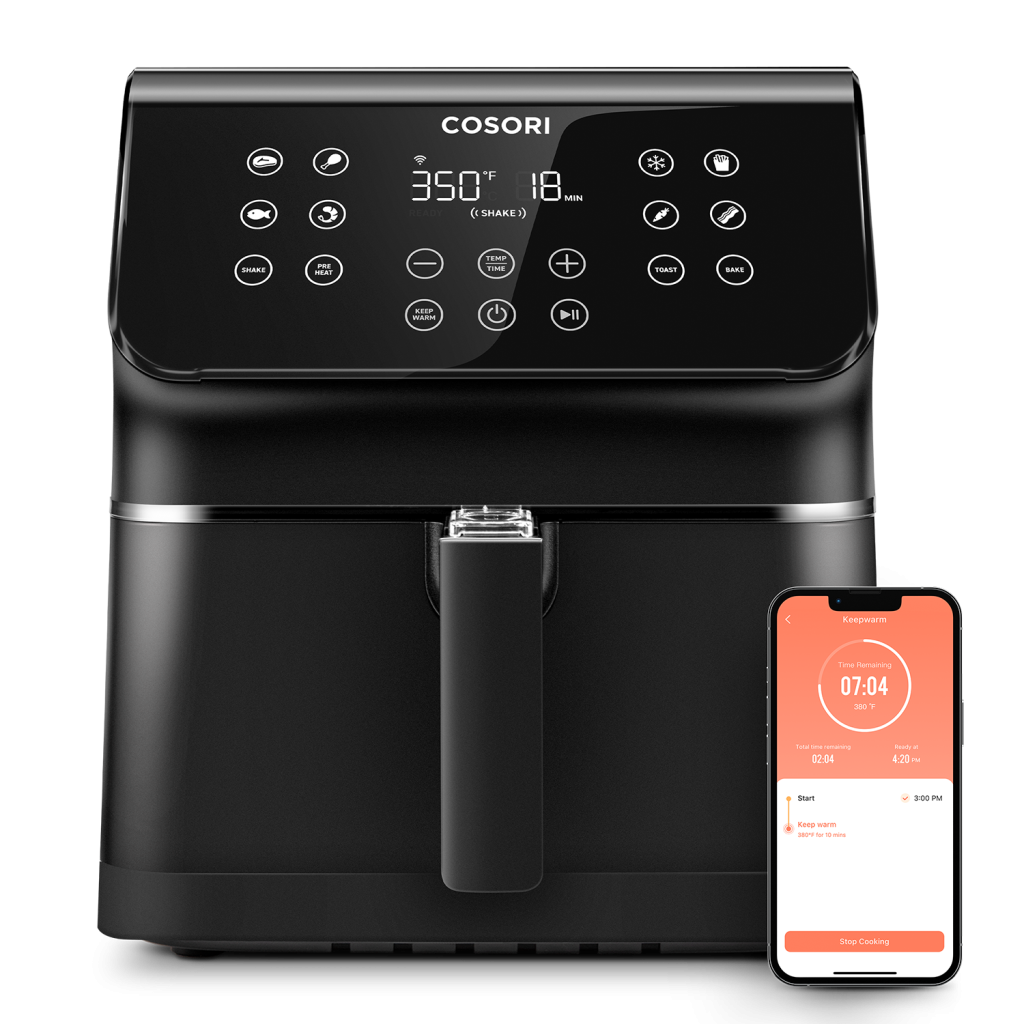
Are you frustrated with your app-controlled air fryer not working as expected? You’re not alone.
Many users face hiccups with their high-tech kitchen gadgets, and it can be incredibly annoying when you’re craving a quick, crispy meal. Imagine setting up everything for a delightful dinner only to be met with connection issues or unresponsive controls.
It’s not just about fixing a gadget; it’s about reclaiming your time, convenience, and peace of mind. This guide is here to help you troubleshoot those pesky problems, allowing you to get back to enjoying perfectly fried meals with minimal hassle. Stick around to discover solutions that save you time, money, and stress.
Common Connectivity Problems
Air fryers need strong Wi-Fi signalsto work well. Place the air fryer close to the router. Walls and objects can block signals. Restart the router if needed. Check the Wi-Fi password. It must be correct. Update the air fryer app often. This helps fix connection bugs.
Bluetooth must be on in your phone. Check the settings first. The air fryer should be in pairing mode. Some fryers have a button for this. Keep the phone close to the fryer. Distance can cause pairing issues. Restart both devices if it fails. Sometimes, updates help. Check for new app versions.

Credit: www.amazon.com
App Malfunctions
Experiencing app malfunctions with your air fryer can be frustrating. Ensure app updates are installed to fix bugs. Check Wi-Fi connection stability for seamless operation.
App Crashes
Apps sometimes crash without warning. This can be frustrating. First, check for any updates in the app store. Updates fix bugs. If the app is up-to-date, restart your phone. A simple restart can solve many issues. Still crashing? Try reinstalling the app. This can reset the app settings. Always ensure your device has enough storage. Low storage can cause apps to crash.
Lagging Or Freezing Interfaces
Lagging interfaces are annoying. Slow app interfaces waste time. To fix this, clear the app cache. Cached data slows down apps. Go to settings and find the app. Tap on ‘clear cache’. This can help speed up the app. Another solution is to close background apps. Too many apps open slow down your device. Ensure your device software is up-to-date. Updates can improve app speed.
Temperature And Cooking Discrepancies
Air fryers sometimes show wrong temperature numbers. This makes cooking hard. Check the app settings first. Sometimes they have bugs. Reset the temperature to the right one. Verify with a manual thermometer if possible. Apps can sometimes go wrong. Reinstall the app if the problem stays. Always keep your app updated. Updates fix many problems.
Food cooks unevenly in air fryers sometimes. Arrange the food evenly in the basket. This helps heat reach all parts. Shake the basket halfway through cooking. It helps even out the heat. Try smaller portions for better results. Big portions cook unevenly. Clean the basket often. Dirt can block heat. Experiment with different settings. Some foods need special care.
Device Compatibility Concerns
Many air fryers use apps to control them. Some apps need specific operating systems. Older phones might not work well with these apps. Always check if your phone’s system is up-to-date. If not, try to update it first. If updates are not available, consider using a different device. It might be necessary for better app control.
Apps often need updates. These updates fix bugs and add new features. Always ensure your app is the latest version. Sometimes, apps won’t work without updating. Check your app store for updates regularly. If your app still doesn’t work, it might not be compatible. You may need to wait for a new update. Contact support if problems continue.
Error Codes And Alerts
Air fryers show numbers or words when they have problems. These are called error messages. They help us know what’s wrong. A number like “E1” means a sensor problem. “E2” might show when the fryer is too hot. Each error has a different reason. Reading the manual helps understand these codes. It’s like a secret language. Some fryers have a list of codes. Check this list to find the problem. It makes fixing easier.
Alerts warn us about problems. A beep might mean the air fryer is overheating. Sometimes, it needs cleaning. Resetting the fryer can solve many alerts. Unplug it for a few minutes. This clears minor issues. Cleaning the fryer regularly prevents alerts. Check the manual for tips. It often has solutions for common alerts. Following these steps keeps the air fryer working well.

Credit: cosori.com
Maintenance And Cleaning Challenges
Sensors help the air fryer work well. Dust and oil can cover sensors. This makes the fryer not work right. Use a soft cloth to clean them. Do it gently. Make sure sensors are dry after cleaning. Keep them clear for best results.
Food bits and oil can cause clogs. These clogs stop the air fryer from cooking well. Clean the basket and tray after every use. Use warm water and soap. Dry them well before putting them back. This stops build-up and keeps the fryer in good shape.
Enhancing App Performance
Open the app on your phone. Check for any updates. Updates fix many problems. Set the app to automatic updates. This helps keep it current. Choose the right language in settings. Pick the one you understand best. Review your notification settings. Choose what is important.
Use the app in a well-lit area. Bright screens are easier to read. Try to keep your phone charged. Low battery can slow the app. Clear the app cache if it runs slow. It helps speed things up.

Credit: www.amazon.com
Frequently Asked Questions
How Do I Reset My Airfryer?
To reset your air fryer, unplug it from the power source for a few minutes. Plug it back in, and check the manual for specific reset instructions. This process often resolves minor glitches and restores default settings. Always consult the manufacturer’s guide for detailed troubleshooting steps.
Why Are People Getting Rid Of Air Fryers?
People are getting rid of air fryers due to limited cooking capacity and space constraints. Some find cleaning cumbersome. Others prefer traditional methods for better texture and flavor. Concerns about noise and electrical consumption also influence decisions. Rising health concerns over non-stick coatings can deter usage.
Why Is My Digital Air Fryer Not Working?
Check if the air fryer is plugged in properly. Inspect the power cord for damage. Ensure the basket is inserted correctly. Verify settings and temperature are selected accurately. Consult the manual for troubleshooting tips or contact customer support for assistance.
Why Does My Air Fryer Keep Beeping And Not?
Your air fryer might be beeping due to overheating, a timer alert, or an error code. Check the manual for specific error codes. Ensure the appliance is clean and not overloaded. Reset the fryer by unplugging it for a few minutes.
If the issue persists, contact customer support.
Conclusion
Troubleshooting your app-controlled air fryer can seem tricky at first. But, with patience, you can solve many issues. Start by checking basic settings. Ensure your app is updated and connected. Look for common problems like network issues or app bugs.
Sometimes, a simple restart fixes things. If problems persist, consult the user manual. Or, reach out to customer support. They can provide specific guidance. Remember, understanding your device helps prevent future problems. Keep your app and fryer in sync. Enjoy hassle-free cooking with your air fryer.
Happy frying!