
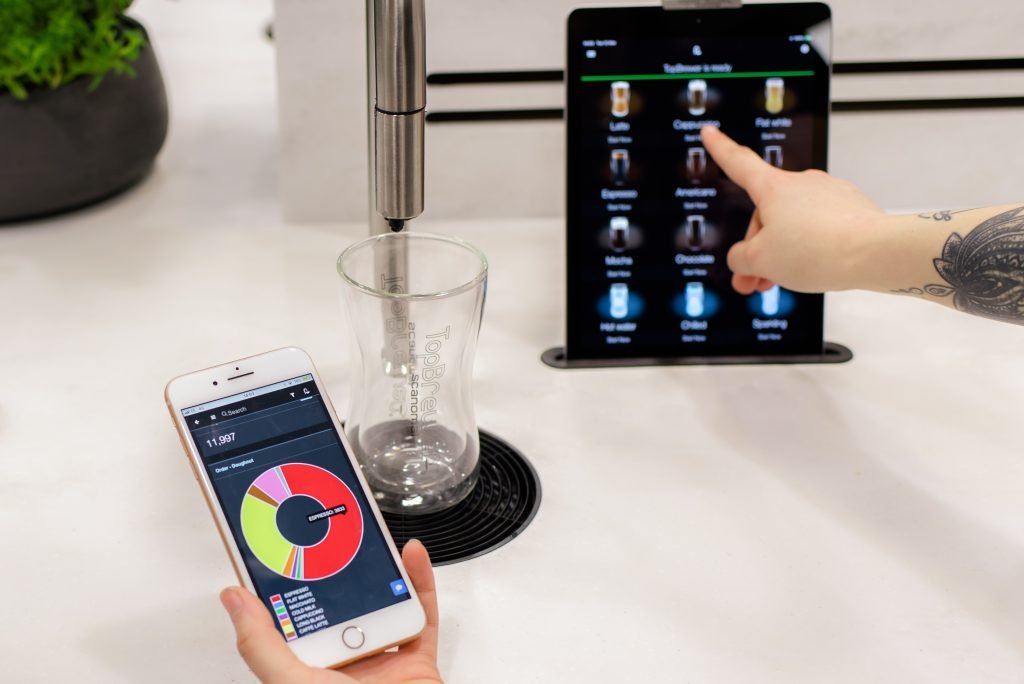
Imagine waking up to the rich aroma of freshly brewed coffee, ready and waiting for you without lifting a finger. With a smart coffee machine, this dream can become your daily reality.
These devices are transforming how you enjoy your morning cup of joe, offering convenience and customization at the touch of a button. But are you making the most out of your smart coffee machine? In this guide, you’ll discover simple yet powerful tips to unlock the full potential of your device, ensuring every sip is tailored to your taste.
Curious to learn how to make your coffee experience smarter and more satisfying? Keep reading to find out how your mornings can be effortlessly elevated.
Choosing The Right Smart Coffee Machine
Picking the right coffee machine is very important. The first step is to check your budget. Smart coffee machines come in many price ranges. Look for machines that fit your budget. Next, think about the features you need. Some have app control for easy brewing. Others have voice commands for hands-free operation. Make sure the machine is easy to use. A simple design can help. Also, check if it can make different types of coffee. Options like espresso or cappuccino are good. Lastly, read reviews from other users. They can tell you what is good and bad about the machine. This will help you make a better choice.
Initial Setup Guide
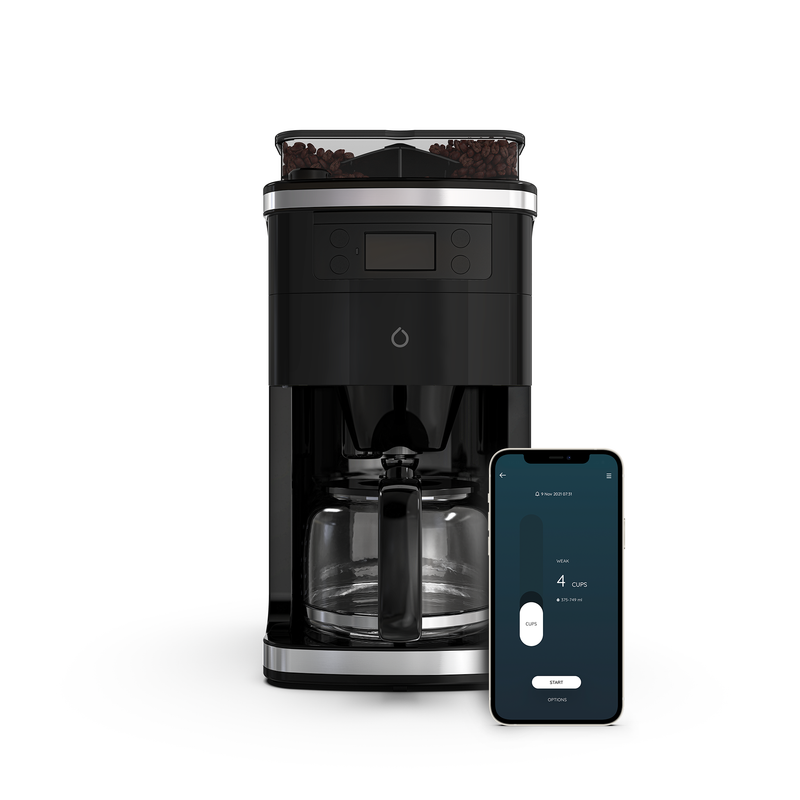
Smart coffee machines need Wi-Fi to work well. First, turn on your machine. Then, find the Wi-Fi settings button. Press it. Your machine will start searching for Wi-Fi. Make sure your home network is ready. On the machine’s screen, select your network. Enter your Wi-Fi password. Wait a few seconds. Your machine will connect. Connection successful message will appear.
Download the app from the App Store or Google Play. Open the app. Follow the instructions to set it up. Enter your email and create a password. Connect the app to your coffee machine. This lets your phone control the machine. Now you can make coffee from your phone. It’s easy and fun!
Navigating The Features
Smart coffee machines offer many brew settingsfor your taste. Choose the coffee type you love. Adjust the strengthand size of your coffee. Use the touch screen to select options. Follow the on-screen instructions to customize. Each setting can change your coffee experience.
Set your coffee to brew at the right time. Use the scheduling featurefor this. Choose the time you want your coffee ready. The machine will start brewing automatically. Set it before sleeping for a fresh morning brew. Enjoy coffee without waiting. Save time every day.
Maintenance Tips
Keep your coffee machine clean for tasty coffee. Use a soft cloth to wipe it. Clean the coffee grounds container often. Remove old coffee from the filter daily. Rinse the water tank to keep it fresh.
Descaling removes hard water buildup. Fill the tank with a descaling solution. Run the machine without coffee. This cleans the tubes inside. Rinse the machine with clean water after descaling. This keeps your coffee tasting nice.
Troubleshooting Common Issues
Smart coffee machines can sometimes have issues like connectivity problems or incorrect settings. Ensure your device is connected to Wi-Fi, and double-check your coffee preferences. Regular cleaning and software updates can prevent most common issues.
Wi-fi Connectivity Problems
Smart coffee machines might face Wi-Fi connectivity issues. First, check if your machine is within rangeof the router. Move it closer if needed. Ensure the Wi-Fi network is activeand not overloaded. Restart your router to refresh the connection. Check your machine’s settingsfor the correct network name and password. Update the machine’s firmwareif possible. Many problems resolve after updates. Lastly, consult the manualfor specific instructions. They often provide solutions for common problems.
App Malfunctions
Smart coffee machines often use apps for control. Sometimes, the app malfunctions. First, ensure your app is up-to-date. Old versions can cause glitches. Restart the app or your device to clear temporary bugs. Check if your device has enough storage space. Low space can slow down apps. Clear app data or cache to fix issues. Uninstall and reinstall the app for a fresh start. Contact support if problems persist. They offer help for tricky situations.
Credit: www.keurig.com
Enhancing Your Coffee Experience
High-quality beansmake a big difference in coffee taste. Choose fresh beans. Check the roast date. Fresh beans have rich flavors. Store them in a cool, dark place. A good grinder helps too. Grind the beans before brewing. This keeps the flavors intact. Try different beans to find your favorite taste.
Smart coffee machines offer many recipes. You can make espresso, cappuccino, or latte. Each recipe needs different steps. Follow the machine’s guide. It helps you make tasty drinks. Explore new recipes each day. Your coffee experience will be fun. Friends and family will love it too.
Expert Recommendations
Clean your smart coffee machine often. This helps it last longer. Always use filtered water. It keeps the machine parts safe. After each use, rinse the machine. This removes coffee oils and bits. Every month, do a deep clean. It stops clogs and smells. Follow the manufacturer’s guidelines. They know what’s best for your machine. Store your machine in a dry place. Moisture can damage it.
Try different coffee beans. Each type gives a new flavor. Adjust the grind size. It changes the taste and strength. Use the pre-infusion feature. It wets the coffee before brewing. This makes a richer cup. Experiment with brew times. Longer times can make the coffee stronger. Check the app for updates. New features can improve the coffee taste.
Credit: smarter.am
Credit: smarter.am
Frequently Asked Questions
How Do You Use A Coffee Machine Step By Step?
Fill the water tank. Add coffee grounds to the filter. Place the carafe on the base. Select brew strength. Press start to brew.
How To Use The Keurig Smart Coffee Maker?
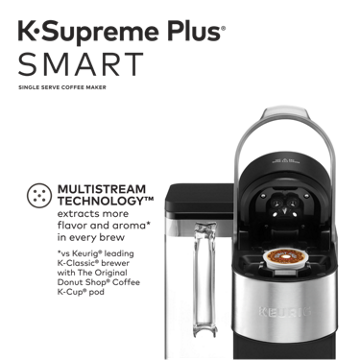
Plug in the coffee maker and fill the water reservoir. Insert a K-cup pod. Select your brew size. Press “Brew. ” Enjoy your coffee.
What Does A Smart Coffee Machine Do?
A smart coffee machine connects to Wi-Fi for remote control. It brews coffee, schedules brewing times, and sends alerts. You can customize coffee strength and temperature via an app. Voice commands work with smart assistants. It offers convenience and saves time.
How To Use A Coffee Vending Machine Step By Step?
Insert coins or swipe your card. Select your coffee type. Choose your cup size. Press the start button. Collect your coffee from the dispensing area.
Conclusion
Smart coffee machines simplify your morning routine. They offer convenience and speed. Setting up is easy. Just follow the manual. Adjust settings for your taste. Explore different coffee types. Cleaning is straightforward. Regular maintenance keeps it running smoothly. Enjoy fresh coffee at home.
Experiment with flavors and strengths. Discover your perfect brew. A smart coffee machine can enhance your coffee experience. Give it a try today. Enjoy a cup tailored to your liking. Make mornings better with smart brewing technology. Remember to share your coffee tips with friends.
Happy brewing!