
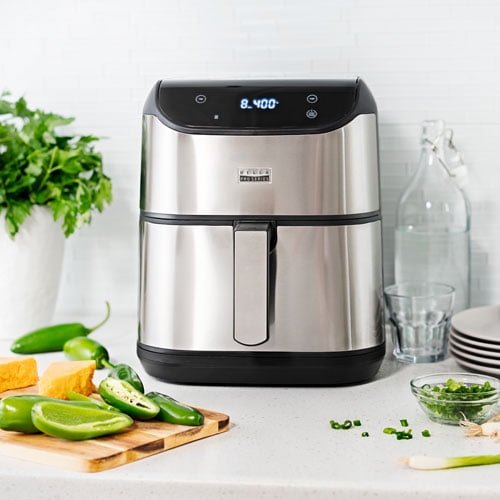
Are you ready to make your cooking faster, healthier, and more delicious? The Bella Pro Series Air Fryer is here to transform your kitchen experience.
Whether you’re new to air frying or looking to get the most out of your appliance, this guide will show you exactly how to use your Bella Pro Series Air Fryer with ease. From simple steps to handy tips, you’ll discover how to create crispy, mouth-watering meals without the extra oil or hassle.
Keep reading, and you’ll be cooking like a pro in no time!
Getting Started With Bella Pro Series
Begin by plugging in the Bella Pro Series Air Fryer and setting the desired temperature. Place your food inside the basket, then select the cooking time and start the air fryer. Check your food halfway to ensure even cooking and enjoy quick, tasty meals.
Unboxing And Setup
Carefully remove all parts from the box. Check for the air fryer, basket, and manual. Wipe the basket and pan with a damp cloth before use. Place the air fryer on a flat, heat-safe surface. Plug it into a power outlet. Avoid using extension cords. The air fryer needs space around it for air flow. This helps it cook food evenly and safely.
Key Features To Know
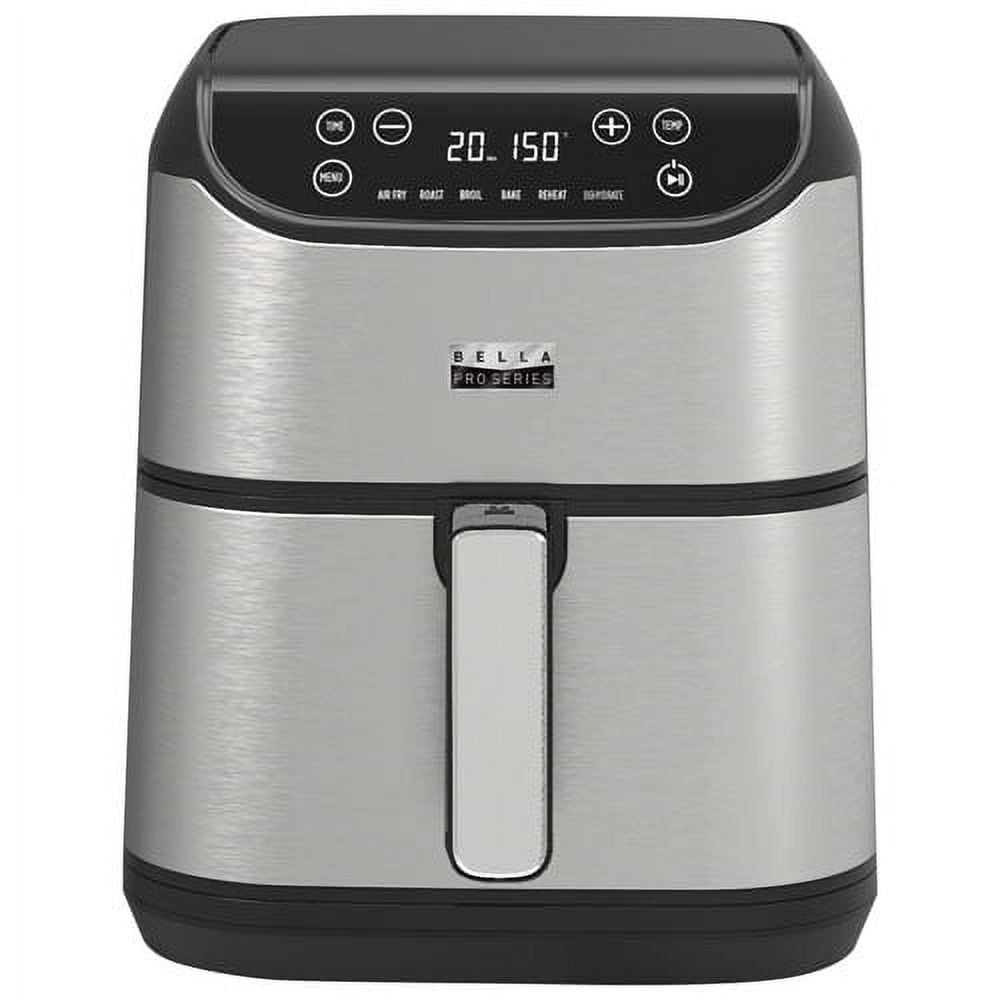
- Digital touchscreen:Easy to select cooking modes and times.
- Temperature control:Adjust from 180°F to 400°F for different foods.
- Timer:Set up to 60 minutes for precise cooking.
- Non-stick basket:Easy to clean and prevents food from sticking.
- Auto shut-off:Turns off when cooking ends for safety.
Safety Precautions
- Keep the air fryer away from water and wet surfaces.
- Do not touch hot surfaces during or after cooking.
- Use oven mitts to handle the basket or pan.
- Unplug the device when not in use.
- Allow the air fryer to cool before cleaning.
Basic Operations
Press the power button to turn the Bella Pro Series Air Fryer on or off. The display will light up when powered on. Always ensure the basket is securely in place before starting.
Use the temperature control buttons to set the desired heat. Adjust time using the timer buttons. The screen shows the current settings for easy reading.
- Choose preset functions for common foods like fries, chicken, or fish.
- Press the preset button to select a cooking mode.
- The air fryer will automatically set time and temperature for that food.
- Start cooking by pressing the start button after selecting a preset.
Cooking Techniques
Air fryingcooks food quickly with hot air circulation. For crispy results, pat food dry before placing it in the basket. Avoid overcrowding to let air flow evenly. Lightly coat food with oil for a golden crust. Shake the basket halfway through cooking to ensure even crisping.
Baking with the air fryer is simple. Use oven-safe dishes that fit inside. Adjust baking time to about 20-30% lessthan a regular oven. Check food often to prevent burning. Great for cookies, small cakes, and bread.
Grilling and roasting bring out bold flavors. Use the air fryer’s grill or roast setting. Marinate meats or veggies beforehand for extra taste. Cut items into uniform sizes for even cooking. Turn food once for a nice, brown finish.
Credit: www.walmart.ca
Cleaning And Maintenance
Remove the basket and tray carefully before cleaning. Use warm, soapy water to wash these parts. Avoid abrasive sponges that can scratch surfaces. Dry all parts completely before placing them back.
To stop odors, wipe the inside with a cloth dipped in vinegar solution. Let the air fryer sit open for a few hours to air out. Avoid leaving food residue to keep smells fresh.
- Clean the air fryer after each use to avoid buildup.
- Check the heating element for crumbs and wipe gently.
- Use a soft brush to clean hard-to-reach areas.
- Store the air fryer in a dry place to prevent rust.
- Never immerse the main unit in water; use a damp cloth instead.
Troubleshooting Common Issues
Common problems with the Bella Pro Series Air Fryer include uneven cooking or error messages. Cleaning the basket and checking the power connection often fixes these issues quickly. Resetting the fryer can also help if it stops working or shows unusual behavior.
Handling Error Messages
Error messageson the Bella Pro Series Air Fryer often mean a problem with the sensor or door. Check if the air fryer door is closed properly. Clean the temperature sensorinside the basket gently. Unplug the device for a few minutes to reset the system. If errors persist, consult the user manual or contact support.
Fixing Uneven Cooking
Uneven cooking usually happens if food is crowded or not spread out. Use the basket without overloading it. Shake or stir food halfway through cooking for even heat distribution. Avoid using metal utensils that can block air flow inside. Cleaning the basket regularly helps maintain consistent heat circulation.
Dealing With Power Problems
| Issue | Possible Cause | Solution |
|---|---|---|
| Air fryer won’t turn on | Power cord not plugged in properly | Check plug and power outlet |
| Air fryer stops during cooking | Overheating or power surge | Let it cool, then restart |
| Display not lighting up | Faulty power switch or cable | Inspect power switch or call support |

Credit: www.amazon.com
Advanced Tips And Tricks
Maximizing cooking efficiencymeans using the air fryer to save time and energy. Arrange food in a single layer for even cooking. Avoid overcrowding the basket to let hot air circulate well. Preheat the air fryer for a few minutes to get better results. Check food halfway through to shake or turn it. This helps cook food evenly and crisps it up nicely.
Using accessorieslike racks, pans, or skewers can expand cooking options. Racks let you cook multiple layers at once. Pans are good for baking or cooking small items. Skewers help make kabobs and grilled treats. Always use accessories made for air fryers to avoid damage and ensure safety.
Customizing recipesis easy by adjusting time and temperature. Start with a recipe and change cooking time by a few minutes if needed. Use lower temperatures for delicate foods like fish. Increase temperature slightly for frozen or thicker items. Experiment with spices and sauces to add flavor. Keep notes to remember what works best.

Credit: www.amazon.ca
Frequently Asked Questions
How Do I Set Temperature On Bella Pro Series Air Fryer?
To set the temperature, press the temperature button and use the dial or touchscreen. Adjust to desired heat before cooking.
What Is The Maximum Cooking Time On This Air Fryer?
The Bella Pro Series Air Fryer allows up to 60 minutes of cooking time per session.
Can I Cook Frozen Food Directly In This Air Fryer?
Yes, you can cook frozen foods directly. Just adjust temperature and time accordingly.
How Do I Clean The Bella Pro Series Air Fryer Basket?
Remove the basket after cooling. Wash with warm, soapy water or place it in a dishwasher.
Conclusion
Using the Bella Pro Series Air Fryer makes cooking fast and easy. It cooks food evenly and uses less oil. You can prepare many dishes with its different settings. Cleaning the fryer takes just a few minutes. This appliance fits well in any kitchen.
Try new recipes and enjoy healthier meals. Cooking becomes fun and less messy. The Bella Pro Series Air Fryer is a smart choice for quick meals. Give it a try and see the difference yourself.