

Is your slicer heating up too much and slowing down your work? Overheating can cause damage and disrupt your flow, leaving you frustrated.
But don’t worry—there are simple steps you can take to keep your slicer cool and running smoothly. You’ll discover easy fixes and smart tips that can stop your slicer from overheating for good. Keep reading, and you’ll save time, protect your machine, and get back to slicing like a pro.
Common Causes Of Slicer Overheating
Motor overloadhappens when the slicer works too hard. This can cause the motor to heat up quickly and stop working properly. Overloading the motor by slicing very thick or hard items can lead to this problem.
Poor ventilation blocks airflow around the slicer. Without good air movement, heat builds up inside the machine. This makes the slicer hotter and can cause damage over time.
Dull blades need more force to cut food. This extra effort strains the motor and raises the slicer’s temperature. Keeping blades sharp helps the slicer run cooler and smoother.
Extended usage means running the slicer for too long without breaks. Continuous operation causes heat to build up. Giving the slicer rest periods helps prevent overheating and prolongs its life.
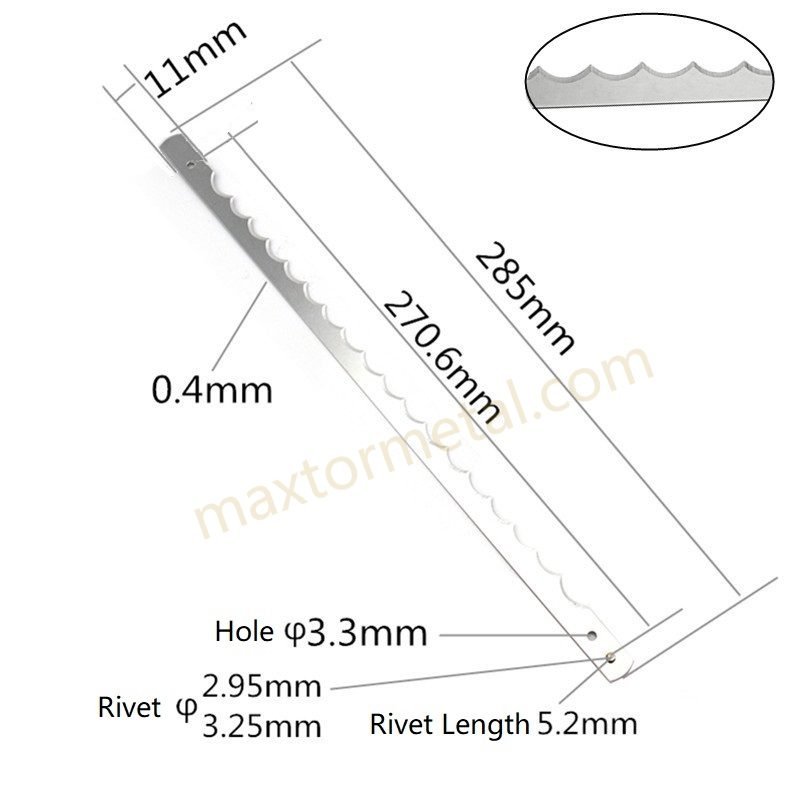
Credit: maxtormetal.com
Proper Maintenance Practices
Regular cleaning stops dirt from building up inside the slicer. This keeps the machine cool and running smooth. Use a soft cloth and mild detergent to wipe the blade and other parts after each use. Avoid water in motor areas to prevent damage.
Keeping the blade sharp is key to reduce heat. A dull blade makes the motor work harder and heat up fast. Sharpen the blade often using the right tool or get a professional to do it.
| Lubrication Point | Why It Matters | How Often |
|---|---|---|
| Blade Shaft | Reduces friction and heat | Weekly |
| Motor Bearings | Keeps motor running smooth | Monthly |
| Gear Mechanisms | Prevents wear and overheating | Monthly |
Improving Airflow And Cooling
Place the slicer in a space with good air flow. Avoid tight corners or closed cabinets. Keep it away from walls to let air move freely around the machine.
Use fans to help cool the slicer. A small fan blowing air over the slicer can lower its temperature quickly. Cooling devices like portable air conditioners also work well in hot rooms.
Avoid putting the slicer near heat sources. Keep it away from ovens, heaters, or direct sunlight. Heat from these sources can make the slicer overheat faster.

Credit: www.youtube.com
Usage Tips To Prevent Overheating
Limit continuous use to prevent the slicer from getting too hot. Short bursts of operation help keep the motor cool.
Allow the slicer to rest between uses. Cooling breaks let heat escape and protect the machine parts.
- Do not overload the slicer with thick or large pieces.
- Feed the slices smoothly and evenly.
- Avoid forcing the food through the blade to reduce strain.
Upgrading And Replacing Components
High-quality bladesreduce friction and heat during slicing. Sharp blades cut smoothly, causing less strain on the motor. Dull blades cause the motor to work harder and overheat. Replacing blades regularly helps maintain cool operation.
Enhanced motorsrun more efficiently and stay cooler. Motors with better cooling systems or higher power handle heavy use without overheating. Choosing motors designed for long use can extend the slicer’s life.
Aftermarket cooling solutionslike fans or heat sinks help lower motor temperature. These parts improve airflow and prevent hot spots. Adding these can be a simple fix to keep the slicer cool during long tasks.
Safety Measures And Indicators
Thermal cutoff featuresprotect slicers from overheating. These devices stop power automatically if the slicer gets too hot. This helps prevent damage and keeps users safe. Some slicers have built-in sensors that detect high temperatures early. These sensors trigger the cutoff to cool the machine down. It is important to check if your slicer has this feature before use.
Signs that a slicer is overheating include:
- Strange smells or smoke
- Machine feels very hot to touch
- Motor slows down or stops suddenly
- Unusual noises from the slicer
For emergency shutdown, follow these steps:
- Turn off the slicer immediately
- Unplug the power cord from the outlet
- Let the slicer cool down completely
- Do not use until the slicer is checked and safe

Credit: maxtormetal.com
Frequently Asked Questions
How Can I Prevent My Slicer From Overheating?
Ensure proper ventilation around the slicer. Clean the blades and motor regularly. Avoid continuous long use without breaks to reduce heat buildup.
What Causes Slicers To Overheat Quickly?
Overuse, clogged blades, or insufficient lubrication often cause slicer overheating. Dirty or dull blades increase motor strain, leading to excessive heat.
How Often Should I Clean My Slicer To Avoid Overheating?
Clean your slicer after every use. Regular cleaning removes food residue and prevents motor strain, which helps maintain optimal temperature.
Can Improper Lubrication Lead To Slicer Overheating?
Yes, lack of lubrication causes friction and motor strain. Regularly oil the moving parts to ensure smooth operation and prevent overheating.
Conclusion
Preventing your slicer from overheating keeps it working well. Clean the blades and check the motor often. Use the slicer for short times and let it cool down. Avoid cutting very hard foods without proper care. These small steps save your machine from damage.
Stay safe and enjoy smooth slicing every day. Taking care of your slicer helps it last longer. Simple habits make a big difference in performance. Keep your slicer cool, and it will serve you well.