
Have you ever found yourself anxiously hovering near the oven, worried about overcooking or undercooking your meat? You’re not alone.
Cooking meat to perfection is both an art and a science, and it can be challenging to get it just right. The good news is, there’s a simple solution to ease your cooking stress: setting alerts for your meat. Imagine having a trusty sidekick that ensures your steak is perfectly seared, your chicken is juicy, and your roast is cooked to a tender finish.
With cooking alerts, you can achieve all this effortlessly. This guide will show you how to set these alerts, making your cooking experience smoother and more enjoyable. So, are you ready to take the guesswork out of your kitchen adventures and serve up consistently delicious meals? Let’s dive in!

Credit: www.amazon.com
Importance Of Cooking Alerts
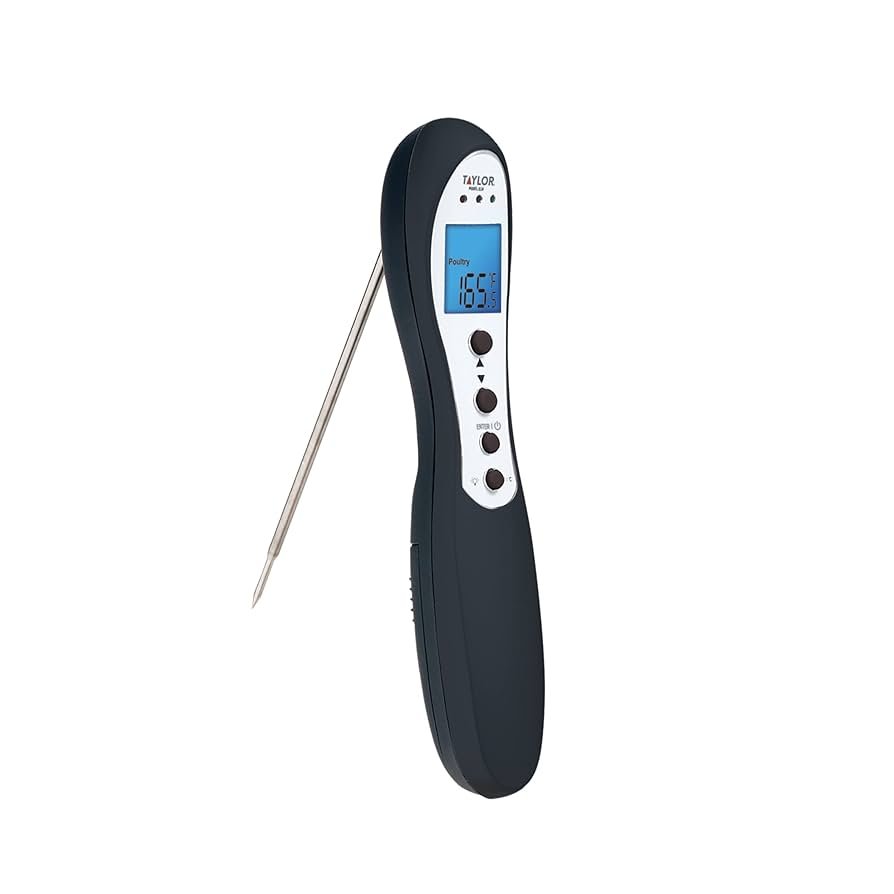
Cooking alertsare very helpful in the kitchen. They remind us about the cooking time. This helps in making sure that meat is cooked properly. Undercooked meat can be dangerous. It might cause sickness. Overcooked meat is also bad. It becomes tough and dry. So, cooking alerts help in achieving the right balance. Using a thermometerwith alerts is a smart way. It tells us when meat reaches the right temperature. This makes cooking safe and tasty. Forgetting to set alerts can ruin a meal. It can waste food and time.
Choosing The Right Thermometer
Digital thermometersare easy to read. They show exact temperature in numbers. Analog thermometershave a dial. It can be harder to read quickly. Digital ones often beep when ready. Analog ones need checking often.
Check if the thermometer has an alarm. This helps to know when meat is done. Look for fast readings. Waiting long can be boring. A long probeis helpful. It reaches into big meat pieces. Ensure the thermometer is easy to clean. Meat can leave stains. A strong, durable buildensures it lasts long.
Setting Temperature Alerts
Cooking meat safely is important. Different meats need different temperatures. Chickenshould reach 165°F. Beef and pork need 145°F. Ground meats need to be hotter. They should reach 160°F. Always use a food thermometerto check.
Many ovens and grills have pre-set programs. These programs set the alerts. Choose the right program for your meat. It will beep when the meat reaches the right temperature. This helps keep meat safe and tasty. Pre-set alerts make cooking easier.
Using Smartphone Apps
Smartphone apps can make cooking easier. They help with timing and precision. Setting alerts ensures meat is cooked perfectly. No more dry or undercooked dishes. These apps can alert you with a simple notification. This keeps your meat juicy and safe to eat. Apps can be integrated with smart kitchen devices. This makes cooking a more seamless experience.
There are many apps for cooking alerts. Each has unique features. Some popular ones are CookPerfect, Meater, and Weber iGrill. CookPerfect is known for easy setup. Meater offers a wireless probe. Weber iGrill connects with smart devices. Each app helps in making delicious meals. Choose one based on your needs. They are easy to use and understand.
Customizing Alert Settings
Setting the right alert sensitivity is important. Meat needs careful monitoring. Too sensitive alerts can be annoying. Not sensitive enough can spoil the meat. Find the perfect balance. Test different settings. Understand your cooking style. Adjust as needed. Keep the meat safe. Enjoy delicious meals.
Different meats cook at different times. Set multiple alerts for each type. Chicken, beef, and pork require unique times. Keep track of everything. Avoid overcooked or undercooked meat. Planning is key. Choose the alerts wisely. Safe cooking leads to tasty dishes. Everyone loves well-cooked meat.
Tips For Different Meats
Set alerts for medium-rarebeef at 135°F. Lamb is often cooked to 145°F. These meats are best when juicy. Use a meat thermometer. It helps in checking the right temperature. Ensure the thermometer goes into the thickest part.
Cook chicken and turkey to 165°F. This ensures they are safe. Check near the bones. Poultry should not be pink inside. Set alerts to help reach the right heat. This keeps your poultry tender and tasty.
Pork is best at 145°F. Let it rest for juicy flavor. Fish needs 145°F too. It should flake easily with a fork. Use alerts to avoid overcooking. Proper heat keeps food safe and delicious.
Troubleshooting Common Issues
False alerts can happen with cooking timers. Improper placement of the thermometer often causes this. Ensure the probe is in the thickest part of the meat. Avoid bones and fat. This helps the thermometer read correctly. Also, check for loose connections. Tighten any loose wires or probes. Make sure the device is calibrated. A miscalibrated device can give wrong alerts. Follow the user manual to fix this.
Accurate readings are crucial for perfect meat. Clean the probe after each use. Dirt can cause errors. Use a food-safe cleaner. Insert the probe at the right depth. Shallow insertion gives bad readings. Keep the thermometer away from direct heat. Too much heat can damage it. Always use fresh batteries. Weak batteries may cause issues.

Credit: kitchenandcompany.com

Credit: themeatstick.com
Frequently Asked Questions
How To Setup A Meat Thermometer?
Insert the thermometer probe into the thickest part of the meat. Make sure it doesn’t touch bone or fat. Set the desired temperature on the thermometer. Ensure the display is clear and visible. Wait until the temperature stabilizes before reading.
Clean the probe after use.
What Is The Meat Thermometer App For Iphone?
The meat thermometer app for iPhone helps monitor cooking temperatures. It offers real-time updates and alerts for perfect meat preparation. Users can easily check doneness levels and avoid overcooking. This app enhances cooking precision and ensures meat safety, improving culinary outcomes for home cooks and professionals alike.
What’s The Best Wireless Meat Thermometer?
The MEATER Plus is a top wireless meat thermometer. It offers precise readings and a 165-foot range. Users enjoy its smart features and app connectivity for easy monitoring. Ideal for grilling and smoking, the MEATER Plus ensures perfectly cooked meat every time.
How To Check If Your Meat Is Cooked?
Use a meat thermometer to check the internal temperature. Ensure chicken is 165°F, beef is 145°F, and pork is 145°F. Juices should run clear, and meat should be firm. Cut into the thickest part to verify doneness visually.
Conclusion
Setting cooking alerts for meat ensures perfect results every time. No more worries about overcooking or undercooking. Alerts help keep track of meat temperature. This makes cooking easier and reduces stress. Use timers or apps for accurate alerts. Practice improves timing and confidence in the kitchen.
Start experimenting with different meats and settings. Discover what works best for you. Enjoy consistent and delicious meals. Cooking with alerts saves time and energy. Happy cooking!