

Do you want to enjoy the perfect cup of coffee every morning without any hassle? Learning how to program your single-serve coffee maker can save you time and make your daily routine smoother.
Imagine waking up and having your coffee ready exactly the way you like it—strong, hot, and fresh. In this guide, you’ll discover simple steps to set up your coffee maker so it works for you, not the other way around.
Keep reading, and you’ll be brewing like a pro in no time.

Credit: device.report
Choosing The Right Coffee Maker
Single-serve coffee machines come in different types. Some use coffee pods or capsules. Others use ground coffee. Each type has its own benefits and costs.
Pod machines are easy to use and clean. They offer quick brewing. Ground coffee machines give more control over taste. They can use any coffee brand.
| Type | Pros | Cons |
|---|---|---|
| Pod/Capsule Machines | Fast brewing, less mess, consistent taste | Pods can be costly, limited flavor options |
| Ground Coffee Machines | More flavor control, uses any coffee brand | Longer brew time, needs cleaning after use |
Important features to check include brew size options. Also, look for adjustable strength settings. A removable water tank makes refilling easy. Some models have a built-in milk frother for lattes and cappuccinos. Energy-saving modes help save power. Quiet operation is a nice bonus for early mornings.

Credit: www.istoma.com
Setting Up Your Coffee Maker
Remove all parts from the box carefully. Check if everything is included. This usually includes the coffee maker, water reservoir, and user manual. Clean the water reservoir with warm, soapy water. Rinse it well to remove soap. Wipe the coffee maker’s inside with a damp cloth. Avoid using strong chemicals that might damage it.
Install the water reservoir by aligning it with the slot on the machine. Press it gently until it clicks into place. Make sure it fits snugly to avoid leaks. Fill the reservoir with fresh, cold water before first use. Do not overfill; check the maximum fill line.
Programming Basics
The control panel on a single-serve coffee maker is usually simple. It lets users pick brew size and strength. Buttons or a touch screen show options clearly.
Adjusting brew strength changes how strong the coffee tastes. Choose from light, medium, or strong settings. This controls how much coffee is used.
Brew size settings decide how much coffee comes out. Options often include small, medium, or large cups. Pick the size that fits your cup or mug.
Most coffee makers save your preferred settings. This helps you brew your favorite coffee fast the next time.
Customizing Brew Settings
Adjusting the temperaturecontrols how hot the water gets. Higher temperatures bring out stronger flavors. Lower temperatures give a milder taste. Most single-serve coffee makers let you pick a temperature between 190°F and 205°F. Try different settings to find what you like best.
Timing your brew is also important. Shorter brew times make coffee lighterand less bitter. Longer brew times extract more flavor but can be stronger or bitter. Use the timer or manual settings to control how long water passes through the coffee grounds.
- Set temperature according to taste preference.
- Use higher temperature for bold coffee.
- Choose shorter brew time for mild coffee.
- Try longer brew time for richer flavor.
Using Coffee Pods And Grounds
Choose podsthat fit your coffee maker model. Not all pods work with every machine. Check the size and shapebefore buying. Using the wrong pods can cause jamsor poor taste.
Use fresh coffee groundsfor the best flavor. Old grounds lose aroma and taste quickly. Store them in an airtight containeraway from light and heat. Grind just before brewing for strong, fresh coffee.
Maintenance Tips
Programming a single-serve coffee maker is simple and saves time. Set the clock, choose brew size, and customize strength for perfect coffee every time. Regularly clean the machine to keep it working well.
Regular Cleaning
Keep your coffee maker fresh and clean. First, unplug the machine. Then, wipe the outside with a damp cloth. Remove the filter and rinse it well. Use mild soap if it’s too dirty. Always dry each part completely. This helps keep your coffee tasting great.
Descaling Process
Minerals can build up in your coffee maker. Descale every few months to prevent this. Fill the water reservoir with a mix of vinegar and water. Run a full brew cycle without coffee. Rinse by running two more cycles with clean water. This keeps your machine working smoothly.
Troubleshooting Common Issues
Common problems with programming a single-serve coffee maker often involve incorrect time settings or button confusion. Checking the user manual and resetting the machine usually fixes these simple issues quickly. Regular cleaning also helps prevent programming errors and keeps the machine working well.
Machine Not Brewing
Check if the coffee maker is plugged in. Ensure the power switch is on. Sometimes, a clogged filter causes brewing problems. Clean the filter with warm water. Make sure the water reservoir is filled. Empty tanks can’t brew coffee. Also, check if the lid is closed tightly. Loose lids may cause issues.
Error Messages And Solutions
Error messages can appear on the display screen. “Add Water” means the tank needs filling. “Clean Filter” suggests the filter needs a wash. “Check Lid” means the lid might be open. Follow these simple steps. Most problems have easy fixes. If errors persist, consult the manual. It has specific instructions for more help.
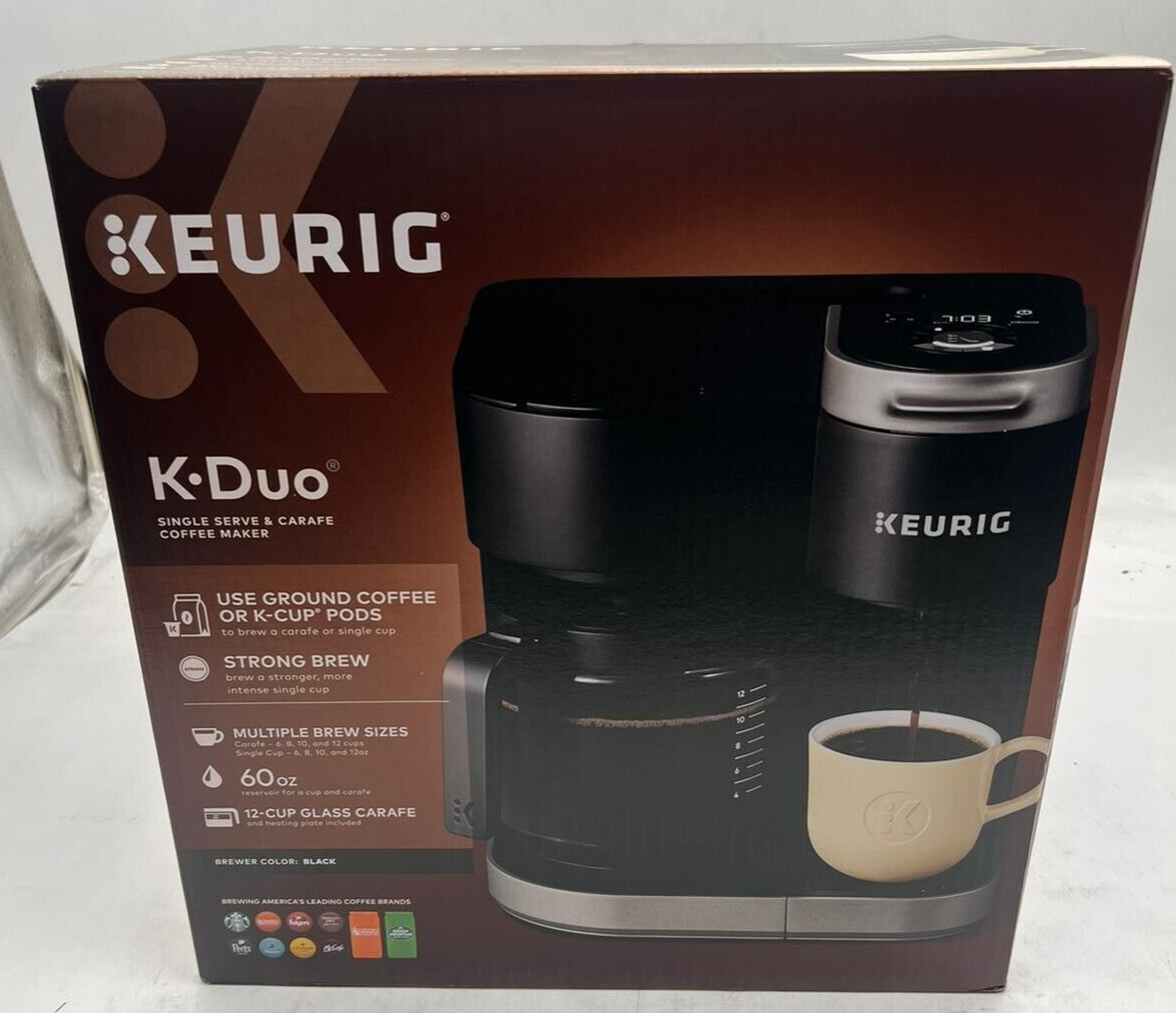
Credit: realtyspace.ca
Frequently Asked Questions
How Do I Program A Single-serve Coffee Maker?
To program, first fill the water reservoir and insert a coffee pod. Press the program button, set your brew time and strength. Save settings by pressing the program button again. Refer to your model’s manual for specific steps.
Can I Customize Brew Strength On Single-serve Machines?
Yes, most single-serve coffee makers allow you to adjust brew strength. Use the strength or size button to select your preference. This controls the amount of water and coffee used, giving you a stronger or lighter brew.
How Do I Set The Brew Time On My Coffee Maker?
Press the program or clock button to enter time setting mode. Use arrow buttons to adjust hours and minutes. Confirm the time by pressing the program button again. This lets you schedule brewing in advance.
What Maintenance Is Needed After Programming?
Regularly clean the water reservoir and pod holder to avoid clogs. Descale your machine monthly to remove mineral buildup. Proper maintenance ensures your programmed settings work smoothly and your coffee tastes fresh.
Conclusion
Programming your single-serve coffee maker is simple and quick. Follow each step carefully for the best results. You can enjoy fresh coffee anytime at home or work. Small changes in settings can improve your drink’s taste. Practice a few times to feel more confident.
Soon, making coffee will become part of your daily routine. Enjoy the convenience and flavor every single day. Keep your machine clean to ensure it works well. Happy brewing!