
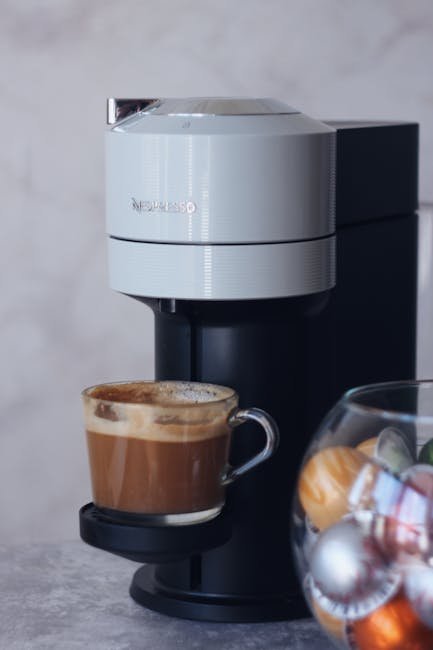
Are you ready to make the perfect cup of coffee right from your capsule coffee maker? Knowing how to program your machine can save you time and give you control over every sip.
Imagine waking up to coffee brewed exactly the way you like it, without any hassle. In this guide, you’ll discover simple steps to program your capsule coffee maker easily. Whether you want to adjust the strength, set a timer, or customize your brew size, this article will help you master your machine quickly.
Keep reading to unlock the full potential of your coffee maker and enjoy café-quality coffee at home every day.

Credit: caffenu.com
Choosing Your Capsule Coffee Maker
Capsule coffee makers come in many types. Some use pressureto brew espresso. Others make a simple cup of coffee. The size and shape of capsules differ among machines.
Here are common types of capsule machines:
- Single-serve espresso machines:Use high pressure to make rich coffee.
- Drip-style capsule makers:Brew coffee more like drip coffee makers.
- Multipurpose machines:Can use different capsule types and brew styles.
Important features to check:
- Water tank size:Bigger tanks need less refilling.
- Programmable settings:Choose cup size and strength easily.
- Easy capsule loading:Makes using the machine quick and neat.
- Cleaning options:Machines with removable parts are easier to clean.
- Speed:Some machines brew coffee faster.
Preparing Your Machine
Start by placing your capsule coffee maker on a flat, clean surface. Fill the water tank with fresh, cold water up to the marked level. Insert the power plug and switch on the machine. Allow it to heat up until the ready light appears.
Insert a coffee capsule gently into the capsule holder. Close the holder firmly to avoid leaks. Select the desired cup size or strength using the buttons. Press the start button to begin brewing.
Regular cleaning keeps the machine working well. Empty the capsule container and drip tray after every use. Wipe the exterior with a damp cloth to remove coffee stains.
Descale the machine every 3 months to remove mineral build-up. Use a descaling solution recommended by the manufacturer. Run the cleaning cycle following the instructions in the user manual.
Programming Basics
Power on the capsule coffee maker by pressing the main button. Wait for the display to light up. Access the settings menu using the control buttons near the screen. Navigate through options by pressing arrow keys or rotating a dial. Select an option by pressing the OK or Enter button.
- Adjust brew size by choosing small, medium, or large cup settings.
- Increase or decrease water volume in small steps for custom sizes.
- Save your preferred size to use it quickly next time.
| Water Temperature | Description |
|---|---|
| Low | Good for mild coffee taste |
| Medium | Balanced temperature for most coffees |
| High | Extracts strong flavors from capsules |
Set the water temperature by selecting the desired level in the settings. Confirm the choice and exit the menu. The machine will remember these settings for the next brew.

Credit: www.nespresso.ph
Customizing Your Brew
Programming your capsule coffee maker lets you set brew strength and cup size easily. Adjust settings to enjoy coffee just the way you like it every time. Simple steps help save your preferences for quick, consistent brewing.
Selecting Coffee Strength
Choose your coffee strengthbased on taste preference. Most capsule coffee makers offer options like mild, medium,or strong. Adjust the setting to make your coffee lighter or bolder. This affects the amount of coffee used and the flavor intensity.
Adjusting Brew Time
Brew time controls how long water passes through the coffee. A shorter brew timecreates a lighter cup. A longer brew timemakes the coffee stronger and richer. Many machines let you change this to match your taste.
Using Pre-set Modes
- Espresso mode:Short and strong coffee shot.
- Regular coffee mode:Medium size and balanced taste.
- Large cup mode:More water for mild flavor.
Pre-set modes help you brew with ease and consistency. Select the mode that fits your mood or time of day.
Using Capsules Correctly
Insert the capsule gently into the designated slot. Ensure it fits snugly without forcing it. Close the lid firmly to avoid leaks.
Use capsules made for your specific coffee maker brand. Different brands may not fit or work well. Using compatible capsules helps prevent damage and ensures good coffee taste.
- Do not reuse capsules; they can clog the machine.
- Check capsule expiration dates to avoid stale coffee.
- Clean capsule holder regularly to prevent buildup.
- Avoid capsules with foil damage, which can cause leaks.
Troubleshooting Programming Issues
Programming a capsule coffee maker can be simple with the right approach. Check the machine’s display for error messages and reset settings if needed. Follow the user manual carefully to adjust brew time and strength for perfect coffee every time.
Resetting To Factory Settings
Press the reset button on your coffee maker. Hold it for 5 seconds. This will restore all settings to default. Turn off the machine and unplug it. Wait for a minute. Plug it back in and turn it on. The machine should now be reset. Check if the problem is solved. If not, try resetting again. Always refer to your manual for guidance.Dealing With Error Messages
Read the error message on the display. Each message means something different. Error codes can be about water levels or capsule issues. Check if there’s enough water in the tank. Make sure the capsule is placed correctly. If the error persists, check the manual. Follow the instructions given there. Sometimes, cleaning the machine helps too.When To Contact Support
Some problems need expert help. If the machine won’t turn on, contact support. If error messages keep appearing, get help. Support teams know how to fix these issues. Have your model number ready. They will ask for it. This helps them give better advice. Don’t try to fix complex issues alone. It might damage the machine. `Tips For Consistent Quality
Keep your coffee maker clean. Wash it every week. This helps in keeping the coffee tasting fresh. Use warm water and soap for cleaning. Be sure to dry the parts well. This prevents mold and bad smells.
Filtered water is best for making coffee. It keeps the taste pure and delicious. Tap water may have chemicals. These can spoil the taste. Using filtered water also reduces scale build-up inside the machine.
Store capsules in a cool, dry place. This keeps them fresh. Avoid sunlight and heat. They can make capsules go bad. Always check the expiry date before using. Fresh capsules make better coffee.

Credit: somethingsbrewing.in
Frequently Asked Questions
How Do I Start Programming My Capsule Coffee Maker?
To start, plug in the machine and turn it on. Access the settings menu using the control panel. Follow on-screen prompts to set brew strength, cup size, and timer.
Can I Schedule Brewing Times On A Capsule Coffee Maker?
Yes, many models allow you to program brewing times. Use the timer function in the settings to set your desired brew time. This ensures your coffee is ready when you want it.
What Settings Can I Customize On A Capsule Coffee Maker?
You can adjust brew strength, cup size, water temperature, and brew time. These settings help tailor your coffee to taste preferences and ensure consistent results.
How Do I Reset Programming On My Coffee Machine?
Locate the reset option in the settings menu or unplug the machine for a few minutes. Restart it to clear previous settings and start fresh programming.
Conclusion
Programming your capsule coffee maker is simple and saves time. Set the right brew strength and cup size for your taste. Regularly clean the machine to keep it working well. Enjoy fresh coffee made just how you like it every day.
With practice, programming becomes quick and easy. Start your mornings with a perfect cup, made by you.