
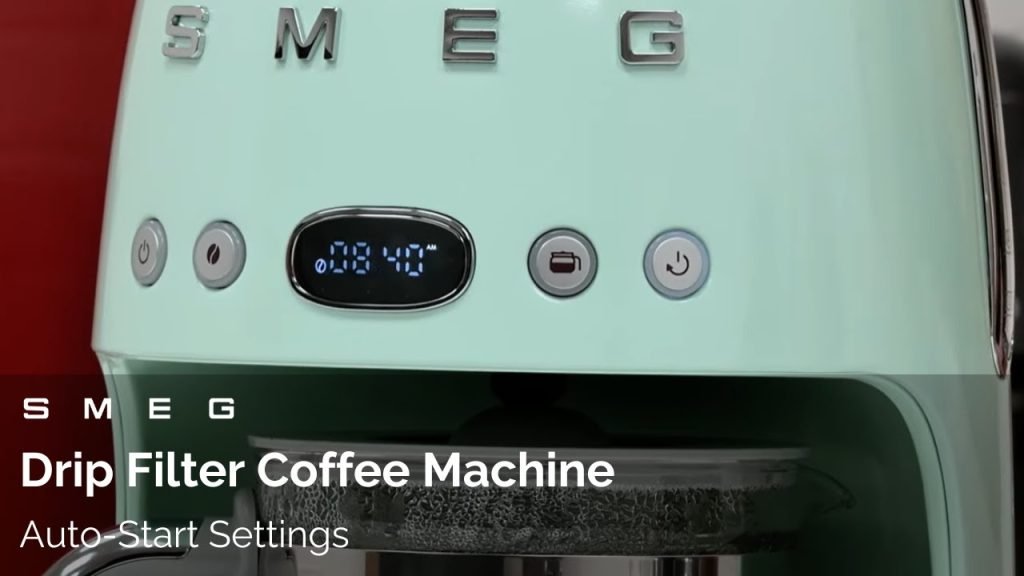
Imagine waking up to the rich aroma of freshly brewed coffee, ready exactly when you want it. Setting up the auto brew feature on your drip coffee maker can make this your everyday reality.
If you’ve ever wondered how to program auto brew without the hassle, you’re in the right place. This guide will walk you through simple steps to make sure your coffee maker works on your schedule, saving you time and giving you the perfect start to your day.
Keep reading, and you’ll never miss that perfect cup again.
Choose The Right Coffee Maker
Choosing the right coffee maker is key for easy auto brew setup. Look for a drip coffee maker with a built-in timer. This feature lets you set brewing time in advance. Some models have digital controlsfor better precision.
Check if the coffee maker has an easy-to-use display. Buttons should be simple and clear. A programmable auto shut-offadds safety and convenience.
- Capacity: Choose a size that fits your daily coffee needs.
- Ease of cleaning: Removable parts make cleaning simple.
- Durability: Look for brands with good reviews on long-term use.
Simple features help make programming faster. A clear manual also helps. This way, your coffee will be ready exactly when you want it.
Gather Necessary Supplies
Gather the drip coffee makerand plug it into a power source. Make sure you have fresh waterto fill the machine’s reservoir. Use coffee groundsthat you like, either pre-ground or freshly ground beans.
Keep a coffee filterready if your machine requires one. A measuring spoonhelps add the right amount of coffee grounds. Find the user manualfor your coffee maker; it shows how to set the timer.
- Drip coffee maker
- Fresh water
- Coffee grounds
- Coffee filter (if needed)
- Measuring spoon
- User manual
Set The Clock On Your Machine
Start by plugging in your drip coffee maker to power. Locate the clock or timer button on the machine. Press and hold this button until the time starts blinking. Use the hour and minute buttons to set the current time. Each press changes the time by one unit. Some machines have a dial instead of buttons. Turn the dial slowly until the correct time appears. Once the time is set, press the clock or timer button again to save. Make sure AM or PM is correct if your machine shows it. The clock must be accurate for the auto brew to work well.
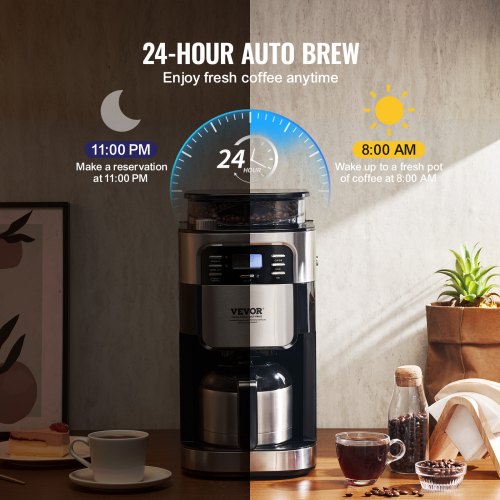
Credit: www.vevor.com
Add Water And Coffee Grounds
Pour fresh, clean water into the coffee maker’s water tank. Use the coffee pot to measure water. Match the amount of water to how many cups you want to brew. Place a coffee filter in the basket. Add coffee grounds to the filter. Use about one to two tablespoons of coffee grounds per cup. Spread the grounds evenly. Close the basket lid securely. Avoid overfilling the water tank or basket. Too much water or grounds can cause overflow or weak coffee.
Activate The Auto Brew Feature
Find the Auto Brew buttonon your coffee maker. It is usually near the display or control panel. Press this button to start programming.
Set the desired brew timeby using the hour and minute buttons. Choose a time when you want the coffee ready. Make sure the time is in the future.
Double-check the time. Confirm the AM or PM setting if your machine has it. Once set, press the Auto Brew button again to save the time.
Prepare the coffee maker by adding water and coffee grounds before the set time. The machine will start brewing automatically at the chosen time.
Test The Auto Brew Function
First, ensure your coffee maker has enough water in the tank. Next, place a clean filter in the basket. Add the right amount of coffee grounds. Use a measuring spoon for accuracy.
Set the clock on your coffee maker. Make sure the time is correct. Look for the auto brew buttonon your machine. Press it to set the brewing time.
Wait and see if the machine starts at the set time. Listen for sounds of brewing. Check if the coffee is hot and fresh.
If it works, your auto brew is set correctly. If not, adjust the settings. Try again to test the function.
Adjust Settings For Taste
Adjust the brew strength and timer settings to match your taste preferences. Experiment with different options to find the perfect coffee flavor and brewing time. Simple tweaks can make your morning coffee just right.
Modify Coffee Strength
Adjust the coffee strengthto your liking. Most machines offer options like mild, regular, or strong. Choose the right strength for your taste buds. Experiment with settings to find your favorite flavor. Strong coffee has a bold taste. Mild coffee is smooth and light. Regular is a balance of both. Adjust as needed for the perfect cup.
Change Brew Time If Needed
Brew time affects coffee taste. Shorter brew times give a lighter flavor. Longer times make it stronger and richer. Set a brew time that suits your taste. Many machines allow customization. Try different times for different flavors. Always remember, the brew time influences how your coffee tastes.

Credit: somethingsbrewing.in
Maintain Your Coffee Maker
Regular cleaningkeeps your coffee maker working well and tasting great. Remove the filter and clean it after every use. Wipe the machine’s outside with a damp cloth to remove dust and spills. Clean the carafe with warm soapy water to avoid stains and bad smells.
Descalingremoves mineral build-up inside your coffee maker. Use a mixture of water and vinegar or a special descaling solution. Run the solution through a brew cycle, then rinse with clean water to remove vinegar taste.
| Descaling Frequency | Reason |
|---|---|
| Every 1-3 months | Prevents mineral build-up |
| More often with hard water | Hard water causes faster scaling |
| Less often with soft water | Soft water slows mineral deposits |
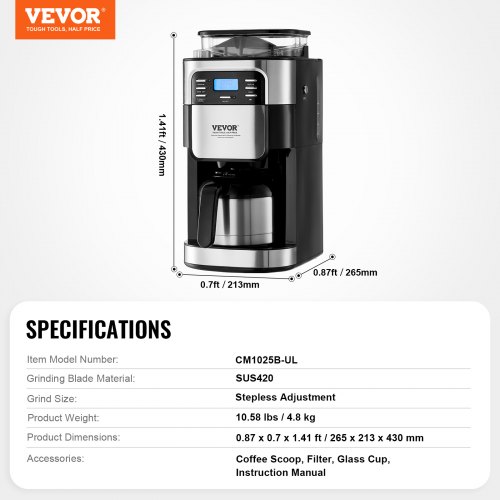
Credit: www.vevor.ca
Frequently Asked Questions
How Do I Set The Auto Brew Timer On My Coffee Maker?
To set the auto brew timer, first ensure the clock is correct. Press the “Program” button, set the desired brew time, and confirm. Add water and coffee grounds before the programmed time for a fresh brew.
Can I Program Auto Brew For Daily Use?
Yes, most drip coffee makers allow daily auto brew programming. Set your preferred brew time once, and the machine will brew automatically every day at that time.
What Type Of Coffee Grounds Work Best With Auto Brew?
Medium grind coffee works best for drip coffee makers. It ensures balanced extraction during auto brew, producing smooth and flavorful coffee without clogging the filter.
How Do I Clean My Coffee Maker After Using Auto Brew?
After using auto brew, clean the carafe and filter basket regularly. Run a cleaning cycle with vinegar and water monthly to remove buildup and maintain taste quality.
Conclusion
Programming auto brew on your drip coffee maker saves time each morning. It lets you wake up to fresh, hot coffee without waiting. Just follow simple steps to set the timer correctly. Enjoy consistent taste every day without hassle. This small effort brings big convenience to your routine.
Try it today and see how easy life can be. Brewing coffee has never been this simple or quick. A good start to your day begins with a good cup of coffee.