

Imagine hosting the perfect barbecue, where every steak, chicken breast, and burger patty is cooked to perfection. How do you ensure that each cut of meat is grilled just right without constantly hovering over the grill?
The answer is simple: connect your meat thermometer to WiFi. This clever solution allows you to monitor your grill’s temperature remotely, giving you the freedom to mingle with guests or simply relax. But how exactly do you make this connection?
In this guide, you’ll discover straightforward steps to connect your meat thermometer to WiFi. You’ll learn how this small tech upgrade can transform your cooking experience, save you time, and impress your guests. Ready to take your grilling game to the next level? Let’s dive in and find out how you can make it happen!
Choosing The Right Meat Thermometer
There are different types of meat thermometers. Digital thermometers show the temperature fast. Dial thermometers are old but still used. Wireless thermometers let you check the temperature from far. They send the reading to your phone. Probe thermometers have a metal stick. You put it in the meat. Thermocouple thermometers are very quick. They are great for thin meats.
Wifi thermometers help you cook better. You can see the temperature on your phone. They alert you when the meat is ready. Some have apps for more features. You can set cooking times. You can also get tips. Check if the thermometer works with your phone. Some only work with certain phones. Make sure the app is easy to use.

Credit: www.amazon.com
Setting Up Your Wifi Network
Connecting a meat thermometer to Wifineeds network compatibility. Check if your thermometer can connect to your network. Older thermometers may not work with new networks. Make sure your network supports the thermometer’s requirements.
Signal strength is crucialfor a stable connection. Thick walls can block signals. Try placing the thermometer near the router. If the signal is weak, the thermometer might not work well. Move it around to find the best spot.
Preparing The Thermometer For Connection
First, find the power buttonon the meat thermometer. Press it. Wait for the screen to light up. This means it is on. Check the battery level. Make sure it is full. If not, charge it. This helps the thermometer work well. Once charged, it is ready for the next steps.
Start the calibration processbefore connecting to WiFi. Check if the thermometer has a calibration mode. Follow the instructions on the screen. Place the thermometer in a known temperature. This helps in setting it right. Once done, the thermometer is ready for WiFi connection.

Credit: buythermopro.com
Connecting To Wifi
Accessing Wifi Settingson your thermometer is the first step. Open the device’s settings menu. Find the Wifi option. Tap to connect. Choose your home network from the list. Enter the password carefully. Make sure you type it correctly. Wait for the device to connect. It might take a few seconds. Once connected, you will see a checkmark. This means it’s successful.
Pairing the Thermometeris next. Turn on your thermometer. Make sure it’s in pairing mode. Check the app on your phone. It should show your device. Tap to connect. Follow the simple on-screen steps. Your thermometer will pair with your Wifi. Now, you can monitor your cooking. All from your phone!
Troubleshooting Connection Issues
Meat thermometers sometimes refuse to connect. Common issue: weak WiFi signal. Move the thermometer closer to the router. Try restarting both devices. Another problem is incorrect WiFi password. Double-check the password. Make sure it is correct. Ensure the thermometer supports your WiFi network. Some only work with 2.4GHz. Ensure your network is compatible.
Resetting the thermometer often solves connection problems. Find the reset button on the device. Press and hold it for 10 seconds. This clears old settings. After resetting, re-enter WiFi details. Make sure you follow the setup steps carefully. Double-check each step. This can help connect the thermometer successfully.
Ensuring A Stable Connection
Keeping your meat thermometer’s software up-to-date is very important. Updates fix bugs and improve performance. Check your device for updates every month. Use the app or website for this. Install updates as soon as they appear. This keeps your thermometer working well.
Other devices can interfere with your thermometer’s wifi connection. Move the thermometer away from metal objects. Keep it away from microwaves and cordless phones. These can mess with signals. Also, check the wifi router’s placement. It should be in a good spot. This helps in better connection.
Using The Thermometer With Wifi
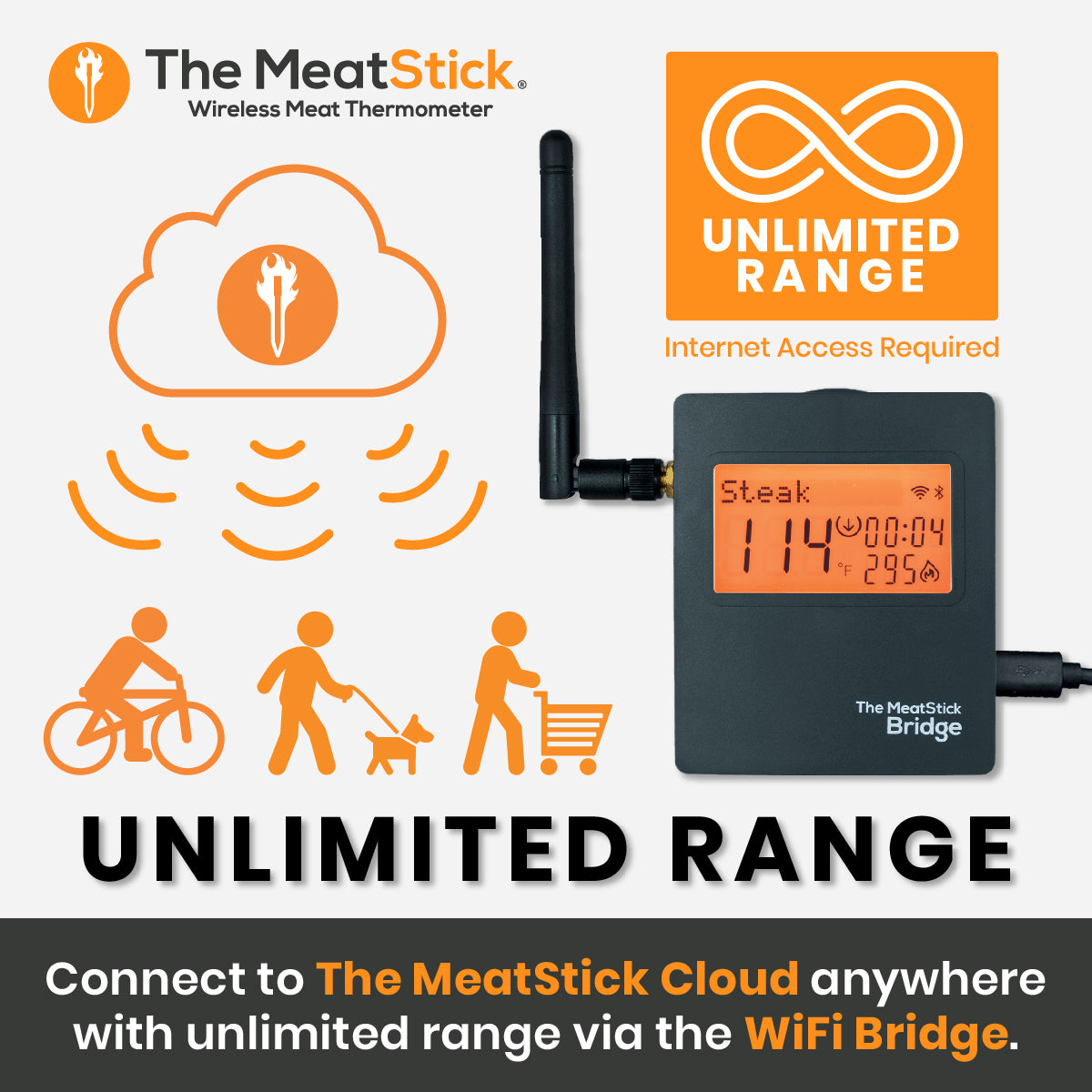
Checking the food temperature becomes easy with a wifi thermometer. You can see the data on your phone or tablet. Real-time updates help you know if the food is cooking right. You can stay away from the kitchen and still keep track. This is useful for long cooking times.
Alerts can be set for specific temperatures. The device will let you know when the food is ready. This ensures perfect cooking every time. Even if you are outside, you can monitor the cooking. The thermometer connects easily to your home wifi.
Many wifi thermometers have extra features. Some offer pre-set cooking modes. These are for different meats like chicken or beef. You can choose the right mode for your meal. Some models show graphs of cooking progress. This helps in understanding how the temperature changes.
Certain thermometers have a timer function. This can remind you about cooking times. Some apps even offer cooking tips. These features make cooking easy and fun. Smart thermometers are a great tool in the kitchen.
Credit: themeatstick.com
Frequently Asked Questions
How To Use Wireless Smart Meat Thermometer?
Turn on the thermometer and sync it with your smartphone app. Insert the probe into meat. Monitor the temperature via the app for real-time updates. Set alerts for desired doneness. Ensure the probe is fully inserted and avoid contact with bone for accuracy.
How To Connect Meater Link To Wifi?
To connect MEATER Link to WiFi, open the MEATER app. Follow on-screen instructions to pair the device. Ensure WiFi settings match the app’s requirements. Confirm successful connection by checking the status in the app.
How Does A Wifi Meat Thermometer Work?
A WiFi meat thermometer measures food temperature and sends data to your smartphone via WiFi. Connect the thermometer to your device and monitor cooking progress remotely. It ensures accurate cooking by alerting you when your meat reaches the desired temperature, enhancing convenience and precision in cooking.
Does Meater Have To Be Connected To Wifi?
MEATER doesn’t need WiFi for basic use. Connect via Bluetooth for grilling nearby. For extended range, use WiFi or MEATER Link. Ensure your device supports Bluetooth and WiFi for optimal functionality. Enjoy convenient cooking with easy monitoring through the app.
Conclusion
Connecting your meat thermometer to WiFi is simple. It enhances cooking precision. Follow the steps outlined above. Enjoy perfectly cooked meals every time. No more guessing with temperatures. Wireless connectivity offers convenience. Check temperatures from your phone. Save time and energy in the kitchen.
Impress guests with your culinary skills. Make cooking stress-free and efficient. WiFi-enabled thermometers are practical tools. Get yours connected today. Experience the ease of modern cooking. Your kitchen tasks will become effortless. Happy cooking!