
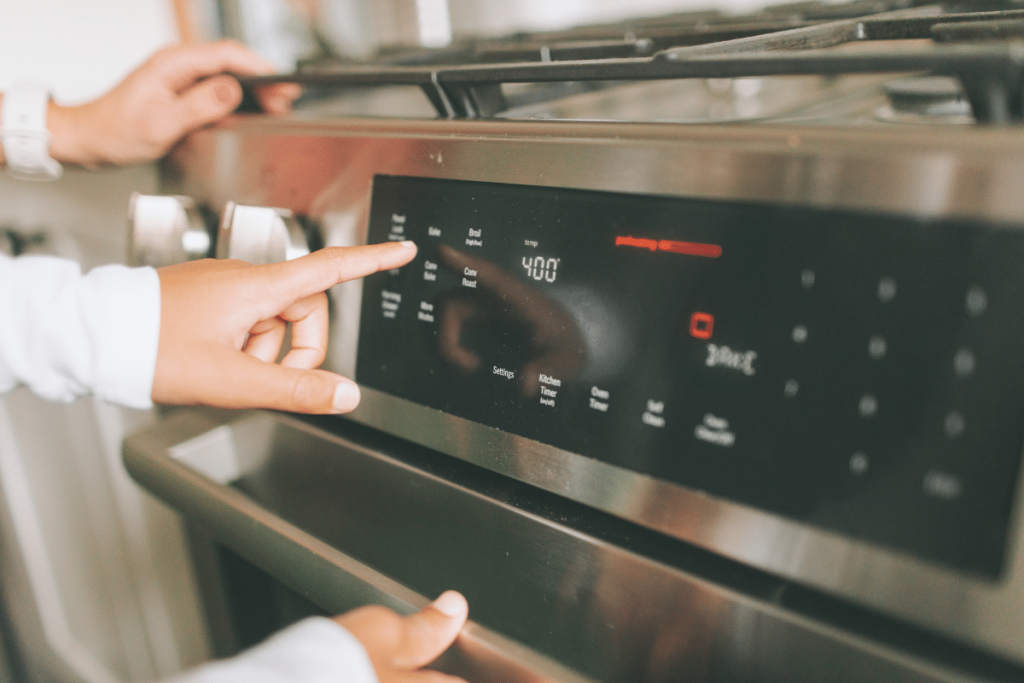
Is your Whirlpool oven showing an error code, and you’re not sure what it means? Don’t worry—you’re not alone.
These codes can be confusing, but they are your oven’s way of telling you exactly what’s wrong. Knowing how to check and understand these error codes can save you time, money, and frustration. You’ll learn simple steps to quickly identify the problem and decide what to do next.
Keep reading, and you’ll feel confident handling your Whirlpool oven’s error codes like a pro.
Common Whirlpool Oven Error Codes
Whirlpool ovens may show error codes on the display when there is a problem. These codes help you understand what is wrong.
Knowing common error codes can save time. You can check the code and find simple fixes or know when to call a technician.
F1 – Key Stuck Error
The F1 error means a key on the control panel is stuck or pressed too long. This can stop the oven from working.
Try cleaning the control panel gently. Make sure no button is pressed or stuck. If the error stays, the control board may need repair.
F2 – Shorted Key Error
The F2 error shows there is a short in the keypad wiring. This can cause the oven to act strangely or stop.
Check if any liquid spilled on the keypad. If yes, dry it. If the problem continues, the keypad or wiring may need replacement.
F3 – Temperature Sensor Error
The F3 code means the oven’s temperature sensor is not working right. It may be disconnected or broken.
Inspect the sensor wire and connection. If the sensor is faulty, replace it to get the oven back to normal.
F4 – Oven Temperature Too High
The F4 error warns that the oven temperature is too hot. This may be due to a stuck relay or sensor failure.
Turn off the oven and let it cool. If it shows F4 again, the control board or sensor may need service.
F5 – Oven Temperature Too Low
The F5 code means the oven is not heating enough. The sensor may be broken or the heating element may fail.
Check the heating element for damage. Replace parts if needed to fix the heating problem.
F7 – Oven Door Error
The F7 error appears if the oven door is not closing or locking properly. This can stop the oven from starting.
Make sure the door closes fully. Check the latch and door switch. Fix or replace parts if the error returns.
Tools Needed For Error Code Checking
Checking error codes on your Whirlpool oven helps find problems fast. You need some simple tools to do it right.
Using the correct tools makes the process safe and easy. Here are the main tools you will need.
User Manual Or Error Code Guide
The user manual has a list of error codes and their meanings. You can also find an error code guide online.
Having this guide helps you understand what each error means. It shows what to fix or check next.
Multimeter
A multimeter measures electrical parts inside your oven. It checks if parts get power or if they are broken.
You can find affordable multimeters at most hardware stores. Use it carefully to avoid shocks.
Screwdriver Set
Screwdrivers help open oven panels to look inside. You need both flathead and Phillips types for different screws.
Using the right screwdriver prevents damage to screws and oven parts. Keep them handy before starting.
Flashlight
A flashlight gives light inside dark oven spaces. It helps you see wires and parts clearly while checking errors.
Choose a small, bright flashlight that fits in tight spots. This tool makes inspection easier and safer.
Protective Gloves
Gloves protect your hands from sharp edges and hot parts inside the oven. Use heat-resistant gloves if the oven was recently used.
Wearing gloves keeps your hands safe from cuts, burns, or electric shocks during error checking.
Locating The Error Code Display
Whirlpool ovens show error codes to help you find problems. These codes appear on a special display panel.
Knowing where to find this display helps you fix issues quickly and safely.
Control Panel Display
The error code usually appears on the oven’s main control panel. This panel is where you set the temperature and timer.
The display is often a small digital screen in the center or top of the panel. Look for flashing numbers or letters.
Hidden Displays On Older Models
Older Whirlpool ovens might not have a visible digital screen. Instead, error codes can show through blinking lights.
Count the number of blinks or patterns on lights near the knobs or buttons. This pattern tells you the error code.
- Look near the timer or temperature dials
- Watch for blinking LED or indicator lights
- Count the blinks to match error codes in the manual
Display Inside The Oven Door Frame
Some Whirlpool ovens show error codes inside the door frame area. This is less common but possible on certain models.
Open the oven door and check the edges or near the hinge for a small screen or light signals.
Using The Oven’s User Manual
The user manual tells you exactly where the error code display is on your model. It also explains how to read the codes.
If you lost the manual, Whirlpool’s website lets you download it by entering your oven’s model number.

Credit: www.youtube.com
Steps To Retrieve Error Codes
When your Whirlpool oven shows an error, checking the code helps find the problem. Error codes give clues about what needs fixing.
This guide explains how to get those codes using simple steps. You do not need special tools.
Power Cycle The Oven
Start by turning off the oven to reset its system. This clears temporary faults.
- Switch off the oven using the main power switch or unplug it.
- Wait for about one minute to let the oven fully power down.
- Turn the oven back on or plug it in again.
- Check if the error message still shows.
Access Diagnostic Mode
Next, enter the oven’s diagnostic mode to view error codes stored in its memory.
- Press and hold the “Bake” and “Broil” buttons at the same time.
- Keep holding until the display changes or shows “88” or a similar indicator.
- Release the buttons to enter the diagnostic mode.
Read The Displayed Codes
The oven will show error codes one by one. Write down each code to check later.
| Code | Meaning |
|---|---|
| F1 | Keypad failure |
| F2 | Temperature sensor error |
| F3 | Heating element problem |
| F4 | Door lock error |
Use your oven’s manual or online resources to understand these codes. This helps decide if you need a repair.
Interpreting Error Codes
Whirlpool ovens show error codes to tell you when something is wrong. These codes help find the problem fast.
Knowing what each error code means can save time and effort in fixing your oven.
Temperature Sensor Issues
Temperature sensor problems often cause error codes. The sensor checks the oven’s heat level.
If the sensor is broken or unplugged, the oven cannot keep the right temperature. This causes cooking problems.
- Error codes like F1 or F2 often mean sensor trouble.
- The sensor may need testing or replacement.
- Check if the sensor wire is loose or damaged.
Heating Element Failures
Heating element errors show when the oven does not heat properly. The element is the part that gets hot.
When the element breaks or burns out, the oven may show codes like F3 or F4. This stops your oven from working well.
- Look for signs like no heat or uneven cooking.
- Test the heating element with a multimeter.
- Replace the element if it does not work.
Control Board Errors
The control board runs the oven’s functions. Errors here can stop the oven from working.
Error codes like F5 or F6 may mean the control board has a problem. It might be due to a short or bad connection.
- Control board issues can cause many different errors.
- Resetting the oven may clear some errors.
- Replace the control board if errors keep happening.

Credit: www.youtube.com
Resetting The Oven After Errors
Whirlpool ovens show error codes when something is wrong. Resetting the oven can clear these errors and restore normal function.
This guide explains how to reset your Whirlpool oven after it shows error codes. Follow the steps carefully to avoid damage.
Power Cycle The Oven
Turning the oven off and on can reset many error codes. This is called a power cycle.
- Turn off the oven using the control panel or the power switch.
- Unplug the oven from the wall outlet or turn off the circuit breaker.
- Wait at least 60 seconds to let the oven fully power down.
- Plug the oven back in or switch on the circuit breaker.
- Turn on the oven and check if the error code is gone.
Use The Control Panel Reset
Some Whirlpool ovens have a reset option on the control panel. Use this to clear error messages without unplugging.
- Press and hold the “Clear” or “Off” button for about 3 seconds.
- Wait for the display to reset or show zeros.
- If the error remains, try the power cycle method.
Check For Persistent Error Codes
If errors stay after resetting, you may need to check error codes more carefully. Look up the code in your manual.
| Error Code | Possible Cause | Reset Advice |
| F1 or F2 | Temperature sensor issue | Power cycle and check sensor connection |
| F3 or F4 | Oven door locked or sensor problem | Reset with control panel or power cycle |
| F7 | Keypad error | Power cycle and test buttons |
| F9 | Control board error | Unplug oven for 60 seconds |
When To Call A Technician
If you reset your oven and errors keep appearing, the oven may need repair. Contact a qualified technician for help.
Note:Do not try to fix electrical parts yourself. Always unplug the oven before inspecting it.
When To Call A Professional
Whirlpool ovens sometimes show error codes to signal problems. These codes help you understand what is wrong with your oven. Some issues are simple to fix, but others need expert help.
Knowing when to call a professional can save time and prevent damage. This guide explains when to get expert service for your Whirlpool oven.
Complex Electrical Or Mechanical Issues
If your oven shows error codes related to electrical parts or mechanical faults, avoid trying to fix them yourself. These problems can be dangerous and need special tools.
Repeated Or Unclear Error Codes
When error codes appear again after resetting or are not listed in the manual, it is best to contact a professional. They can diagnose hidden faults that are not obvious.
Oven Does Not Heat Or Controls Are Unresponsive
If your oven does not heat up or the control panel does not respond, this may indicate a serious issue. A trained technician should inspect the appliance to avoid further damage.
Safety Risks And Gas Ovens
For gas ovens, any error code linked to gas supply or ignition needs immediate professional attention. Gas leaks or faulty ignition can be hazardous.
- Do not try to fix gas leaks yourself
- Turn off the gas supply if you smell gas
- Call a certified technician immediately
Warranty And Repair Considerations
Before attempting any repair, check if your oven is under warranty. Unauthorized repairs may void it. Professionals can provide authorized service without affecting your warranty.
| Situation | Action |
| Unknown error codes | Call a professional technician |
| Oven not heating | Request expert repair |
| Gas-related errors | Contact certified gas technician immediately |
| Control panel unresponsive | Schedule professional inspection |
| Under warranty | Use authorized service providers |
Preventing Future Errors
Checking error codes on your Whirlpool oven helps you fix problems quickly. Preventing these errors stops damage and saves money.
Simple care and regular checks keep your oven working well. Follow these tips to avoid common errors in the future.
Keep The Oven Clean
Food spills and grease cause sensor errors and overheating. Clean the oven regularly to avoid these issues.
- Wipe spills after each use
- Use oven-safe cleaners
- Clean heating elements carefully
Check Door Seal And Hinges
A broken door seal lets heat escape and triggers error codes. Inspect the seal and hinges often to keep a tight close.
- Look for cracks or tears in the seal
- Replace worn seals promptly
- Ensure hinges allow the door to close fully
Avoid Overloading The Oven
Putting too much food inside blocks heat and causes uneven cooking. Overloading can lead to sensor errors.
- Follow the oven’s capacity guidelines
- Leave space around food for air flow
- Cook large items in batches if needed
Use The Correct Cookware
Wrong cookware can cause heat problems and error codes. Use pans and trays made for ovens.
- Use metal or oven-safe glass dishes
- Avoid plastic or non-oven cookware
- Check manufacturer instructions for cookware use
Perform Regular Maintenance
Check your oven’s parts and functions often. Regular maintenance helps catch small issues before they grow.
- Test buttons and displays monthly
- Listen for unusual noises
- Schedule professional service if needed

Credit: www.youtube.com
Frequently Asked Questions
How Do I Find Error Codes On My Whirlpool Oven?
To find error codes, check the oven’s display panel during malfunction. Error codes appear as letters or numbers indicating specific issues. Refer to your Whirlpool oven manual to decode these messages and understand the problem quickly.
What Does F1 Error Code Mean On Whirlpool Oven?
The F1 error code usually indicates a problem with the oven’s temperature sensor. It could mean the sensor is faulty or disconnected. Check the sensor’s wiring and connections or consider replacing the sensor to fix the issue.
How Can I Reset Error Codes On A Whirlpool Oven?
To reset error codes, turn off the oven and unplug it for 5 minutes. Plug it back in and turn it on. This often clears temporary errors and resets the control board, resolving minor glitches.
Where Can I Find A Whirlpool Oven Error Code List?
You can find the error code list in your Whirlpool oven’s user manual or on Whirlpool’s official website. These resources provide detailed explanations and troubleshooting steps for each error code.
Conclusion
Checking error codes on your Whirlpool oven helps spot problems fast. You can save time and avoid bigger repairs by knowing what the codes mean. Always consult the user manual for exact code details. Taking quick action keeps your oven working well and safe to use.
Regularly checking for errors makes cooking easier and less stressful. Keep this guide handy for future reference. Simple steps can keep your oven in good shape.