

Are you tired of uneven slices ruining your meals? Knowing how to adjust your Hamilton Beach slicer thickness can make all the difference.
Whether you’re slicing bread, vegetables, or cheese, getting the perfect thickness every time is easier than you think. In this guide, you’ll discover simple steps that put you in full control of your slicer. Say goodbye to guesswork and hello to perfectly sliced ingredients that make your dishes look and taste better.
Keep reading to unlock the secret to flawless slicing with your Hamilton Beach slicer.
Credit: www.techgearlab.com
Hamilton Beach Slicer Basics
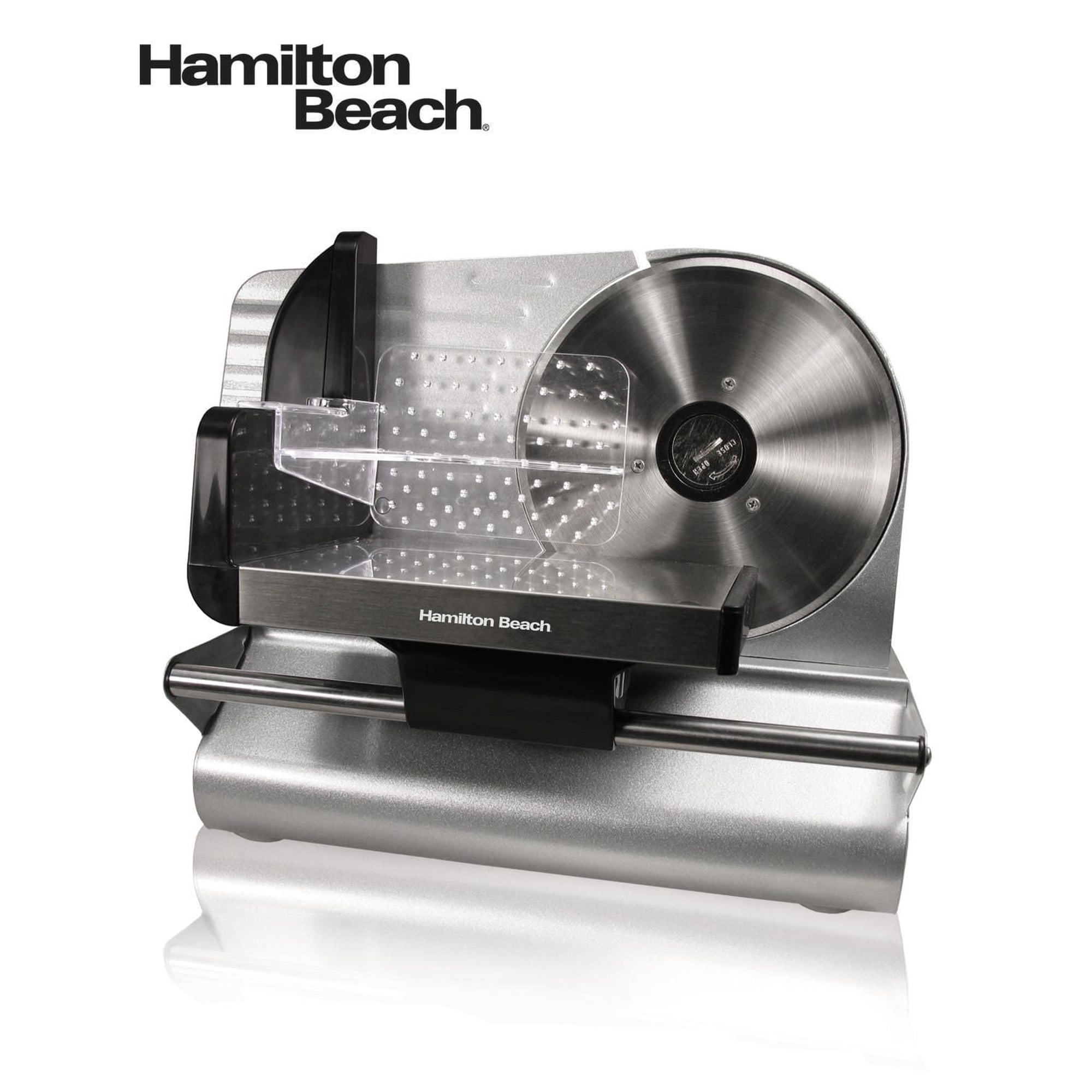
The Hamilton Beach sliceris easy to use and clean. It lets you cut foods into different thicknesses. You can change the thickness by turning a knob or lever. This helps you get perfect slices every time.
- Adjustable thickness:Choose thin or thick slices as needed.
- Sharp blades:Make smooth and even cuts quickly.
- Safety features:Includes guards to protect your fingers.
- Easy to clean:Most parts can be removed and washed.
| Type | Description | Best For |
|---|---|---|
| Manual Slicer | Requires hand power to slice foods. | Small amounts, home use. |
| Electric Slicer | Powered by electricity for faster slicing. | Larger quantities, frequent use. |
| Compact Slicer | Smaller size for easy storage. | Limited space kitchens. |
Locating The Thickness Adjustment
Find the adjustment dial on the slicer. It is usually on the side. Sometimes, it may be a lever. Turn the dial slowly. Watch the blade as you turn. The gap changes with each turn. A bigger gap means thicker slices. A smaller gap means thinner slices. Try different settings. Find the thickness you like.
Always be careful when using the slicer. Keep fingers away from the blade. Use the food holder to protect your hands. Never touch the blade while it is moving. Turn off the slicer after use. Clean it carefully. Keep it out of reach of small children. Safety is important for everyone.
Step-by-step Thickness Adjustment
Place the slicer on a flat surface. Make sure it is clean and unplugged. Remove any food or debris from the blade area. Check that the blade is sharp and secure. This ensures safe and smooth slicing.
Turn the thickness dial to the desired setting. The dial usually has numbers or marks. Lower numbers mean thinner slices. Higher numbers mean thicker slices. Adjust slowly to avoid sudden changes.
Test the thickness by slicing a small piece of food. Observe the slice size carefully. Adjust the dial again if needed. Repeat until the slice thickness matches your preference.
Common Issues And Fixes
Uneven slicesoften happen if the blade or food carriage is not clean. Check for crumbs or food bits blocking the blade. Make sure the food is placed evenly on the carriage. Adjust the thickness dial slowly to see if slices improve. Using a dull blade can also cause uneven cutting. Sharpen or replace the blade for better results.
Adjustment mechanism stuckcan be caused by debris or lack of lubrication. Unplug the slicer before cleaning. Remove any stuck food particles near the dial or blade area. Use a small brush or cloth to clean tight spaces. Apply a small amount of food-safe lubricant to the moving parts. Turn the dial gently after cleaning to check if it moves smoothly.
Maintenance Tips For Smooth Operation
Keep the Hamilton Beach slicer cleanto ensure smooth operation. Wipe the blade and food carriage after each use. Remove crumbs and food bits from the slicer base. Use a damp cloth with mild soap for cleaning. Avoid soaking the slicer or using harsh chemicals.
Lubricate moving partsregularly to keep the slicer working well. Apply a small amount of food-safe lubricant to the blade shaft and adjustment knob. This reduces friction and prevents wear. Check the manual for recommended lubricants and safety tips.
Credit: manualsfact.com
Credit: www.walmart.ca
Frequently Asked Questions
How Do I Change Thickness On Hamilton Beach Slicer?
To adjust thickness, turn the dial or knob on the slicer. Rotate it clockwise or counterclockwise to select your desired slice thickness. Always start with the slicer unplugged and follow the manual for safe adjustments.
What Is The Maximum Thickness Setting On This Slicer?
The maximum thickness varies by model but typically ranges up to 1/2 inch. Check your slicer’s manual for exact limits. Adjust the dial slowly to avoid damaging the blade or food items.
Can I Adjust Thickness While Slicing?
It’s safer to adjust thickness before slicing. Changing settings mid-use can cause uneven slices or injury. Always turn off and unplug the slicer before modifying thickness settings.
Why Are Slices Uneven After Adjustment?
Uneven slices often result from improper dial setting or inconsistent food pressure. Ensure the thickness knob is securely set and food is pressed evenly against the blade. Clean the blade regularly to maintain slicing precision.
Conclusion
Adjusting the thickness on your Hamilton Beach slicer is simple and quick. Just turn the dial to choose the slice size you want. Always ensure the slicer is stable before use. Regular cleaning keeps it working well. Now you can enjoy perfectly sliced fruits and veggies every time.
Practice a few times to get comfortable with the settings. This small step makes meal prep easier and more fun. Keep these tips in mind, and your slicer will serve you well for years.