
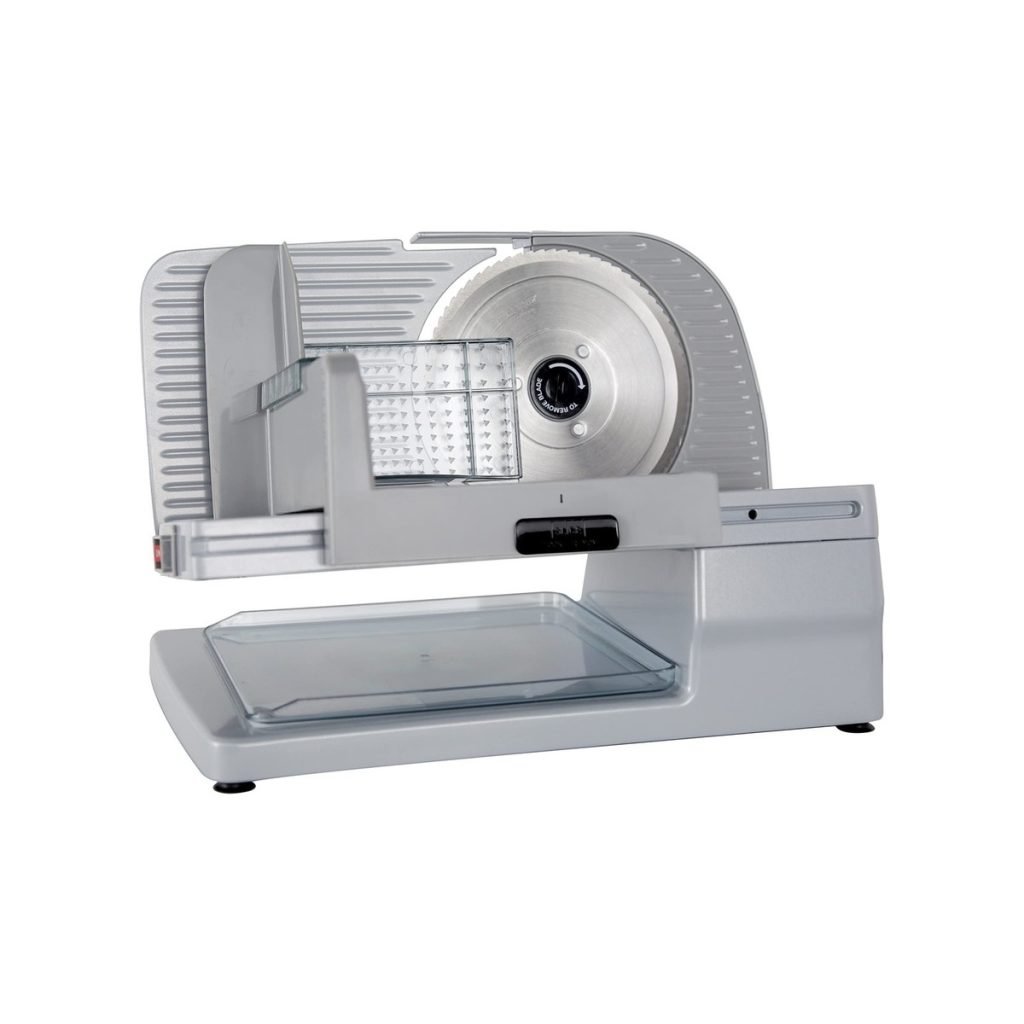
Is your Chef’Schoice slicer acting up when you need it the most? You’re not alone.
When your slicer doesn’t work smoothly, it can slow down meal prep and cause frustration. But don’t worry—fixing common problems with your Chef’Schoice slicer is easier than you think. In this guide, you’ll find simple solutions that save you time and stress.
Keep reading to get your slicer back in perfect shape and enjoy hassle-free slicing every time.
Common Slicer Issues
Blade not cutting properlymay happen if the blade is dull or dirty. Clean the blade carefully and sharpen it if needed. Check if the blade is installed correctly. A loose blade can cause poor cutting.
Slicer motor won’t startmight be due to power issues. Ensure the slicer is plugged in and the outlet works. Check the power switch and fuse. Overheating can also stop the motor; let it cool before trying again.
Uneven slicesoften occur if the thickness knob is set wrong. Adjust the thickness dial slowly. Food placement matters too. Place the food firmly and evenly on the carriage for smooth slicing.
Slicer makes unusual noisesif parts are loose or dirty. Tighten screws and clean the slicer regularly. Lubricate moving parts as per the manual. Strange sounds might also mean worn motor bearings needing service.
Blade Maintenance Tips
Regularly clean and sharpen blades to keep your Chef’sChoice slicer working well. Check for blade alignment and tighten loose parts to avoid cutting problems. Use the right blade for each task to ensure smooth slicing and longer blade life.
Cleaning The Blade
Regular cleaning keeps the blade sharp and safe. Use warm water and mild soap. Never submerge the slicer in water. Use a soft cloth to wipe it. Dry the blade with a clean towel. Make sure no moisture is left. This prevents rust and damage.
Sharpening The Blade
A sharp blade cuts better and safer. Use a blade sharpener for best results. Follow the sharpener’s instructions carefully. Move the blade slowly through the sharpener. Check the blade’s edge after sharpening. Repeat if needed. Always handle the blade with care.
Replacing A Dull Blade
Sometimes blades get too dull. It’s important to replace them. Check the slicer’s manual for blade type. Purchase a compatible blade. Turn off and unplug the slicer first. Carefully remove the old blade. Fit the new blade securely. Test the slicer with simple items. Ensure it cuts smoothly.
Motor And Electrical Fixes
Check the power supplyfirst. Make sure the slicer is plugged in properly. Try a different outlet to rule out power issues. If the slicer still does not start, check the fuse or circuit breaker.
Look at the motor connections. Loose or damaged wires can stop the motor from running. Unplug the slicer and open the motor cover carefully. Tighten any loose wires and replace damaged ones.
Resetting the motor can fix some problems. Turn off the slicer and unplug it. Wait for a few minutes before plugging it back in. Press the reset button if there is one. This can help clear motor faults.

Credit: www.ebay.com
Adjusting Slicer Settings
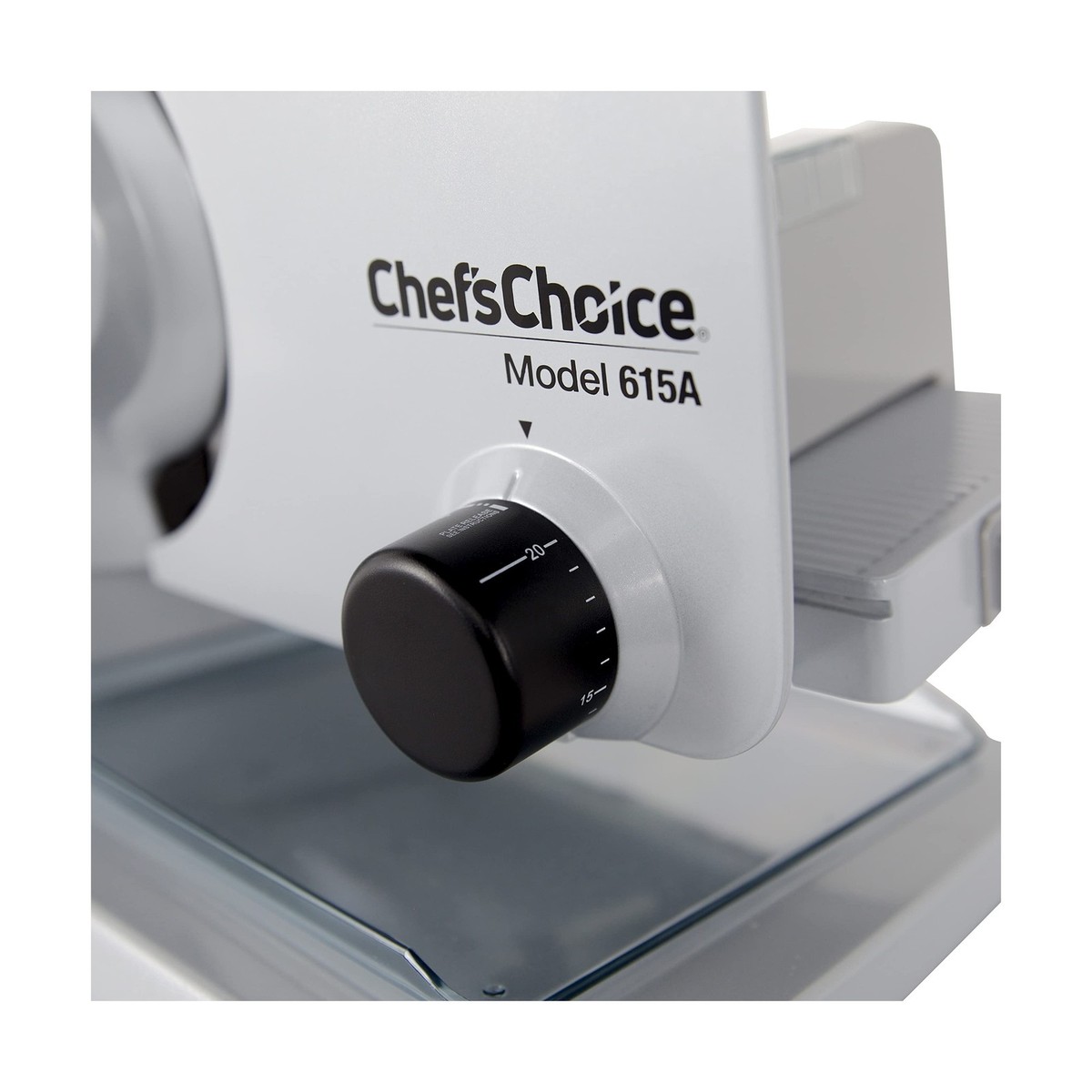
Adjust the slice thicknessby turning the thickness dial. Thicker slices need a higher number. Thin slices require a lower number. Check the thickness setting before slicing each time.
Calibrating the slicer keeps it accurate. Make sure the blade is clean and dry. Use a calibration tool if available. This helps the slicer cut evenly every time.
Blade alignment is key for smooth slicing. The blade should be straight and tight. Loosen screws slightly to adjust the blade position. Tighten screws once aligned to avoid wobbling.
Safety Precautions
Handle blades carefullyto avoid cuts. Always hold them by the edges. Never touch the sharp parts directly.
Use safety guardswhile slicing. They protect your hands from slipping onto blades. Never remove guards during operation.
| Maintenance Task | Frequency | Purpose |
|---|---|---|
| Clean blades and slicer | After each use | Prevent buildup and ensure smooth slicing |
| Check blade sharpness | Weekly | Keep slices even and reduce accidents |
| Inspect safety guards | Monthly | Ensure proper protection |
| Lubricate moving parts | Monthly | Maintain smooth operation |
Credit: www.ebay.com
When To Seek Professional Help
Persistent mechanical problems like strange noises or blades not moving need expert help. These issues may cause damage if ignored.
Electrical issues beyond basic checks, such as no power or sparks, require a technician. Avoid opening the slicer yourself for safety.
| Warranty | Service Options |
|---|---|
| Check your slicer’s warranty period and coverage. | Contact authorized service centers for repairs. |
| Keep your purchase receipt for warranty claims. | Use professional repair services to keep warranty valid. |

Credit: www.amazon.ca
Frequently Asked Questions
How Do I Fix A Dull Chef’schoice Slicer Blade?
To fix a dull blade, first unplug the slicer. Clean the blade gently with a soft cloth. Use a sharpening stone or follow the manufacturer’s instructions for blade sharpening. Regular maintenance prevents dullness and ensures smooth slicing.
Why Is My Chef’schoice Slicer Not Slicing Evenly?
Uneven slicing often results from a misaligned blade or uneven food placement. Check the blade alignment and adjust if necessary. Ensure the food is positioned flat and steady on the carriage for consistent slices.
What Causes My Chef’schoice Slicer To Overheat?
Overheating happens if the slicer runs continuously for too long. Allow the motor to cool down after 10-15 minutes of use. Clean the slicer regularly to prevent motor strain and maintain airflow.
How Do I Safely Clean My Chef’schoice Slicer?
Always unplug before cleaning. Remove the blade carefully using gloves. Wipe down all parts with a damp cloth and mild detergent. Avoid submerging electrical components in water. Dry all parts thoroughly before reassembling.
Conclusion
Troubleshooting your Chef’Schoice slicer can save time and money. Simple steps fix common problems fast. Keep blades clean and sharp for best results. Check power and settings if slicer stops working. Regular care helps your slicer last longer. Don’t ignore small issues; they can grow bigger.
Use this guide to keep slicing smooth and safe. Stay patient and follow instructions carefully. Your slicer will perform well with proper attention. Enjoy easy, precise slicing every time.