
Picture this: You’re in the middle of a busy day, juggling tasks and trying to keep everything on track. Your mind races with the thought of making dinner, but the idea of having to pause everything for even a moment feels like an inconvenience.
What if you could simply ask Alexa to handle your microwave for you, allowing you to stay focused on what truly matters? Imagine the sheer convenience and ease of having your smart assistant manage even the most mundane of kitchen tasks.
The question is, can Alexa really control your microwave? We’ll dive into the possibilities and unravel how this technology can transform your daily routine. Stick around to discover how Alexa might just be the secret ingredient to a more seamless and efficient kitchen experience.
Credit: shop.sharpusa.com
Smart Kitchen Revolution
Imagine saying, “Alexa, heat my food.” Your microwave starts on its own. That’s the power of smart kitchens today. Many modern microwaves can connect to Alexa. This means no more buttons to press. Voice control makes cooking easy. You can stop, start, or set the timer. All without touching the microwave. Some microwaves even have special skills. They can follow cooking instructions. This is great for recipes. Kids find it fun to use. Parents find it helpful too. It saves time. It feels like magic in the kitchen. Smart kitchens are becoming popular. They make life simple and fun.
Alexa And Smart Appliances
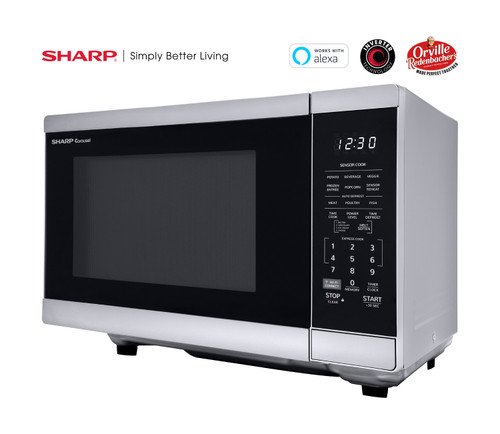
Alexacan talk to smart appliances. This makes life easier. Many microwaves now connect with Alexa. You can ask Alexa to start cooking. It listens and follows your instructions. It’s like having a kitchen helper.
Some microwaves let Alexa control cooking times. You can say, “Alexa, cook for 5 minutes.” It listens and sets the time. You don’t need to touch the microwave. You can also pause or stop cooking with voice commands.
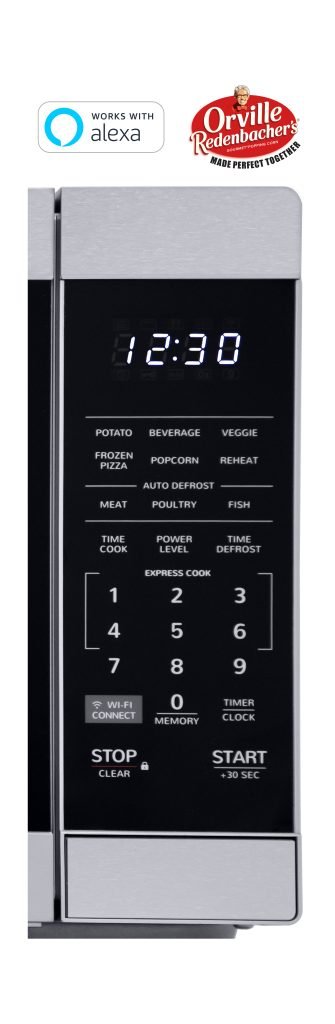
Microwaves need to be compatible with Alexa. Not all microwaves work with it. Check if your microwave is smart. Look for Wi-Fior Bluetooth on the microwave. These features let it connect with Alexa.
How Voice-controlled Cooking Works
Smart microwaves can connect with Alexa. This needs Wi-Fi and a compatible microwave. First, download the microwave app. Follow the steps to link Alexa. Make sure the microwave is on. Say, “Alexa, discover devices.” Alexa finds the microwave. Now, you’re ready for voice control.
Alexa helps cook with simple commands. Say, “Alexa, start microwave for 2 minutes.” You can ask Alexa to stop or pause cooking. Even ask for popcorn or defrost. Alexa makes cooking easy and fun. No need to press buttons. Speak and the microwave listens. Try new recipes with voice commands.
Benefits Of Smart Cooking
Smart microwavesmake cooking easier. You can ask Alexa to heat your food. This saves time and keeps you free. No need to touch buttons. Your microwave will start with a simple voice command.
Smart cooking means less work. You can set timers and reminders with Alexa. This helps you not forget your food. Cooking becomes more fun and less stressful.
Using your voice is easy. You can talk to Alexa and do other tasks. Imagine stirring a pot while Alexa handles the microwave. This is truly hands-free cooking.
Voice control is useful when your hands are full. You can be busy with kids or cleaning. Alexa makes life simpler.
Compatible Microwave Models
Some microwave models work with Alexa. These models have smart features. They connect to your Wi-Fi. You can then use voice commands. Alexa can help you cook. Or even reheat your food.
Brands like GE, Samsung, and Whirlpool offer these options. They make your kitchen tasks easier. You just need to say what you want. Alexa will do the rest. It’s simple and fun.
Check if your microwave has these features. Look for the Wi-Fi symbol or a smart label. Not all microwaves work with Alexa. Make sure to check before buying. This ensures you get the right one.
Setting Up Your Smart Microwave
Curious about Alexa’s capabilities with your microwave? Discover how to integrate voice control for easy operation. Enhance your cooking experience with Alexa’s help, offering convenience and hands-free control.
Installation Tips
Place your smart microwave near a power outlet. Ensure it is on a flat surface. Keep it away from water and heat sources. Connect your microwave to Wi-Fi. Follow the manufacturer’s guide for setup. Use your smartphone to download the microwave app. Open the app and search for your microwave model. Connect the app to your microwave. Ensure the connection is strong. Test the microwave by setting a simple timer. Make sure it heats food properly.
Troubleshooting Common Issues
Check if your microwave is plugged in. Ensure your Wi-Fi is working. Restart your router if needed. Reconnect your microwave to the Wi-Fi. Ensure the app is updated. Restart the app if it crashes. Check if your device is compatible. If not, contact customer support for help. Reset the microwave if needed. Follow the guide for resetting steps. Test the microwave again after resetting.
Privacy And Security Concerns
Connecting Alexa to your microwave needs care. Personal data might be at risk. Hackers could try to access your devices. Always keep your software updated. Choose a strong, unique password. Use a secure network to connect.
Make sure your Alexa device is safe. Keep it away from water. Set it on a stable surface. Check the power cord often. Unplug when not in use for safety. Teach family members safe practices. Supervise children around devices. Follow these steps for a secure home.

Credit: www.amazon.com
Future Of Smart Cooking
Alexa can now control some microwaves. This makes cooking easier. You can give voice commands to Alexa. No need to press buttons. Just say what you want. Some microwaves have special features. They work with Alexa smoothly. You can ask Alexa to start or stop the microwave. You can even set a timer. This helps save time and effort. Smart cooking is about convenience. It helps you cook with ease. People love using Alexa for this. It makes the kitchen more fun. More devices will work with Alexa soon. The future looks bright for smart kitchens.

Credit: www.jbzimmerman.com
Frequently Asked Questions
Can Alexa Control A Microwave?
Yes, Alexa can control compatible smart microwaves. You need to connect the microwave to Alexa. This allows voice commands for functions like start, stop, and adjusting cooking settings. Ensure your microwave model supports Alexa integration for seamless operation.
How To Connect Alexa To A Microwave?
Ensure your microwave is Alexa-compatible. Open the Alexa app, tap ‘Devices’, then ‘Add Device’. Select ‘Microwave’, follow setup instructions, and link accounts if needed. Voice commands can now operate your microwave.
What Microwave Does Alexa Work With?
AmazonBasics Microwave integrates with Alexa. Several GE smart microwaves also support Alexa. Ensure compatibility by checking product details before purchasing. Alexa-enabled microwaves offer voice control for ease and convenience in cooking.
What Is The Point Of Alexa Microwave?
Alexa microwave offers voice-controlled cooking convenience. It allows users to start, stop, and monitor cooking using voice commands. This smart appliance integrates with Amazon Alexa, enhancing kitchen efficiency. Enjoy hands-free operation and preset cooking functions for various foods. Perfect for tech-savvy users seeking a modern, connected kitchen experience.
Conclusion
Alexa can indeed control some microwaves. Compatibility depends on your microwave model. Smart microwaves work best with Alexa. You can voice-command cooking tasks easily. No more pressing buttons or setting timers manually. Convenience at its best. Check your microwave’s user manual for Alexa support.
Some models may need a smart plug. This adds voice control functionality. Upgrading to a smart microwave offers more features. Consider your needs and budget. Alexa’s integration makes kitchen tasks simpler. Embrace smart technology for a modern kitchen. Your next meal prep can be hands-free.
Enjoy the ease of Alexa in your kitchen.