
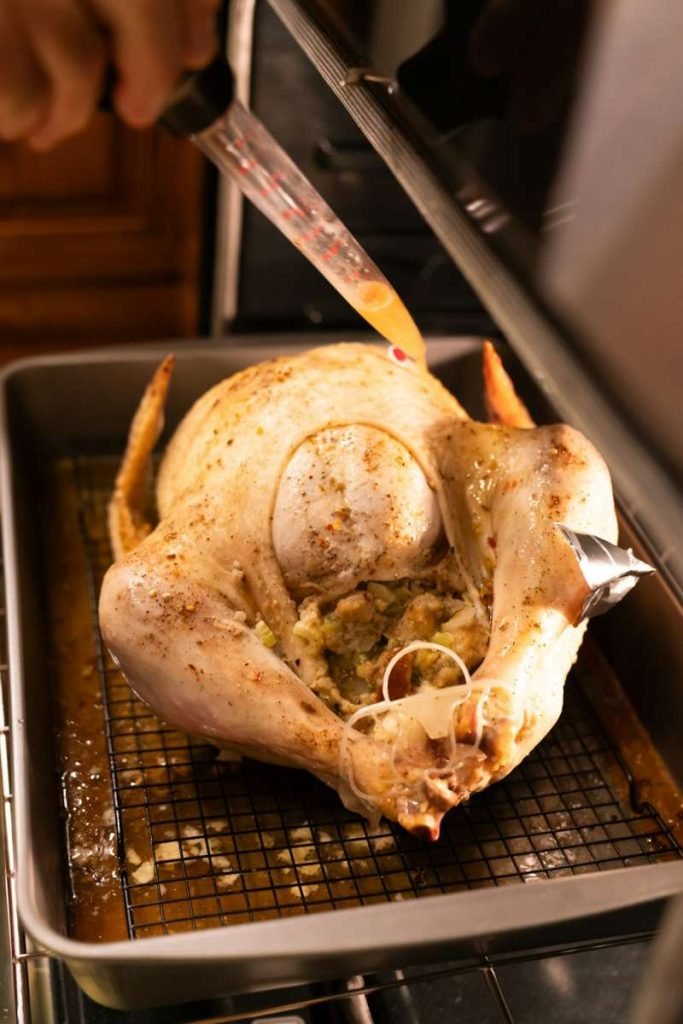
Imagine this: it’s Thanksgiving, the air is filled with the delightful aroma of a perfectly cooked turkey, and your guests are eagerly anticipating the first juicy slice. But how can you ensure your turkey is cooked to perfection without the guesswork?
Enter the smart thermometer. This handy gadget is your secret weapon for a stress-free Thanksgiving feast. With a smart thermometer, you can monitor your turkey’s internal temperature in real-time, ensuring it’s cooked to the ideal doneness while preserving all its succulent flavors.
Say goodbye to dry turkey and hello to the most delicious Thanksgiving meal you’ve ever served. Ready to impress your guests and enjoy a worry-free holiday? Read on to discover how to use a smart thermometer to cook the perfect Thanksgiving turkey.
Choosing The Right Smart Thermometer
Smart thermometers come with many features. Accuracy is crucial for perfect turkey cooking. Check for wireless connectivity. It allows you to monitor from a distance. Temperature alerts can save your dish from overcooking. Look for a user-friendly app. It makes the setup easy. Battery life matters for long cooking times. Durability ensures the thermometer lasts for many Thanksgivings. Ease of use is essential for stress-free cooking. Your turkey deserves the best care.
Several brands offer reliable smart thermometers. ThermoPro is known for precise readings. Weber iGrill provides excellent connectivity. Meater offers wireless solutions. Inkbird is budget-friendly yet effective. NutriChef boasts a user-friendly interface. Each model has unique advantages. Choose based on your needs. Some may have longer range. Others might have better apps. Research to find the best fit. Your Thanksgiving turkey will thank you.

Credit: www.instagram.com
Setting Up Your Smart Thermometer
First, find the app for your smart thermometer. Check the app store on your phone. Look for the name of your thermometer. Download the app. Wait for it to install. Open the app once installed. Follow the instructions inside the app. Create an account if needed. This helps save your settings. Always allow notifications. This way, you get alerts.
Your smart thermometer needs a connection. Use Wi-Fi or Bluetooth. Open the app. Find the connect option. Follow the steps on the screen. Make sure your phone is nearby. Keep the thermometer close too. Connection might take a moment. Check the signal strength. Strong signals help accuracy. Weak signals can cause problems. Always check the battery level. Low battery affects performance.
Preparing Your Turkey For Cooking
Thaw the turkey in the fridge. It takes time. Plan ahead. Use a tray for drips. Keep it cold. A big turkey needs days. Check it often. Be patient.
Season the turkey well. Use salt and pepper. Add herbs like thyme. Use garlic for flavor. Rub oil on the skin. Make it tasty. Try lemon zest for zing. Don’t forget the inside. Stuff with onions and lemons. Make it special. Experiment with flavors.

Credit: food52.com
Inserting The Smart Thermometer
Place the thermometer in the thickest part of the turkey. This spot is usually the breast. Avoid touching bones for the best reading. Bones can give false temperatures. Insert the thermometer deep enough to reach the center. This ensures the turkey cooks evenly. Always check the manual for specific instructions. Each thermometer can be different.
Make sure the thermometer stays in place. Use clips or holders if needed. A loose thermometer can fall out. Secure placement gives better temperature readings. Check the connection before starting to cook. This helps in getting the right temperature. A secure thermometer ensures safe and tasty turkey.
Monitoring The Cooking Process
The app shows you the turkey’s temperature. You can check it anytime. No need to open the oven. This helps keep the heat inside. The app sends real-time updates. You can see if the turkey is cooked well. Alerts pop up if things change. This is very helpful during busy cooking times.
Keep an eye on the temperature readingsin the app. It tells you if the turkey is cooking too fast. Adjust the oven heat as needed. Lower it if necessary. This helps the turkey cook evenly. No parts are left undercooked. Your turkey will be juicy and tasty.
Achieving The Perfect Temperature
The turkey’s internal temperature is very important. It should reach 165°F. This ensures the turkey is safe to eat. Use a smart thermometerto check this. Insert it into the thickest part. Usually, the breast or thigh. Avoid touching bone. This can give false readings. Keep the thermometer still. Wait for a steady reading. This will help ensure accuracy.
Cooking too long can dry out the turkey. Use the thermometer to check often. Remove the turkey once it reaches the ideal temperature. Let it rest before serving. This keeps it juicy and tender. Enjoy a delicious Thanksgiving meal!
Resting And Carving The Turkey
Using a smart thermometer ensures a perfectly cooked Thanksgiving turkey. Rest the turkey to lock in juices. Carve it smoothly for delicious slices.
Why Resting Is Important
Resting the turkey is crucial. It lets the juices settle. A juicy turkey tastes better. Cutting too soon can make it dry. Juicy turkey is a tasty turkey. Waiting also makes carving easier.
Tips For Easy Carving
Use a sharp knife. A dull knife makes it hard. Start with the legs. Separate them from the body first. Cut along the joints. This makes it easier. Slice the breast meat last. Serve it on a plate. Everyone will enjoy the meal.

Credit: www.tiktok.com
Troubleshooting Common Issues
Ensure your Thanksgiving turkey is cooked perfectly with a smart thermometer. Troubleshoot common issues like connectivity problems or incorrect temperature readings for juicy results every time. Adjust settings for precise monitoring and safe cooking, making your holiday meal stress-free.
Connectivity Problems
Smart thermometers sometimes lose connectionwith the app. This can cause frustration. Make sure the Wi-Fiis working. Check if the thermometer is in rangeof the router. Restart the device. Restart the app too. Sometimes, a simple reset fixes the issue. Update the app regularly. Keep firmware updated as well. Updates fix bugs. They improve performance. If problems continue, consult the user manual. Follow the manufacturer’stroubleshooting tips.
Temperature Inconsistencies
Inconsistent temperature readings can occur. Ensure the probe is properly inserted. It should be in the thickest part of the turkey. Avoid touching bones. Bones affect readings. Clean the probe tip. Dirt can cause wrong readings. Ensure the thermometer is calibrated. Calibration ensures accuracy. Check the device settings. Adjust if needed. Use a different thermometer for comparison. If differences persist, consider replacing the probe. Consult the manual for further help.
Frequently Asked Questions
How To Use A Thermometer That Comes With Turkey?
Place the thermometer in the thickest part of the turkey’s thigh. Ensure it doesn’t touch bone. Check for a temperature of 165°F. Adjust cooking time based on the thermometer’s reading. Wait a few seconds for an accurate reading. Remove the thermometer gently after use.
How To Check Thanksgiving Turkey Temperature?
Use a meat thermometer to check the turkey’s temperature. Insert it into the thickest part of the thigh, avoiding the bone. Ensure the internal temperature reaches 165°F (74°C) for safe consumption. Always verify multiple spots for accuracy.
Where To Put A Digital Thermometer In Turkey?
Insert the digital thermometer into the thickest part of the turkey’s thigh. Ensure it doesn’t touch bone. This ensures an accurate reading of the internal temperature. Aim for a temperature of 165°F (74°C) to ensure the turkey is safely cooked.
Do You Leave The Thermometer In The Turkey In The Oven?
No, don’t leave a glass thermometer in turkey in the oven; it could break. Use an oven-safe meat thermometer instead for accurate readings. Insert it into the thickest part of the turkey to ensure it reaches a safe cooking temperature.
Always check the manufacturer’s instructions for specific guidelines.
Conclusion
A smart thermometer simplifies turkey cooking. It ensures perfect doneness every time. No more guesswork with temperatures. Your Thanksgiving meal becomes stress-free and enjoyable. Guests will appreciate the juicy, flavorful turkey. Remember to calibrate the thermometer before use. Follow safety tips for best results.
Happy Thanksgiving and enjoy your delicious feast!