
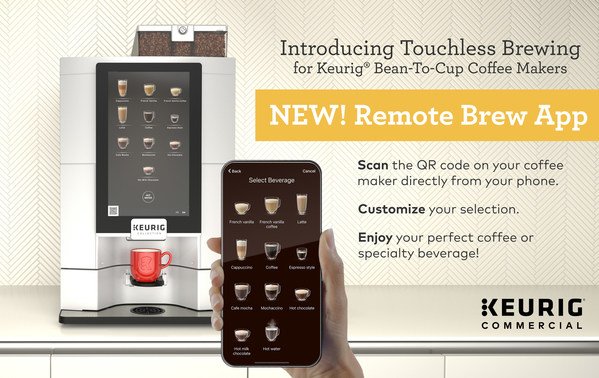
Imagine waking up to the rich aroma of freshly brewed coffee, perfectly timed to start your day just the way you like it. No more waiting around or rushing through your morning routine to get your caffeine fix.
With technology at your fingertips, you can now schedule your coffee brewing remotely, transforming your mornings into a seamless, stress-free experience. This article will guide you through the simple steps to set up and control your coffee maker from anywhere, ensuring that your perfect cup is ready whenever you are.
Dive into this guide and discover how to harness the power of technology to elevate your coffee game and enhance your daily routine.
Benefits Of Remote Coffee Brewing
Remote coffee brewing can make mornings easier. No more waiting for coffee. Set the time and wake up to a fresh cup. Enjoy a hot coffee as soon as you open your eyes. Convenience is a major plus. Brew from bed or the couch.
Start your day with less stress. Plan your brew the night before. This saves time in the morning. You can focus on other tasks. Efficient mornings lead to better days.

Credit: www.instagram.com
Choosing The Right Smart Coffee Maker
Smart coffee makers should have easy programming. They should connect well with your devices. Some work with phones, tablets, and even smart speakers. Look for a coffee maker with voice control. It’s helpful to brew coffee using voice commands. Consider those with app control. Apps give you more control over brewing.
Check if the coffee maker works with Androidand iOS. Make sure it connects to your home Wi-Fi. This allows remote control from anywhere. Some coffee makers work with Alexaor Google Assistant. This feature adds convenience. Choose one that fits your tech needs. Compatibility ensures smooth operation.
Setting Up Your Smart Coffee Maker
Start by unpacking your smart coffee maker. Place it on a stable surface. Plug it into a power source. Check for any initial setup instructions in the box. Often, there’s a quick guide. Follow each step. Adjust settings as needed. Set your preferred coffee strength. Choose the right brew time. Make sure the water tank is full. Water levels are important for brewing. Check if the coffee maker needs a specific app.
Connecting To Wi-fi
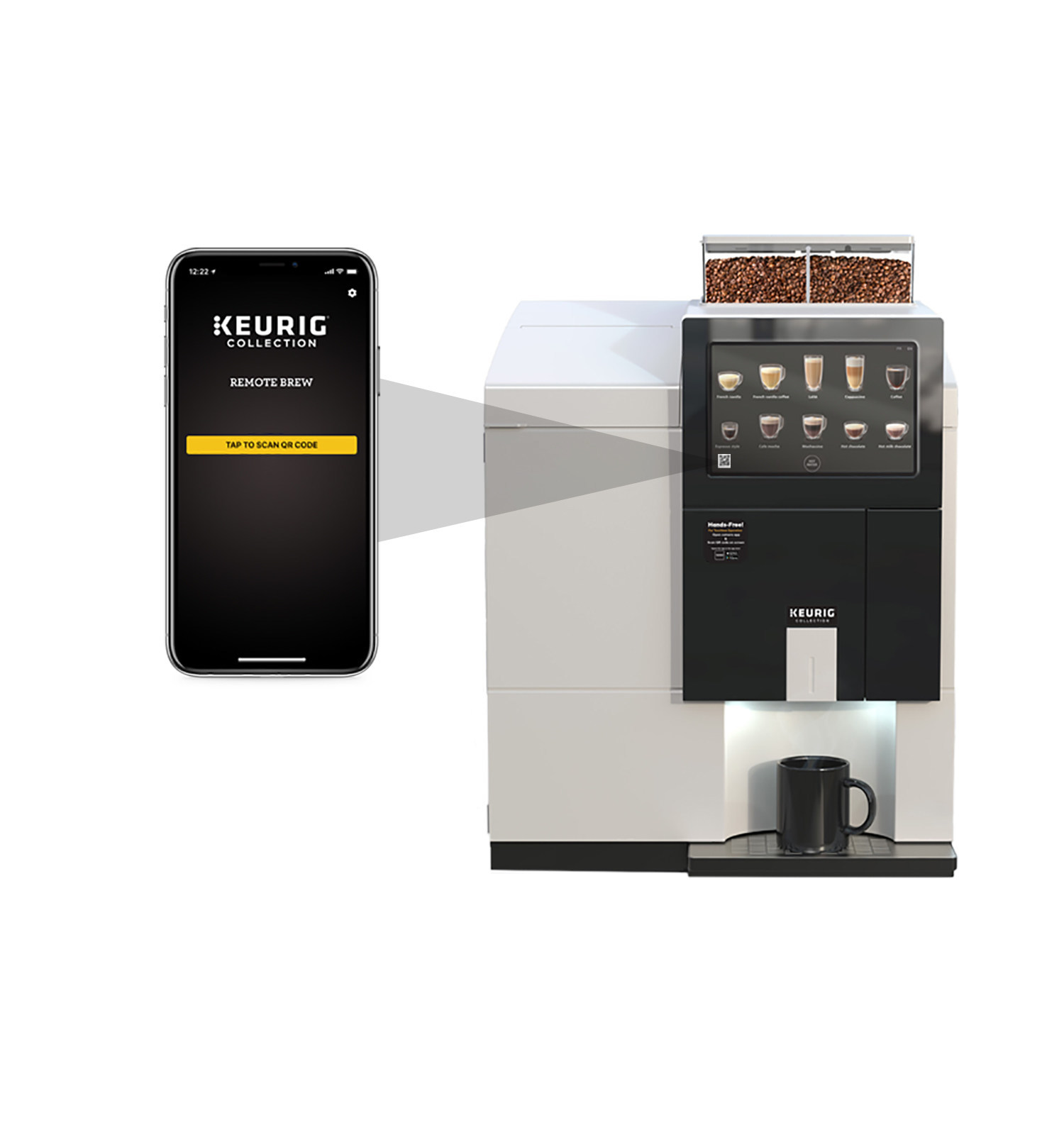
Locate your coffee maker’s Wi-Fi settings. Press the Wi-Fi button. It might be on the side. Wait for the light to blink. Open the app on your phone. Follow the on-screen instructions. Connect to your home network. Ensure the password is correct. Once connected, test the remote brewing feature. Brew a cup of coffee from your phone. Ensure everything works smoothly. Enjoy the convenience of brewing from anywhere.
Using Coffee Brewing Apps
Technology makes coffee brewing easy. Several top apps for remote brewinghelp in this. Brew your coffee without being near the machine. Some apps are simple and easy to use. Others have advanced features for coffee lovers. Choose the app that fits your needs.
Customize your brew with simple steps. Most apps let you change brew strength. Set the temperatureto your liking. Some apps offer timingoptions. Brew at the exact time you want. Explore different settings. Discover what suits your taste best. Adjust settings for a perfect cup each time.
Scheduling Your Brew
Setting a timeris easy. Choose your preferred brewing time. Use your phone or smart device. Many apps help set timers. Alerts remind you when it’s time. You can get a beep or buzz. This means your coffee is ready.
Choose your brew strengthfirst. Light or strong. Next, set the temperature. Some like it hot, others warm. Adjust settings on your app. Check if your coffee maker supports these features. Some models offer this option.
Credit: news.keurigdrpepper.com
Troubleshooting Common Issues
Scheduling coffee brewing remotely can face challenges. Connecting the coffee maker to Wi-Fi often causes issues. Ensuring compatibility with your smartphone app is crucial.
Connectivity Problems
Devices may not connect properly at times. Ensure the Wi-Fi signal is strong. Check if the coffee machine is within the Wi-Fi range. Restart the router if needed. Confirm the device is on the correct Wi-Fi network. Some machines only connect to 2.4 GHz networks. Avoid using a guest network for the machine. Double-check the login details. Mistyped passwords often cause problems.
App Malfunctions
Apps sometimes freeze or crash. Start by closing and reopening the app. Update the app to the latest version. Updates often fix bugs. Clear the app’s cache if problems persist. Restart your phone or tablet. A reboot can fix many issues. Uninstall and then reinstall the app if nothing works. Always ensure your device’s operating system is up-to-date.
Maintaining Your Smart Coffee Maker
Smart coffee makers need regular cleaningand descaling. This keeps them working well. Use vinegar or a descaling solution. Run a brew cycle with just water. This rinses away any residue. Repeat this process once a month. Always clean the coffee pot and filter. This stops mold and bacteria. Keep your coffee tasting fresh.
Smart coffee makers use software to work. Update the software often. This helps the machine run better. Check the manufacturer’s website for updates. Follow the instructions to install them. Updated software can fix bugs. It can also add new features. Keep your coffee maker up-to-date for the best performance.

Credit: www.essentialwonders.com
Maximizing Flavor And Aroma
Choose fresh coffee beans for a better brew. Fresh beans give more taste. Look for beans with a roast date. This date shows how fresh the beans are. Try different beans to find your favorite taste. Buy beans in small amounts. This way, they stay fresh longer. Store them in a cool, dry place. Keep them away from sunlight. Use an airtight container for storage.
Water temperature affects coffee taste. Use water around 195°F to 205°F. Too hot or cold can ruin the flavor. A thermometer helps find the right temperature. Some coffee makers have a temperature setting. Check the instructions for details. Boil water and let it sit for a moment. This helps cool it slightly before use. Enjoy a tasty cup with the right water heat.
Frequently Asked Questions
How Do I Set My Mr. Coffee To Brew At A Certain Time?
Press the “Set Delay” button on your Mr. Coffee machine. Use the hour and minute buttons to choose your desired brew time. Confirm by pressing the “Set Delay” button again. Ensure the coffee maker is loaded with water and grounds, then turn it on to auto-brew.
How To Get Alexa To Turn On Coffee Maker?
Connect your coffee maker to a smart plug compatible with Alexa. Create a routine in the Alexa app to turn it on. Use a voice command like “Alexa, turn on the coffee maker” to start brewing. Ensure your devices are connected to the same network for seamless operation.
How To Use Remote Brew On Keurig?
Enable the Keurig app on your smartphone. Connect your machine to Wi-Fi. Choose your brew settings remotely through the app. Press the brew button in the app to start. Ensure your machine has water and a pod loaded before brewing.
How To Brew Coffee When Traveling?
Use a portable coffee maker or French press. Pack ground coffee and a travel mug. Boil water using a kettle or portable stove. Pour hot water over the coffee grounds. Let it steep for a few minutes, then enjoy your fresh brew.
Conclusion
Scheduling coffee brewing remotely makes mornings smoother. You save time and enjoy fresh coffee. It’s easy with smart coffee makers. Just set the timer and relax. Technology simplifies daily routines. Remote brewing is convenient for busy days. Start your day with a cup ready to go.
No more waiting or rushing. Embrace the ease of modern coffee brewing. Your morning ritual becomes efficient and enjoyable. Try it out and see the difference. A cup of comfort awaits you. Brew smarter, not harder. Enjoy the aroma and taste effortlessly.
Make your mornings delightful and stress-free.