
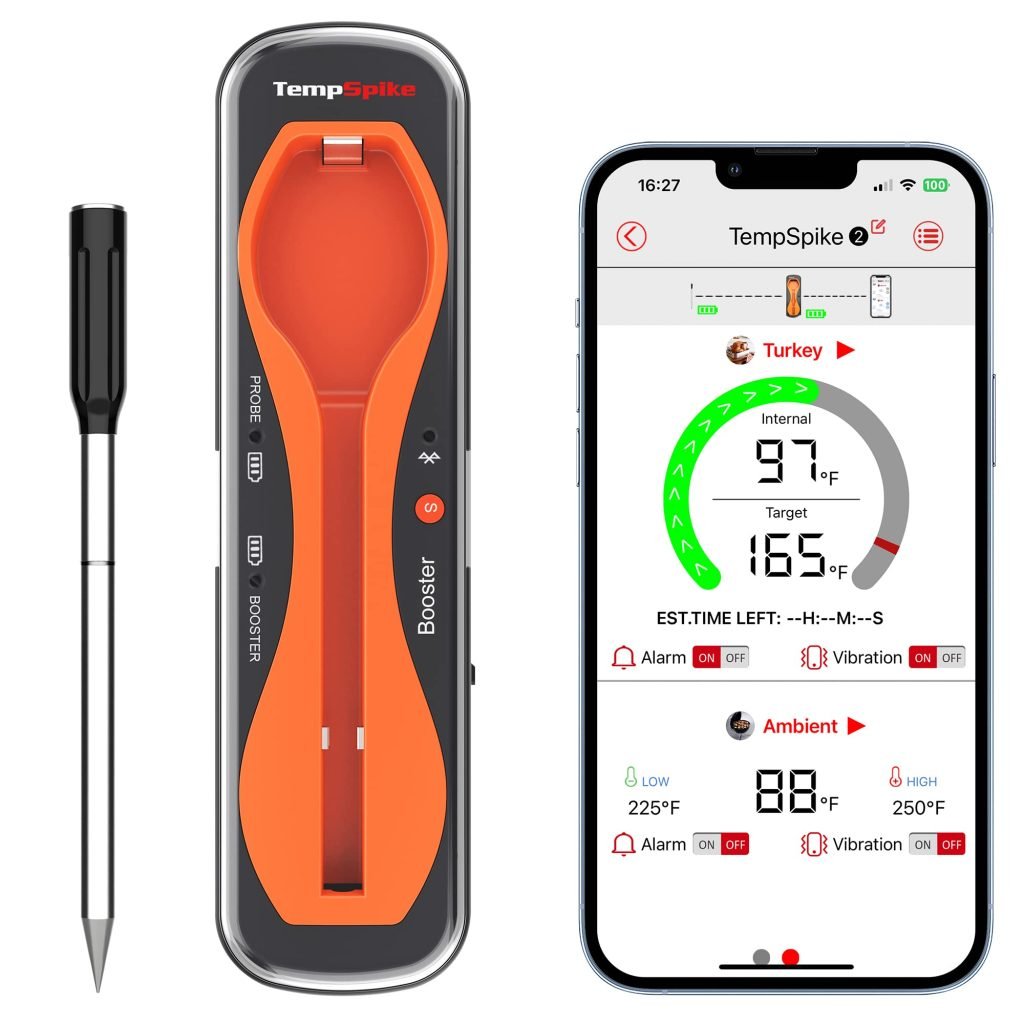
Imagine cooking the perfect steak. You want it juicy, tender, and cooked just right.
But how can you be sure it’s not overdone or undercooked? Enter the Bluetooth meat thermometer – your new best friend in the kitchen or at the grill. This handy device takes the guesswork out of cooking meat to perfection.
With just a quick glance at your phone, you can monitor the temperature of your meat without hovering over the grill or oven. This means more time enjoying your company and less time worrying about your meal. Interested in learning how to use this tech-savvy tool to elevate your cooking game? Stick around, because you’re about to discover how a Bluetooth meat thermometer can transform your culinary skills and make every meal a triumph.
Choosing The Right Bluetooth Meat Thermometer
Bluetooth range is important for cooking outside. A longer range is better. Check the battery life. A longer battery means it lasts longer. Look for temperature accuracy. It helps in cooking meat perfectly. A user-friendly app is good. It makes using the thermometer easy. Alerts and notifications are helpful. They tell you when the meat is ready.
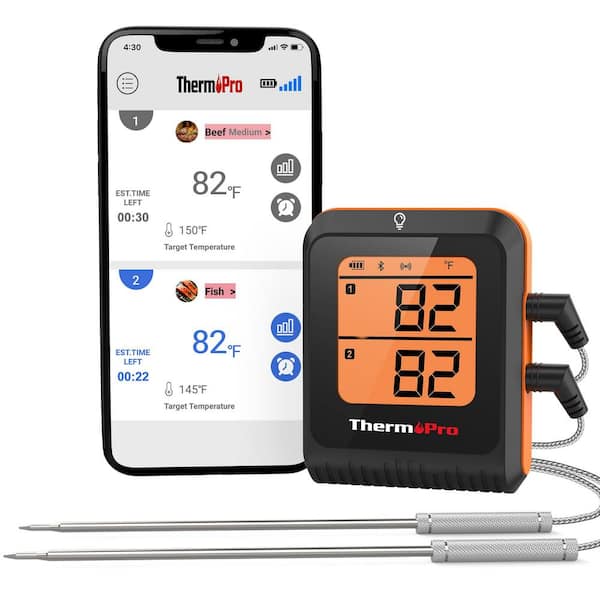
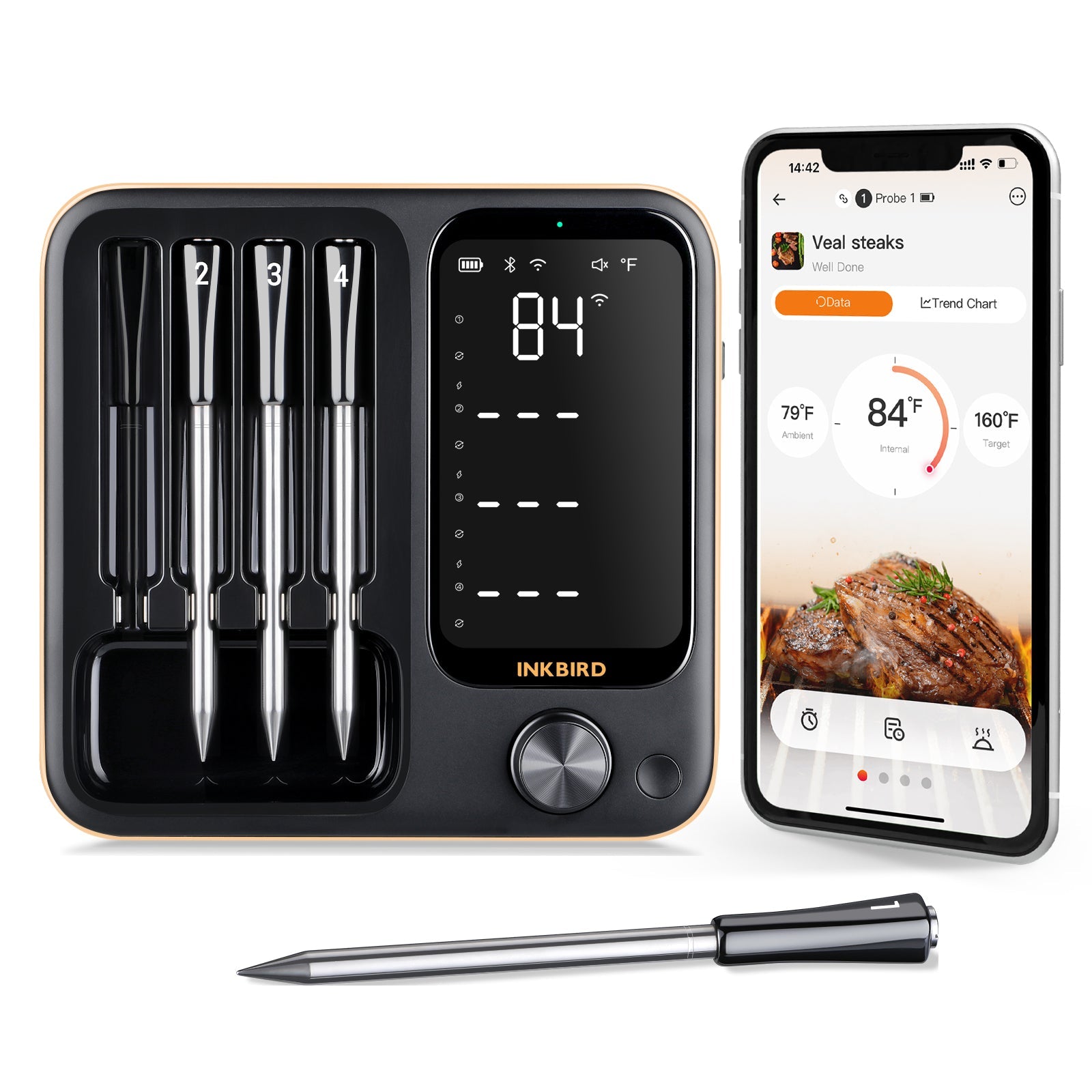
Some top brands make good thermometers. ThermoPro is a popular choice. It is reliable and simple. Weber iGrill is another brand. Known for its durability. Inkbird offers good features at a reasonable price. MEATER is wireless. It has a sleek design. Compare models before buying. Choose one that fits your needs.
Credit: www.homedepot.com
Setting Up Your Bluetooth Meat Thermometer
Discover the ease of using a Bluetooth meat thermometer. Connect to your smartphone for precise temperature readings. Ensure perfect cooking every time, with simple setup and real-time monitoring.
Installing The App
Begin by finding the app on your phone. Go to the app store. Search for the thermometer’s app name. Click install. Wait for the app to download. Open the app. Follow instructions in the app. Allow app permissions if asked. Enable notifications for important alerts. These steps help the app work well.
Pairing With Your Device
Turn on your Bluetooth meat thermometer. Open the app on your phone. Make sure Bluetooth is on. Find the thermometer in the app. Tap to connect. Watch for a successful connection message. It helps to stay close to the thermometer. Move away from other devices if needed. Connection is complete when you see the confirmation.
Using The Thermometer For Cooking
Bluetooth meat thermometers simplify cooking. Connect the thermometer to your smartphone for accurate temperature readings. Ensure perfectly cooked meat with real-time updates and alerts, enhancing culinary confidence.
Positioning The Probe
Place the probe in the thickest part of the meat. Avoid bones and fat. They can give false readings. Make sure the tip is in the center. This ensures accurate temperature. Keep the probe steady. Movement can affect results. Proper placement is key for success.
Monitoring Temperature
Check the temperature regularly. Use the app to see updates. It’s easy to track changes. Alerts can help when cooking. They notify when temperatures rise. Adjust settings for different meats. Each type needs special care. Follow guidelines for perfect cooking. Consistent monitoring leads to better meals.

Credit: www.amazon.com
Interpreting Temperature Readings
Knowing the right temperature is very important when cooking. Meat should be cooked to a safe temperature. This keeps you safe from harmful germs. Chicken needs to reach 165°F. Beef and pork are safe at 145°F. Check these temperatures with your thermometer. Make sure to test in the thickest part of the meat. This helps you get the best reading.
Different meats need different cooking times. Chicken cooks faster than beef. Use your thermometer to check often. As soon as the meat hits the right temperature, it is done. This keeps your meat juicy and tasty. Always adjust cooking time based on the meat size. Big pieces take longer to cook. Check your meat often to get it just right.
Maintaining Your Bluetooth Meat Thermometer
Keep your Bluetooth meat thermometer in top shape by regularly cleaning it with a damp cloth. Store it away from heat and moisture to extend its lifespan. Update the app to ensure accurate readings and optimal performance.
Cleaning The Probe
Clean the probeafter each use. Use warm, soapy water. Rinse thoroughly to remove soap. Dry with a soft towel. Avoid submerging the whole thermometer. Only the probe should touch water. This prevents damage to electronics. Check for any stuck food particles. Remove them gently with a brush. Keeping the probe clean ensures accurate readings.
Storing The Device
Store the device in a dry place. Avoid direct sunlight. Keep away from moisture. This preserves the battery life. Use the original case if possible. It offers the best protection. Make sure the thermometer is turned off. This saves battery. Proper storage extends the device’s life. Avoid dropping or bumping the thermometer. Handle with care.
Credit: inkbird.com
Troubleshooting Common Issues
Bluetooth devices sometimes face connectivity issues. Ensure the thermometer is within range. Distance affects connection. Check for obstacleslike walls or furniture. These can block the signal. Also, make sure Bluetoothis enabled on your device. Restart both devices if needed. A restart often fixes simple issues. Keep the thermometer’s software up to date. Updates can solve bugs and improve performance.
Inaccurate readings can ruin a meal. Ensure the probe is inserted properly. It should be in the thickest part of the meat. Avoid bones, as they can alter readings. Clean the probe regularly. Dirt or grease can affect accuracy. Check the thermometer’s calibration. A well-calibrated device gives the best results. Follow the manual for calibration instructions. Replace batteries if the readings seem wrong. Low power can affect performance.
Enhancing Your Cooking Experience
Bluetooth meat thermometers can pair with smart devices. This allows you to check the temperature from afar. You can connect it to your phone or tablet. Check the cooking status without leaving your couch. This is very handy for busy cooks. Enjoy more time with family. No need to hover around the kitchen. Just relax and wait for the beep.
Many Bluetooth thermometers have extra features. Some send alerts if the meat is too hot. Others have timers to keep track of cooking time. You can set reminders for different meats. This makes cooking easier and safer. Perfect for cooking turkey, chicken, or steak. Keep your meals juicy and tasty. Enjoy cooking without stress.
Frequently Asked Questions
How Do You Use A Bluetooth Meat Thermometer?
Turn on the Bluetooth thermometer and pair it with your smartphone. Insert the probe into the meat. Use the app to monitor the temperature and set alerts. Ensure the probe remains in place until the desired doneness is reached. Disconnect after use.
Follow the manufacturer’s instructions for best results.
How To Use A Touchless Thermometer?
Turn on the touchless thermometer. Position it near the forehead, about 1-2 inches away. Press the measurement button. Wait for the beep or signal indicating the temperature reading. Read and record the displayed temperature. Clean the thermometer after use for hygiene.
How Do You Use A Meat Thermometer Step By Step?
Insert the thermometer into the thickest part of the meat. Avoid touching bone or fat. Wait for a steady reading. Check the internal temperature against your recipe or guidelines. Clean the probe after use to maintain hygiene.
How Do Smart Meat Thermometers Work?
Smart meat thermometers use Bluetooth or Wi-Fi to connect to your smartphone. They measure the meat’s temperature with a probe. The device sends real-time updates to your phone, ensuring perfect cooking. You can monitor and adjust cooking without opening the oven or grill.
Conclusion
A Bluetooth meat thermometer simplifies cooking. You avoid overcooking or undercooking meat. It offers precise temperature readings. Just connect the thermometer to your phone. Monitor meat from anywhere in your home. Enjoy perfectly cooked meals every time. This tool enhances your cooking experience.
It adds ease and convenience. Your kitchen tasks become more efficient. Stress less about food safety. Ensure delicious results with minimal effort. Embrace modern technology in cooking. Elevate your culinary skills with ease. Experience tasty meals without guesswork. Simplify your cooking process today.