
Have you ever been ready to whip up a delicious meal in your smart pressure cooker, only to be met with a confusing error message? It’s frustrating, isn’t it?
Smart pressure cookers are designed to make your life easier, but when they throw an error, it can feel like you’re suddenly stuck in a culinary puzzle. Don’t let these hiccups spoil your cooking enthusiasm! This guide is here to help you decode those pesky errors and get your kitchen back in action.
By the end of this article, you’ll feel empowered to tackle any issue your smart pressure cooker throws your way. Curious to unlock the secrets to smooth cooking? Keep reading to discover how you can transform pressure cooking challenges into victories.
Common Error Codes
Smart pressure cookers show error codes when something goes wrong. These codes help you know the problem. Understanding these codes can make fixing easier.
Code E1:This error means the cooker is too hot. Let it cool down before using it again.
Code E2:Signals a sensor issue. Check if the sensor is clean and working.
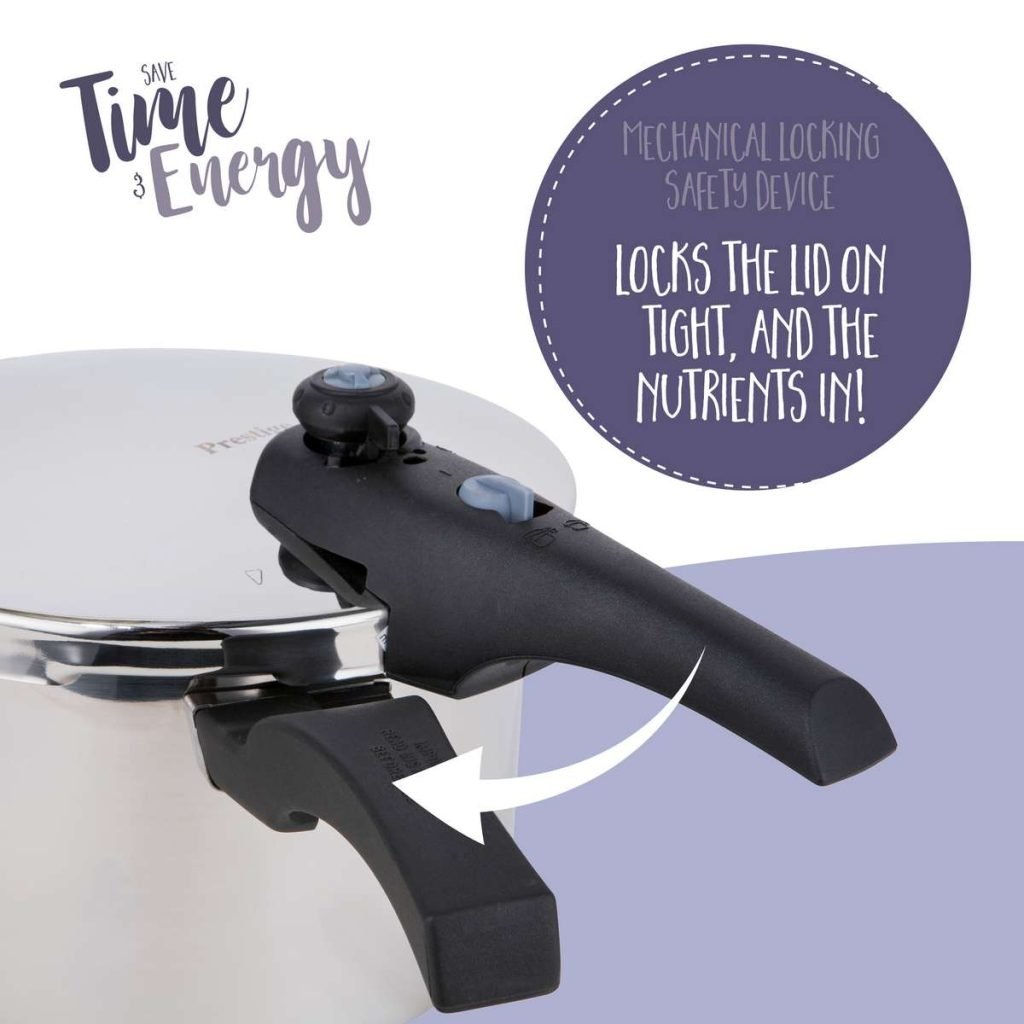
Code E3:Indicates the lid isn’t closed properly. Make sure the lid is secure.
Code E4:Points to low pressure inside. Check the seal and make sure it is tight.
Code E5:Shows high pressure. Release some steam to lower the pressure.
Error codes keep you safe. Know what each one means. Follow the steps to solve the problem quickly.

Credit: www.pinterest.com
Safety Precautions
Smart pressure cookers are helpful. They cook food faster. But they can be dangerous if not used right. Safety is the first thing to consider. Always read the manual before use. It tells you how to use the cooker safely. Check the lid to ensure it is closed tightly. This prevents steam from escaping. Never open the lid when cooking. It can cause burns. If you see steam, turn off the cooker. Let it cool before opening.
Keep your cooker clean. Dirt can block the steam valve. This can be dangerous. Check the cord for damage. Do not use the cooker if the cord is broken. Always use the cooker on a flat surface. This stops it from tipping over.
Be careful with hot food. Steam can cause burns. Use mitts when handling the cooker. Teach others in your home about safety. This keeps everyone safe.
Power Issues
Smart cookers need steady power. Always check the plug first. It must be firmly in the socket. Next, examine the power cord. Make sure there are no cuts or damage. A broken cord can stop your cooker from working. Use a different outlet if needed. Sometimes one outlet may be broken. Ensure the circuit breaker is not tripped. This can stop power. Check this if your cooker is still not starting.
Reset can solve many problems. Find the reset button. It is often behind the cooker. Press it for five seconds. Release it and wait for another five seconds. Try turning your cooker on again. If it still does not work, unplug it. Wait for ten minutes. Then plug it back in. This can help clear errors. Always follow the manual for exact steps.

Credit: device.report
Lid Lock Problems
Check if the lid sealis clean. Dirt can cause issues. Look for any cracks or damage. Replace the seal if needed. A damaged seal might prevent locking.
Make sure the lid aligns with the cooker base. Position the lid correctly. It should fit snugly without gaps. Proper alignment ensures safe cooking. Double-check the locking mechanism. It should click securely.
Pressure Build-up Errors
Pressure build-up errors in smart pressure cookers can disrupt cooking efficiency. Common causes include clogged vents or faulty seals. Regular maintenance and checking for obstructions ensure optimal performance and safety during use.
Releasing Pressure Safely
Releasing pressure in a smart pressure cooker is important. Always turn the vent valve slowly. This helps in letting the steam out safely. Steam can be very hot. Keep hands away from the vent. Use a long spoon or tool. This keeps fingers safe. Listen for the hissing sound. This means steam is escaping.
Examining The Vent Valve
The vent valve must be checked often. Make sure it is not blocked. Food bits can block it. Clean the valve after each use. Use a soft brush or cloth. Make sure it moves easily. If it is stuck, do not force it. Check for any cracks or damage. A damaged valve needs to be replaced. A working valve keeps cooking safe.
Credit: fantast.rs
Temperature Sensor Malfunctions
Start by checking the sensor’s position. It must sit correctly in place. Adjust it if needed. Use a small screwdriver for this task. After that, try recalibrating the sensor. Follow the manual instructions carefully. This step helps the cooker read temperatures accurately. Repeat if the first attempt fails. Make sure the cooker is off while doing this. Safety always comes first.
Sensors can wear out over time. Replace the sensor if it stops working. Purchase a compatible sensor from the cooker brand. Follow the manual for installation steps. Disconnect power before starting. Use a screwdriver to remove the old sensor. Place the new sensor in the exact spot. Secure it tightly. Once done, test the cooker. Check if it works correctly now.
Display Screen Issues
A clean display helps you see better. Use a soft cloth to wipe it. Dust and smudges can make it hard to read. Avoid using harsh cleaners. They might hurt the screen. Always turn off the cooker first. This keeps you safe. Make sure the screen is dry before turning it on again. A dry screen works best.
Software updates fix many problems. Connect your cooker to Wi-Fi. Look for updates in the settings menu. Follow the steps to update. Updates may take some time. Make sure not to turn off the cooker during updates. A successful update can fix display issues. Always check for updates regularly. This keeps your cooker running well.
Unusual Noise Concerns
Smart pressure cookers might make strange noises. Listen carefully to find where the noise comes from. Check if the lid is closed right. Observe the steam release valve. Look for any loose parts or screws. Examine the sealing ring. Inspect the power cord. Identify any unusual sounds during cooking.
Loose parts can cause noise. Turn off the cooker before checking. Tighten any loose screws. Secure the lid properly. Adjust the sealing ring if needed. Ensure the steam valve is tight. Fasten the power cord securely. Reduce noise by tightening parts.
Maintenance Tips
Keep your pressure cooker clean to avoid errors. Wash the lid and pot after each use. Check the seal for food particles. These can cause leaks. Use a soft cloth for cleaning. Hard scrubbers may damage it. Dry all parts thoroughly.
The gasket is a rubber ring. It helps seal the cooker. Inspect it often for cracks. Replace if damaged. A faulty gasket can lead to steam escape. Ensure it’s seated properly before cooking.
The safety valve is crucial. It releases extra pressure. Ensure it moves freely. Clean it to prevent blockages. Use a needle to clear any clogs. A blocked valve can be dangerous.
When To Seek Professional Help
Pressure cooker errors can be tricky. Strange noises or constant beeping might mean serious problems. Smoke or burning smell should never be ignored. These signs often need a professional’s touch. Leaks or steam escaping are also concerning. Safety is important. Broken seals or damaged parts can be dangerous. Experts know how to fix these issues. Error codes can be confusing. Professionals can decode and resolve them. Power issues might need special tools to fix. It’s wise to call for help with electrical problems. Overheating can damage the cooker. Professionals can check and fix it safely. Regular problems might be simple to fix. But complex ones need expert attention.
Frequently Asked Questions
Why Is My Pressure Cooker Saying Error?
Your pressure cooker displays an error due to incorrect lid placement, overheating, or insufficient liquid. Check these elements to resolve the issue. Regular maintenance and following the manufacturer’s guidelines also help prevent errors.
What Is The Common Problem For A Pressure Cooker?
A common problem for pressure cookers is the rubber gasket wearing out. This can cause steam leaks. Regularly check and replace the gasket to ensure proper sealing and efficient cooking. Additionally, blocked pressure release valves can occur, requiring periodic cleaning to maintain safety and functionality.
How To Reset Chef Iq Pressure Cooker?
To reset your Chef IQ pressure cooker, unplug it and let it rest for 10 minutes. Plug it back in, and press the “Start/Stop” button. This should reset your device. Always refer to the user manual for specific instructions and safety precautions.
How To Fix A Faulty Pressure Sensor?
Disconnect the sensor and clean it with a dry cloth. Check wiring for damage. Replace if necessary. Reconnect and test the sensor for proper function.
Conclusion
Smart pressure cookers simplify cooking but sometimes encounter errors. Knowing how to troubleshoot ensures smooth operation. Regular maintenance prevents common issues. Check seals and valves often. Keep software updated for optimal performance. Refer to the user manual for guidance. Always unplug before inspecting.
Be patient while solving problems. Seek professional help if needed. Cooking with a pressure cooker should be hassle-free. Enjoy stress-free meals with a well-functioning appliance. With these tips, you can handle any error confidently. Happy cooking!