
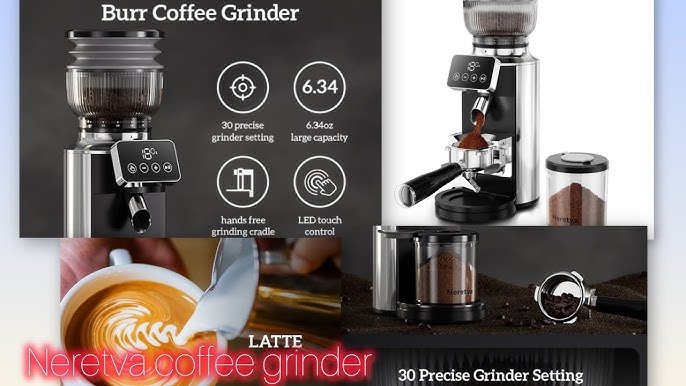
Are you ready to take your coffee game to the next level? Using a coffee grinder with a digital display can make a huge difference in how your coffee tastes every morning.
Imagine having precise control over your grind size and time, right at your fingertips. This simple tool can help you brew the perfect cup, tailored exactly to your taste. In this guide, you’ll discover step-by-step how to use your digital coffee grinder like a pro, so you can enjoy richer, fresher coffee every day.
Keep reading, and unlock the secret to coffee that truly wakes you up and delights your senses.

Credit: www.amazon.com
Choosing The Right Grinder
Choosing the right coffee grinder helps you get the best taste. There are different types of grinders. Burr grinders crush beans evenly. Blade grinders chop beans with fast spinning blades. Burr grinders give more control over grind size. Blade grinders are cheaper but less precise.
Digital display grinders show exact settings. This helps set the grind size easily. You can save your favorite settings for quick use. Digital displays make grinding more consistent. They often include timers to avoid over-grinding. This gives better flavor in your coffee.
| Type | Features | Best For |
|---|---|---|
| Burr Grinder | Even grind, adjustable size | Espresso, drip coffee |
| Blade Grinder | Fast, simple, less control | Basic coffee brewing |
| Digital Display Grinder | Precise settings, timer, memory | Consistent and easy grinding |

Credit: www.yahoo.com
Setting Up Your Grinder
Unpack all parts carefully. Check for any damage or missing pieces. Attach the hopper to the base securely. Place the grinder on a flat, stable surface to avoid movement during use.
Plug the grinder into a power outlet near your workspace. Ensure the cord is not stretched or near water. Keep the grinder away from heat sources or direct sunlight to protect its digital display.
- Ensure all parts fit without forcing.
- Use a clean, dry surface for placement.
- Keep the power cord tidy and away from hazards.
- Avoid placing the grinder near hot appliances.
Adjusting Grind Settings
Choosing the right grind sizedepends on your brewing method. Fine grinds work best for espresso, while coarse grinds suit French press. Medium grinds are good for drip coffee makers.
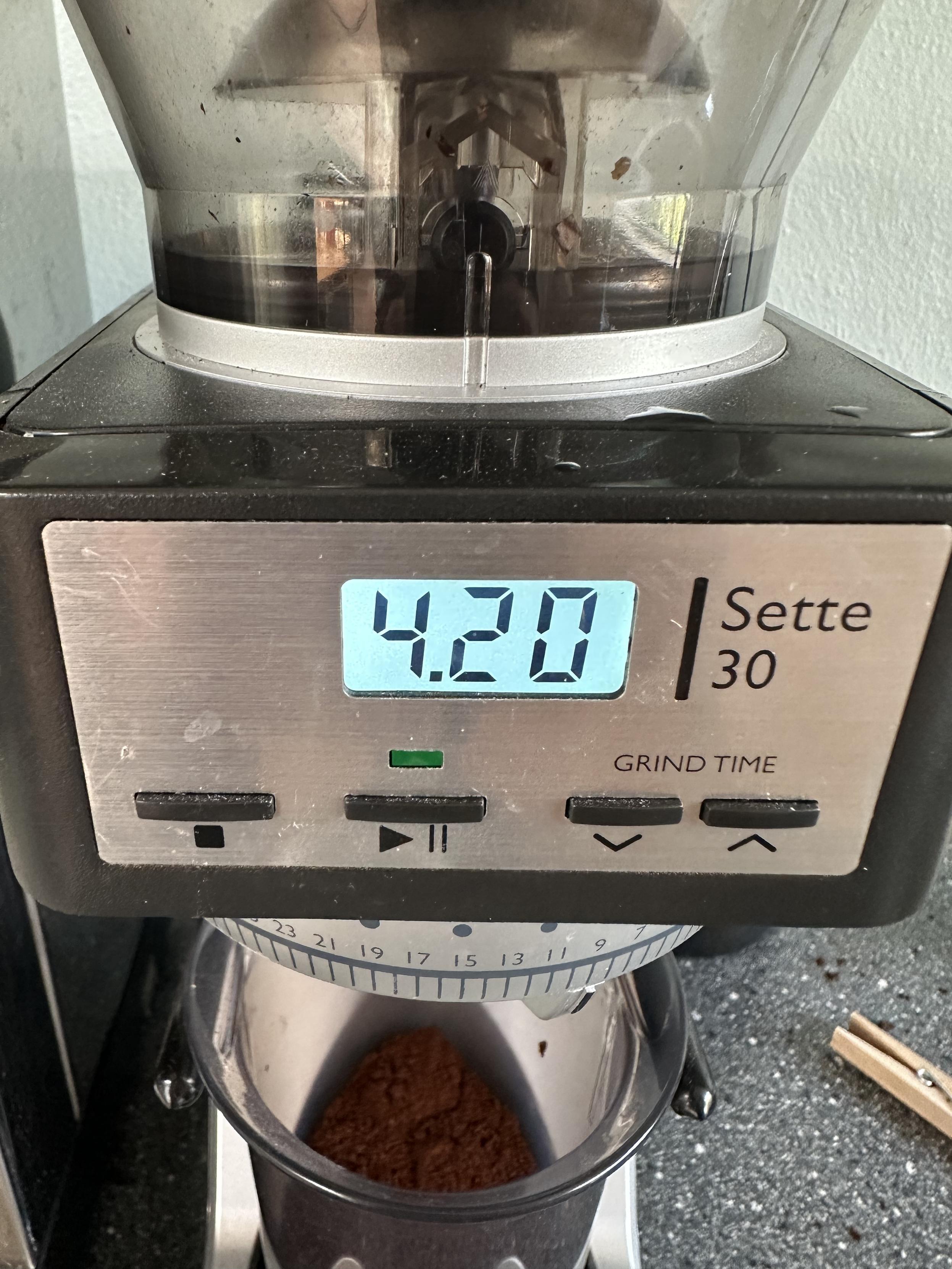
The digital displayhelps pick the exact grind size easily. Use the buttons to scroll through options shown on the screen. The number or icon indicates grind coarseness.
- Tap the up or down arrows to change grind size.
- Press the confirm button to save your choice.
- Some grinders show a timer or dose amount on display.
- Adjust time or dose for perfect coffee strength.
Use the digital controls with gentle presses. Avoid holding buttons too long to prevent errors. The clear display makes setting fast and simple.
Measuring Coffee Beans
Many coffee grinders with a digital display have built-in scales. These scales help you measure the exact amountof coffee beans. This makes your coffee taste just right every time.
Place the container or portafilter on the scale. Then, press the tare button to reset to zero. Add coffee beans slowly. Watch the display to stop at your desired weight.
Different brews need different amounts of coffee. Here is a simple guide:
| Brew Type | Coffee Amount (grams) |
|---|---|
| Espresso | 18-20 g |
| Drip Coffee | 15 g per 250 ml water |
| French Press | 30 g per 500 ml water |
Adjust the amount based on how strong you want your coffee. Using the built-in scale makes this easy and precise.
Grinding Process Tips
Start by setting the grind size on the digital display. Make sure the grinder is plugged in and ready. Press the start button to begin grinding. Always keep the lid closed during grinding for safety.
To avoid overheating, grind in short bursts rather than one long session. Let the grinder cool down after a few seconds of use. Overheating can damage the motor and affect the coffee taste.
Use the timer on the digital display to control grind time. Adjust the time for a finer or coarser grind. Shorter time means coarser grounds; longer time means finer grounds.
Cleaning And Maintenance
Keep the coffee grinder clean by wiping the digital display with a soft cloth. Regularly remove coffee grounds to prevent buildup and maintain smooth operation.
Daily Cleaning Steps
Turn off the grinder before cleaning. Remove the hopperand wash it with mild soap. Use a soft cloth to clean the grinder body. Avoid water near digital parts. Use a brush to clean the burrs gently. Wipe the display with a dry cloth. Ensure all parts are dry before reassembling.
Long-term Care For Digital Parts
Keep the digital display free from dust. Use a microfiber clothto wipe it weekly. Avoid using harsh chemicals on digital parts. Check for software updates regularly. Store the grinder in a dry place. Protect it from extreme temperatures. Regular care extends your grinder’s life.
Troubleshooting Common Issues
Digital display coffee grinders may show errors or stop working. Check power connections and clean the grinder to fix common problems quickly. Adjust settings carefully to ensure smooth operation and consistent grind size.
Display Errors
Errors on the display can be confusing. Check the power supply first. Ensure the machine is plugged in properly. Look for any loose connections or damaged wires. If the display shows error codes, refer to the user manual. Some errors might need a reset. Find the reset button and hold it for a few seconds. If problems persist, contact customer support. They can provide further assistance.
Inconsistent Grind Size
Grind size issues can affect coffee taste. Check the grinder settings. Ensure the grind setting is adjusted correctly. Clean the grinder regularly to remove stuck beans. Overloaded grinders can cause uneven sizes. Avoid overfilling the grinder. Use fresh beans for better results. If grind size is still a problem, inspect the burrs. Worn burrs might need replacement.
Power Problems
Power issues can stop the grinder from working. Verify the power switch is on. Check the outlet with another device. If the grinder still doesn’t work, check the power cord. Look for any signs of damage. A damaged cord may need replacement. Try using a different outlet. If the grinder still won’t start, contact a professional for help.
Maximizing Flavor With Your Grinder
Use the digital display to select grind size and time. Finer grinds suit espresso, while coarse grinds work well for French press. Adjust settings carefully to match your brew method for the best flavor.
Store coffee beans in an airtight container away from light and heat. Grinding beans just before brewing keeps the flavor fresh. Avoid storing ground coffee for long periods to prevent loss of aroma.
Credit: typo.social
Frequently Asked Questions
How Do I Set Grind Time On A Digital Coffee Grinder?
To set grind time, use the digital display buttons to adjust seconds. Press start, and the grinder stops automatically after the set time. This ensures consistent grind size and prevents over-grinding for perfect coffee extraction.
Can I Customize Grind Size Using The Digital Display?
Yes, digital coffee grinders allow precise grind size control through the display interface. Select your preferred grind setting by navigating the menu, ensuring consistent particle size for espresso, drip, or French press.
Why Is A Digital Display Better For Grinding Coffee?
A digital display offers accuracy and repeatability. It lets you set exact time and grind size, minimizing guesswork. This improves coffee consistency and enhances brewing quality, especially for espresso enthusiasts.
How To Clean A Coffee Grinder With Digital Display?
Unplug the grinder before cleaning. Remove beans and use a brush to clean burrs gently. Wipe the digital display with a soft, dry cloth to avoid moisture damage.
Conclusion
Using a coffee grinder with a digital display makes grinding easy and precise. You can set the exact time and get consistent results every time. Cleaning the grinder regularly helps it work well longer. Experiment with different settings to find your favorite grind size.
Enjoy fresh coffee that tastes better and smells great. This simple tool can improve your daily coffee routine. Try it yourself and see the difference it makes.