
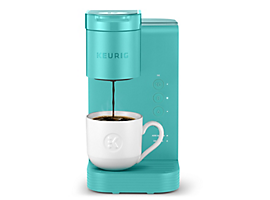
Are you tired of your coffee being too hot or too cold every morning? Getting the perfect temperature from your single-serve coffee maker can make all the difference in your daily cup.
But how do you adjust it to suit your taste exactly? You’ll discover simple, practical steps to control the temperature and enjoy coffee that’s just right for you. Keep reading to unlock the secret to a better coffee experience every single time.
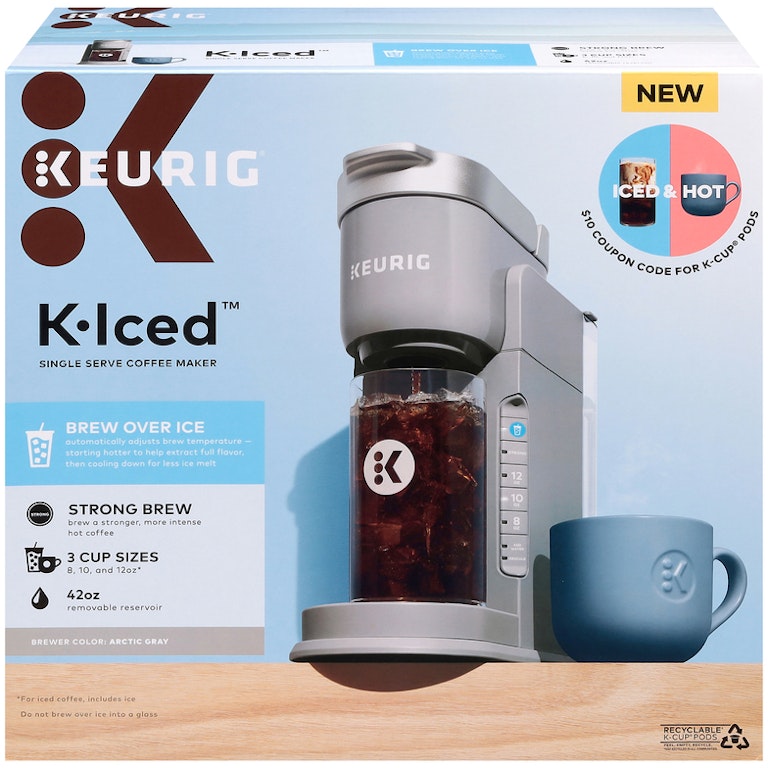
Credit: www.gianteagle.com
Temperature Settings Basics
Temperature controlis key for making great coffee with a single-serve machine. It affects how the coffee tastes and how much flavor you get from the beans.
Water that is too hot can make coffee bitter. Water that is too cool can make coffee weak and sour. The right temperature helps extract the best flavors.
| Temperature Range | Effect on Coffee |
|---|---|
| 195°F – 205°F (90°C – 96°C) | Ideal range for balanced flavor and aroma |
| Below 195°F (Below 90°C) | Under-extraction; coffee tastes weak or sour |
| Above 205°F (Above 96°C) | Over-extraction; coffee tastes bitter or burnt |
- Check your machine’s settings to adjust temperature.
- Use the ideal range for the best taste.
- Try small changes to find your favorite flavor.
Checking Your Coffee Maker
Check the model numberof your coffee maker. Different models have different features. Some models allow temperature adjustment, while others do not. Look for a user manualor visit the manufacturer’s website for details.
Many single-serve coffee makers come with built-in temperature controls. These controls let you set the brewing temperature to your liking. Some machines have buttons or dials; others use a digital screen. Knowing your machine’s controls helps you brew the perfect cup.
Adjusting Temperature Manually
Most single-serve coffee makers have control buttonsto adjust the temperature. These buttons are usually on the front panel. Press the temperature or settings buttonrepeatedly to cycle through options. Stop when the desired temperature shows on the screen.
Some machines have hidden menusto change temperature settings. To access these, press and hold certain buttons together for a few seconds. This action brings up the advanced settings menu. Use the control buttons to increase or decrease the temperature. Confirm your choice by pressing the start or select button.
- Check the user manual for specific button combinations.
- Hidden menus may allow precise temperature control.
- Adjust settings slowly to avoid overheating.
Using External Tools
Temperature controllershelp change the heat for your coffee maker. They work by regulating powerto keep water at the right temperature. Some controllers connect directly to the coffee maker’s power cord. Others use a smart plug to control when the machine turns on or off.
Smart plugs pair with phone apps. These apps let you set the exact time for brewing. You can also adjust the temperature remotely. This way, coffee is ready just how you like it.
| Tool | Use | Benefits |
|---|---|---|
| Temperature Controller | Controls heating element | Keeps water at steady temperature |
| Smart Plug | Turns machine on/off remotely | Schedule brewing with app |
| Phone App | Manage smart plug settings | Easy temperature and time control |
Optimizing Brew Temperature
| Coffee Type | Ideal Brew Temperature | Notes |
|---|---|---|
| Light Roast | 195°F – 205°F (90°C – 96°C) | Brings out bright and fruity flavors |
| Medium Roast | 200°F – 205°F (93°C – 96°C) | Balances acidity and body well |
| Dark Roast | 190°F – 200°F (88°C – 93°C) | Prevents bitterness, enhances smoothness |
| Decaf Coffee | 195°F – 205°F (90°C – 96°C) | Extracts flavor without harshness |
Adjusting brew temperaturecan change coffee taste a lot. Try different temperatures to find your favorite flavor. Start with the suggested range for your coffee type.
Lower temperature makes coffee taste softer and less bitter. Higher temperature brings out strong and bold flavors. Keep notes of what you like and do not like.
Small changes matter. Change temperature by a few degrees only. Taste every cup carefully. Your perfect cup is unique.

Credit: www.keurig.ca
Maintenance Tips
Adjusting the temperature in a single-serve coffee maker ensures a perfect brew every time. Check your model’s manual for instructions on temperature settings. Use filtered water for consistent results and a better taste.
Cleaning For Consistent Heat
Regular cleaning keeps your coffee maker working well. Use a soft cloth to wipe the outside. Clean the water tank with warm water. Check for mineral build-up inside the machine. Run a vinegar solution through the machine. This helps remove any build-up. Rinse with water after using vinegar. Clean the coffee pod area often. This keeps the coffee tasting good. Cleaning keeps the heat consistent for every cup.
Troubleshooting Temperature Issues
If coffee feels cold, check the power source. Make sure the plug is tight. Look at the water level in the tank. It should not be too low. Check the machine settings for temperature. Ensure it is set to the right level. If problems persist, consult the user manual. A reset might help restore the machine. Temperature issues can often be fixed with these simple steps.

Credit: www.goodhousekeeping.com
Frequently Asked Questions
How Do I Change Temperature On A Single-serve Coffee Maker?
Most single-serve coffee makers have a temperature control button or dial. Check your machine’s manual for exact steps. Adjust the temperature before brewing for best results.
Can I Customize Brew Temperature For Different Coffee Types?
Yes, many machines allow temperature adjustments. Dark roasts taste better at lower temperatures, while lighter roasts benefit from higher heat. Experiment to find your preferred setting.
Why Is Temperature Control Important In Single-serve Brewing?
Proper temperature ensures optimal coffee extraction and flavor. Too hot water can cause bitterness, while too cold water yields weak coffee. Adjusting temperature improves taste quality.
Will Adjusting Temperature Affect Brew Time?
Temperature changes can slightly affect brew time, but mostly influence flavor extraction. Higher temperatures may reduce brew time slightly. Always balance temperature and brewing duration for best taste.
Conclusion
Adjusting the temperature on your single-serve coffee maker is simple and quick. Small changes can improve your coffee’s taste greatly. Use the steps shared to find your perfect brew temperature. Enjoy warm, fresh coffee every time without hassle. Practice a bit, and you’ll get comfortable with the settings.
Happy brewing!