
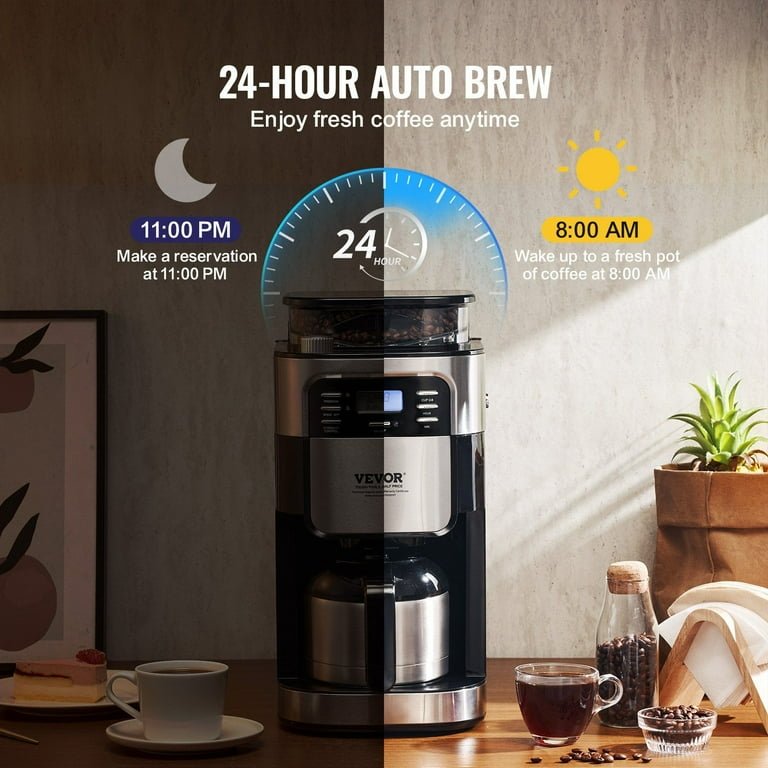
Imagine waking up to the rich aroma of freshly brewed coffee, ready exactly when you want it. Setting a 24-hour timer on your drip coffee maker lets you do just that.
If you’ve ever wished your coffee was waiting for you in the morning or after a long day, this simple trick can change your routine. In this guide, you’ll learn exactly how to set your drip coffee maker’s timer step-by-step.
By the end, you’ll never have to wait for your perfect cup again. Ready to take control of your coffee experience? Let’s get started.
Preparing Your Coffee Maker
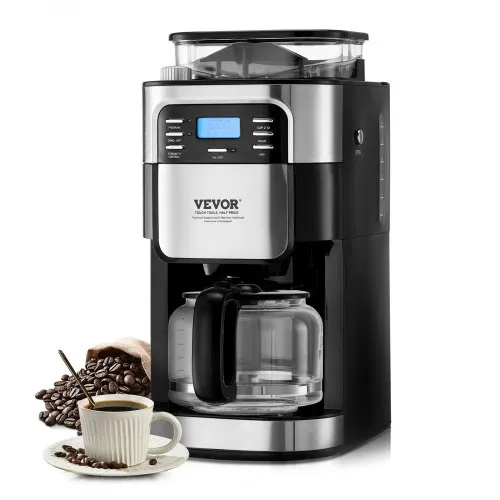
Ensure your drip coffee maker supports a 24-hour timer. Check the user manual or product details. Some models might not have this feature.
Prepare all items needed for setting the timer:
- Drip coffee maker
- Coffee grounds
- Water
- Power source
- User manual
Clean the coffee maker before use. This helps remove old coffee oils and residue. A clean machine makes better coffee and prevents taste issues.
Locating The Timer Controls
The timer buttonis usually near the display panel or control buttons. It may be labeled as Timeror have a clock icon. Press this button to start setting the timer.
The display panelshows the current time and timer settings. It usually has a digital clock with hours and minutes. Some displays also show AM or PM to help set the right time.
- Look for buttons near the display, like Hourand Minute.
- Press the timer button once to enter timer mode.
- The display will blink or change to show timer time.
- Use hour and minute buttons to set the time you want coffee to start.
Setting The Current Time
To set the current time on your drip coffee maker, start by locating the clock display. Press the hour button repeatedly until the correct hour shows. Watch for the AM or PM indicator to ensure accuracy.
Next, press the minute button to adjust the minutes. Keep pressing until the right minute appears. Take your time to get it exact for the best results.
Once the hour and minute are set, press the clock or set button to confirm. The display should stop blinking. This means the time is now saved in the machine.
Programming The 24-hour Timer
Set the clock on your drip coffee maker first. Use the hour and minute buttons to choose the current time. This helps the timer work correctly.
Pick the time you want your coffee to start brewing. Press the brew start time button. Then use the hour and minute buttons to set the desired time.
Turn on the timer mode. Look for a button labeled “Timer” or “Auto.” Press it to activate the timer. A light or icon will show that the timer is set.
Your coffee maker will now start brewing at the set time. Make sure there is enough water and coffee grounds before you set the timer.
Adding Coffee And Water
Use fresh coffee grounds for the best taste. Measure about 1 to 2 tablespoonsof coffee per cup. Adjust the amount depending on how strong you like your coffee. Spread the grounds evenly in the coffee filter basket to avoid clogging.
Fill the water reservoir with clean, cold water. Check the coffee maker’s markings for the right water level. Use the same amount of water as the number of cups you want. Pour slowly to avoid spills. Do not exceed the maximum water limit to prevent overflow.

Credit: www.amazon.com
Testing The Timer Function
Testing the timer function ensures your coffee maker starts brewing at the right time. Set the 24-hour timer and watch for the coffee to begin brewing as scheduled. This step helps confirm your morning coffee will be ready when you want it.
Running A Trial Brew
Begin with a clean coffee makerand fresh water. Set the timer for 24 hoursahead. Ensure the coffee grounds are in place. Press the timer button to activate. Wait and check if the brew starts at the set time. If it works, the timer is set correctly. If not, check the timer settings again.
Troubleshooting Common Issues
- Ensure the timer is set to the correct time.
- Verify the power supply connection.
- Check if the coffee maker lid is closed tightly.
- Inspect if the water reservoir is filled properly.
- Make sure the coffee maker is in “Auto” mode.
Maintaining Your Coffee Maker
Setting the 24-hour timer on your drip coffee maker lets you wake up to fresh coffee. Simply program the clock and choose the brew time. This saves time and keeps your morning routine smooth.
Regular Cleaning Tips
Keep your coffee maker sparkling clean for the best taste. Use a damp cloth to wipe the exterior. Avoid soaking the machine in water. Clean the carafe with warm soapy water. Rinse thoroughly after washing. Remove any leftover coffee grounds. A clean machine brews delicious coffee every time.
Replacing Coffee Filters
Change the coffee filter regularly for a fresh brew. Use the right size filter for your machine. Insert it properly to avoid spills. Old filters can spoil the taste. Always keep a pack of filters at hand. Replace them after each use. This ensures a smooth coffee experience.

Credit: www.vevor.com
Credit: www.vevor.com
Frequently Asked Questions
How Do I Set A 24-hour Timer On My Drip Coffee Maker?
To set a 24-hour timer, locate the timer button on your coffee maker. Press it, then use the hour and minute buttons to select the brew time. Confirm the setting, and your coffee maker will start brewing automatically at the set time.
Can I Program My Drip Coffee Maker For Daily Use?
Yes, most drip coffee makers with a 24-hour timer allow daily programming. Set your desired brew time once, and the machine will automatically brew coffee at the same time each day.
What Are Common Mistakes When Setting The Timer?
Common mistakes include incorrect AM/PM settings, not confirming the timer, or forgetting to add water and coffee grounds. Always double-check the timer and prepare the coffee maker before setting the timer.
Does The Timer Work If The Coffee Maker Is Unplugged?
No, the timer requires continuous power to function. If unplugged, the timer resets, and you must reprogram the brew time after plugging it back in.
Conclusion
Setting a 24-hour timer on your drip coffee maker saves time every day. You wake up to fresh, hot coffee ready to enjoy. The steps are simple and easy to follow. Just set the timer, add water, and coffee grounds.
Your machine does the rest, making mornings smoother. Try this method to improve your daily coffee routine. Enjoy the convenience and taste of freshly brewed coffee anytime. Small changes like this make a big difference in your day. Happy brewing!