
Imagine waking up to the perfect cup of espresso, made just the way you like it, with a simple touch. If you’ve ever felt unsure about how to use an espresso machine with touch control, you’re not alone.
But here’s the good news: once you know the steps, it’s easier than you think. This guide will walk you through everything you need to know to master your machine quickly and confidently. By the end, you’ll be brewing rich, delicious espresso that tastes like it came from your favorite café.
Ready to become your own barista? Let’s dive in.
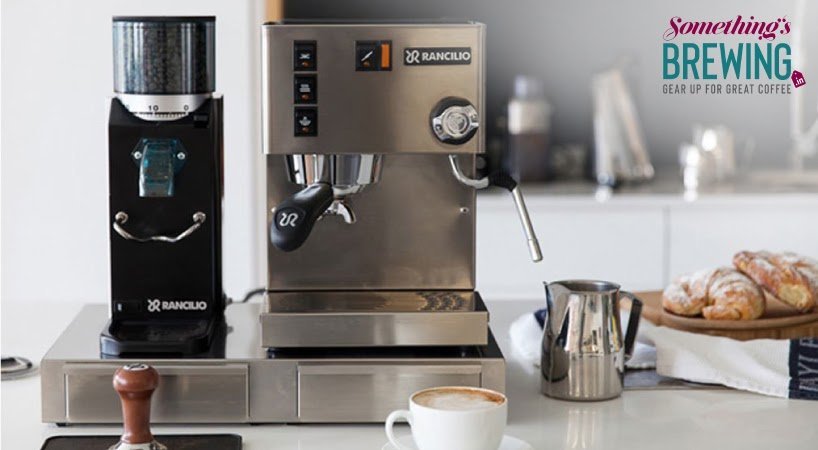
Credit: somethingsbrewing.in
Getting Started With Touch Control Espresso Machines
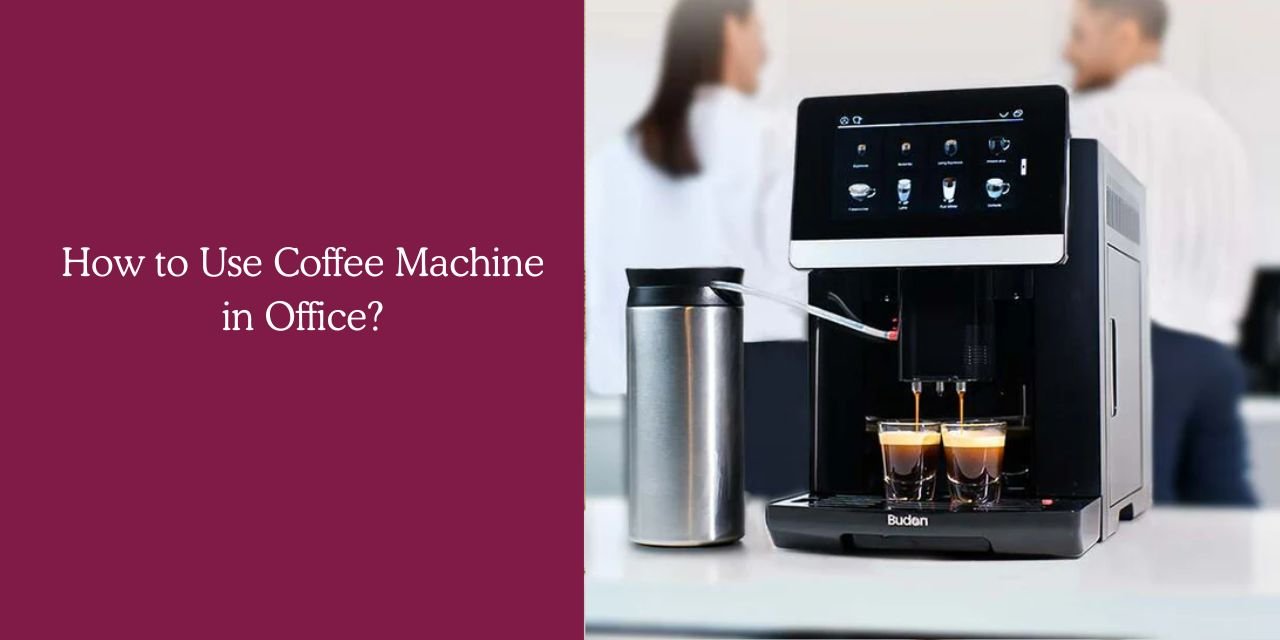
Touch control espresso machines come with easy-to-use panels. These panels let you select settings with a simple tap. Some models offer preset drink options, while others allow you to customize your coffee strength and temperature.
- Digital display:Shows current settings and status.
- One-touch brewing:Start your espresso with a single touch.
- Custom settings:Save your favorite drink preferences.
- Cleaning alerts:Remind you when the machine needs maintenance.
Before using your machine, rinse the water tank with clean water. Fill it with fresh, cold water. Run a water-only cycle to clean the internal parts. This step removes dust or leftover residues from factory setup.
Check if the coffee beans or pods are loaded correctly. Use the right grind size for the best taste. Make sure the drip tray and cup stand are in place. Now, your machine is ready for the first brew.
Setting Up Your Espresso Machine
First, fill the water reservoirwith fresh, cold water. Use the maximum fill line as a guide. Avoid using hot water or tap water with impurities.
Next, add coffee beansto the bean hopper or coffee grounds to the filter basket. Use fresh coffee for the best taste. Make sure the hopper lid is closed tightly.
Adjust the settings on the touch panelto match your preference. You can change the coffee strength, temperature, and cup size. Use simple taps on the screen to select options.
Brewing The Perfect Espresso
Use the touch screen to pick your brew strengthand temperature. This lets you control how strong or hot your espresso will be. Choose a lighter brew for a mild taste or a stronger one for a bold flavor.
Press the start buttonon the touch panel to begin brewing. The machine will stop automatically when the espresso is ready. You can also press the stop button to end the brew early.
Many machines have preset programsfor different coffee types. Select a preset to quickly make espresso, cappuccino, or latte without adjusting settings each time.
Customizing Your Coffee Experience
Saving your favorite settings lets you enjoy coffee just the way you like it every time. Most espresso machines with touch controls allow you to store preferences like coffee strength, temperature, and brew time. This makes your routine faster and easier.
Adjusting cup size and volume is simple. Use the touch panel to select the cup size, such as small, medium, or large. You can also customize the amount of coffee poured to match your taste. This feature ensures you get the perfect cup every time.
Milk frothing functions add creamy texture to your drinks. Choose from different froth levels using the touch controls. Some machines offer options for hot milk or dense foam, ideal for cappuccinos or lattes. Frothing can be controlled with just a few taps.
Cleaning And Maintenance Tips
Automatic cleaning programsmake maintenance easy and quick. Just follow the machine’s screen instructions. These programs rinse internal parts and remove coffee oils. Run them regularly to keep the machine fresh and working well.
Manual cleaning steps help keep your espresso machine spotless. Clean the drip tray, portafilter, and water tank with warm water and mild soap. Wipe the exterior with a soft cloth. Use a brush to clean the coffee grinder and group head.
| Descaling Your Machine | Details |
|---|---|
| Why Descale? | Removes mineral buildup inside the machine to keep it efficient. |
| Frequency | Every 1-3 months depending on water hardness and use. |
| How to Descale | Use a descaling solution. Follow the machine’s descale program or instructions. |

Credit: www.amazon.com
Troubleshooting Common Issues
Troubleshooting common issues with an espresso machine featuring touch control can enhance your brewing experience. Check connections and power if the machine doesn’t start. Clean the touch panel regularly to avoid unresponsive controls.
Touch Screen Not Responding
The touch screen can sometimes freeze. First, check the power. Ensure it is plugged in. Restart the machine by turning it off and on. If still not working, clean the screen. Use a soft, damp cloth. Dirt can confuse the screen. If the problem stays, consult the user manual. It may need a professional fix.Water Flow Problems
Water flow issues can spoil your coffee. First, check the water tank. Is it full? If not, fill it up. Ensure the tank is placed correctly. Blockages can cause problems too. Check the nozzle for clogs. Clean it if needed. If flow remains weak, descale the machine. Hard water can block pipes. Use descaling solution as per instructions.Error Messages And Alerts
Error messages can be confusing. Read the message carefully. It gives clues. Follow any given steps. If the machine shows a water error, check the tank. If it’s a temperature error, ensure the machine is on long enough. For unknown errors, refer to the manual. Manuals have error codes and solutions. `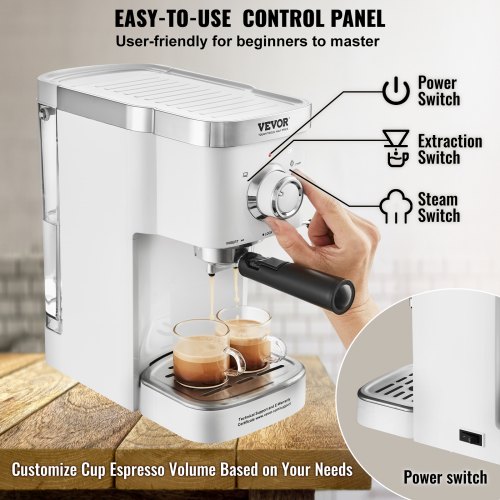
Credit: www.vevor.com
Frequently Asked Questions
How Do I Start Using An Espresso Machine With Touch Control?
To start, plug in your machine and fill the water tank. Turn it on using the touch panel. Select your desired coffee size and strength. Place a portafilter with ground coffee, then press the start button on the touch screen to begin brewing.
What Maintenance Is Needed For Touch Control Espresso Machines?
Regular cleaning is essential. Wipe the touch panel gently with a soft cloth. Clean the portafilter and drip tray after each use. Descale the machine monthly to prevent mineral buildup. Follow manufacturer instructions for specific maintenance steps.
Can I Customize Coffee Settings On A Touch Control Espresso Machine?
Yes, most machines allow customization. You can adjust coffee strength, temperature, and cup size via the touch interface. These settings help you create your perfect espresso shot every time.
Why Isn’t The Touch Panel Responding On My Espresso Machine?
The touch panel may be dirty or wet. Clean it with a dry, soft cloth. Ensure the machine is plugged in properly. Restart the machine if the problem persists. Contact support if the issue continues.
Conclusion
Using a touch control espresso machine makes coffee simple and fast. Just follow the steps clearly to enjoy fresh espresso at home. Practice a little to get the best taste and settings. Clean your machine regularly to keep it working well.
Enjoy your coffee moments with ease and comfort every day. Simple tools, great coffee.